
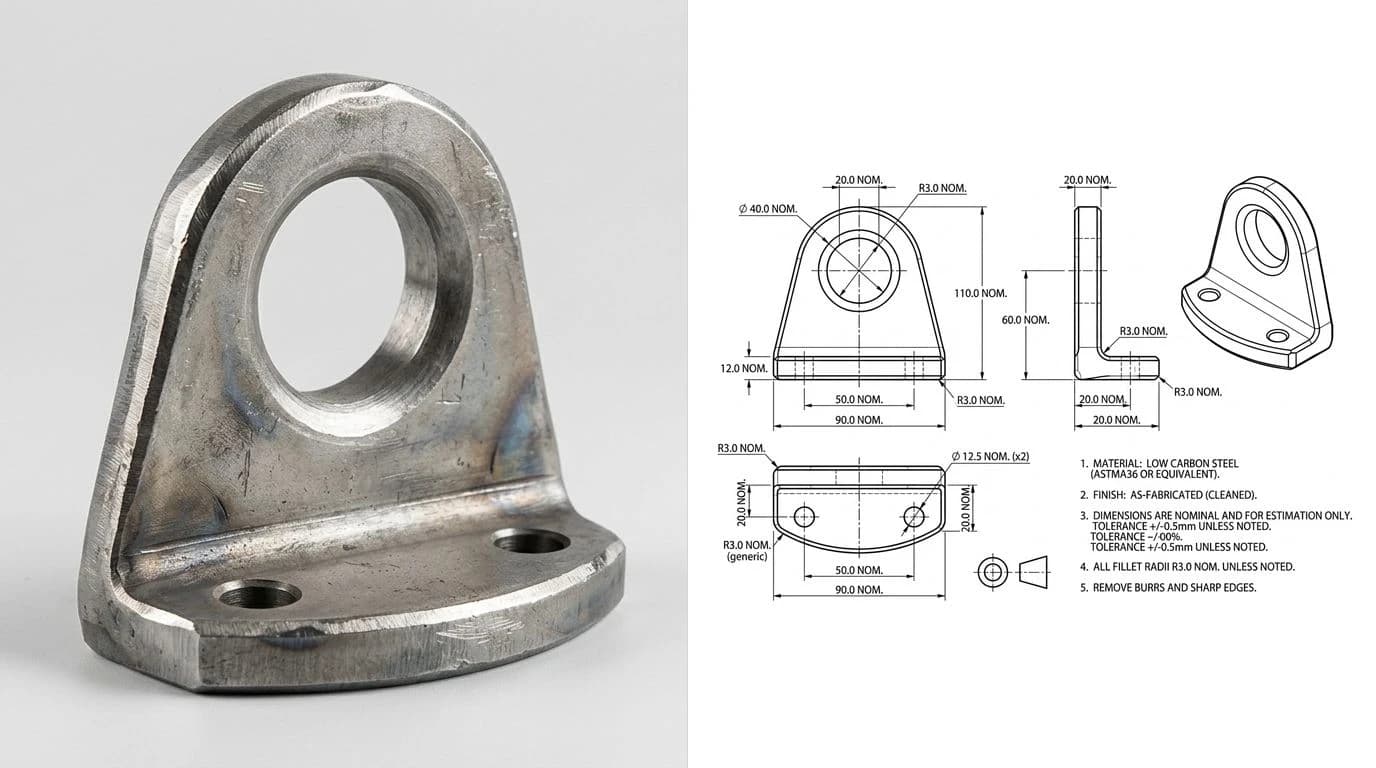
“AI image to CAD” sounds like it should be one click by now. You have a photo, AI is everywhere, so surely you upload it and a DWG falls out. Here is the part the demos gloss over. Most of the AI you have tried, ChatGPT, DALL-E, Midjourney, makes another picture, a raster that looks like a drawing and contains no geometry at all. A CAD file is the opposite: lines, arcs and dimensions stored as math, the kind a machine can actually cut from. Crossing that gap is the whole job, and it is the difference between an AI that impresses you and an AI that hands you a file you can open, edit and quote.
Our articles are still written by humans!
Get human written articles in your Google feed.
The short answer
Yes, AI can turn an image into a CAD drawing, but only a tool built to output CAD geometry, not a general chatbot. A generic image model gives you a raster that looks like a drawing and is useless for manufacturing, because there is no editable linework and no real scale inside it. A purpose-built AI drawing tool reads the shape in your photo, rebuilds it as dimensioned orthographic views, and exports an editable DWG or DXF. Same word, AI, completely different output. The rest of this guide is about telling the two apart and getting a file you can actually use.
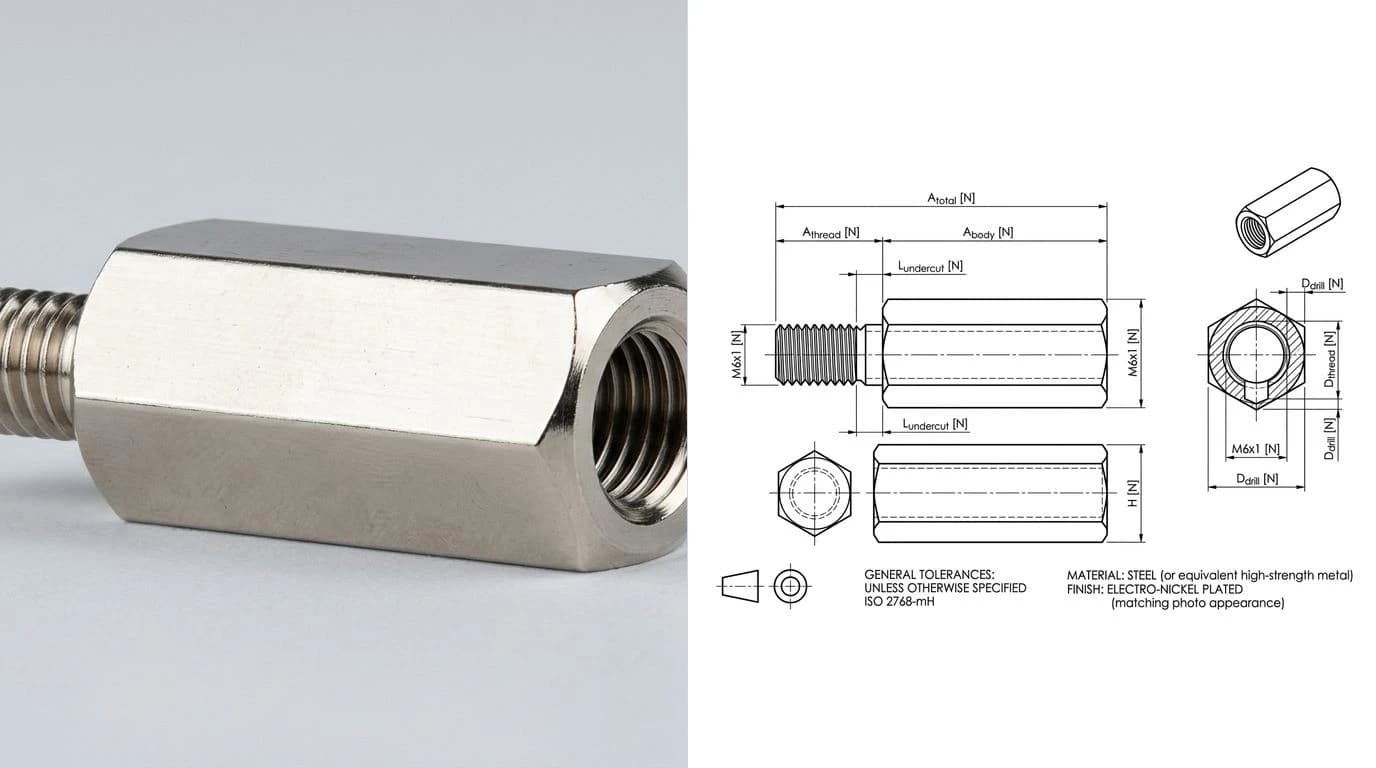
The wall: AI draws a picture, not a file
There is one idea that clears up almost all the confusion, so it is worth slowing down on. A raster is a grid of coloured pixels, which is what a photo, a JPG and an AI-generated image all are. Vector CAD geometry is a set of mathematical lines, arcs and points with real coordinates, which is what a DWG or DXF stores. They can look identical on screen and be nothing alike underneath. You can zoom into vector geometry forever and it stays crisp; you can measure it, dimension it, and a machine can drive a tool along it. You can do none of that with pixels.
So when an AI “makes a technical drawing,” the real question is which one it made. If it painted pixels, you have a picture, however convincing. If it computed geometry, you have a file. Everything about whether AI image to CAD works for your job hinges on that single distinction, and most tools quietly land on the picture side. The pillar guide covers the same fork across every route, AI or not, in image to CAD: turn a picture into a drawing you can manufacture.
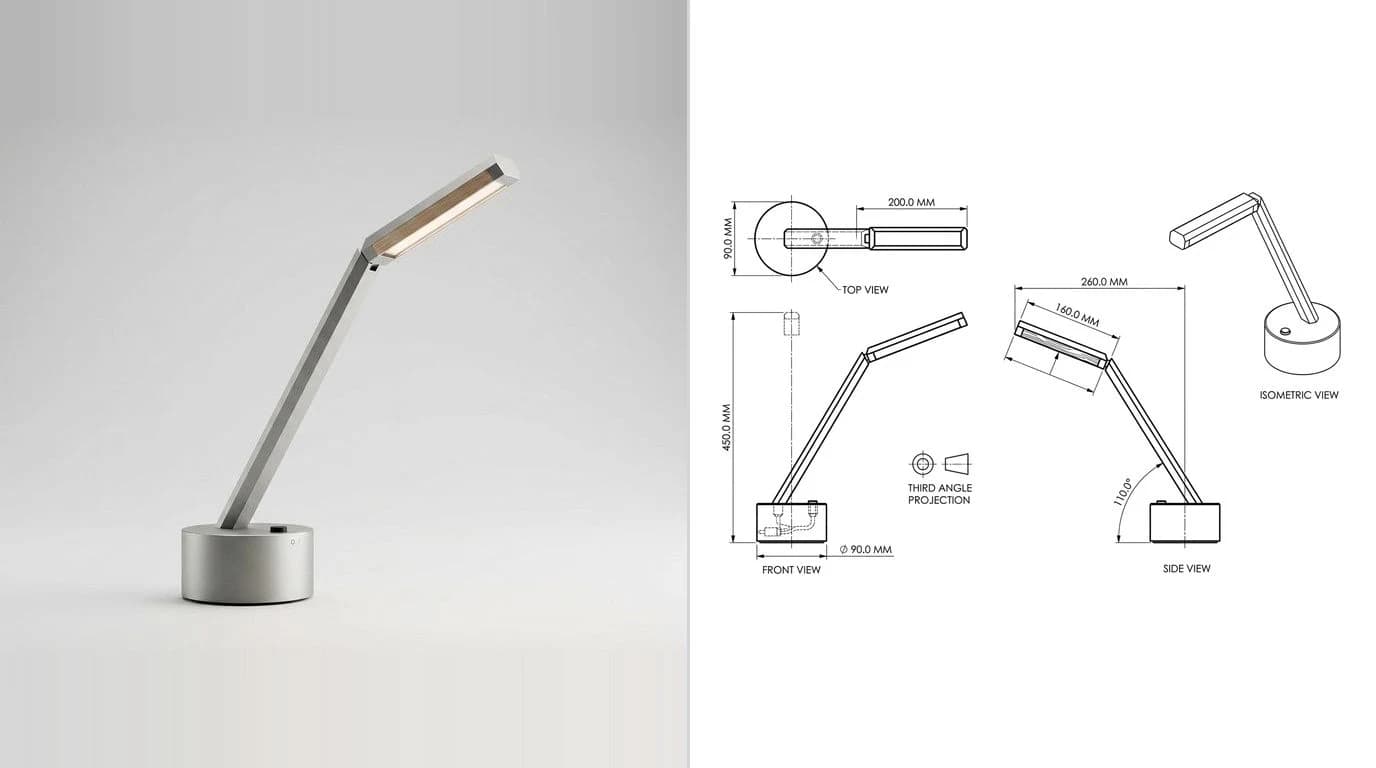
Why ChatGPT, DALL-E and Midjourney can't hand you a DWG
This is not a knock on these tools, it is just how they are built. Image generators are trained to produce pixels that look right, not coordinates that are right. Ask one for a dimensioned drawing and it will happily render arrowheads, numbers and view labels that look the part, but the numbers are decoration, the lines are not editable, and there is no file underneath to open in CAD. It is a photograph of a drawing that never existed.
Each model hits the wall in its own way, and we have tested them one by one: can ChatGPT make technical drawings, can Claude make technical drawings and can Gemini make technical drawings. The short version across all three: great for a concept sketch or explaining a standard, not a source of an editable, to-scale DWG. If you do want the best out of a chatbot for the concept stage, the ChatGPT prompts for technical drawing get you as far as the picture wall, and no further.
What AI image to CAD actually looks like
The AI that does cross the wall works differently from an image generator. Instead of painting a plausible picture, it treats your photo as a source of geometry to reconstruct. It identifies the real edges and features, projects them into proper orthographic views, closes the profiles, and lays down true dimension lines, then writes that out as a CAD file. The output is editable: you can open it in AutoCAD, move a line, change a dimension, and send it to a cutter.
That is the category worth searching for. Approached from the photo side, the workflow is the same one in photo to CAD: turn a picture of a part into DWG or DXF, and if you want a DWG specifically, image to DWG takes the format-first route. For a rounder survey of what is on the market, the best AI technical drawing tools lines them up, and real AI technical drawing examples shows honest before-and-after output rather than marketing shots.
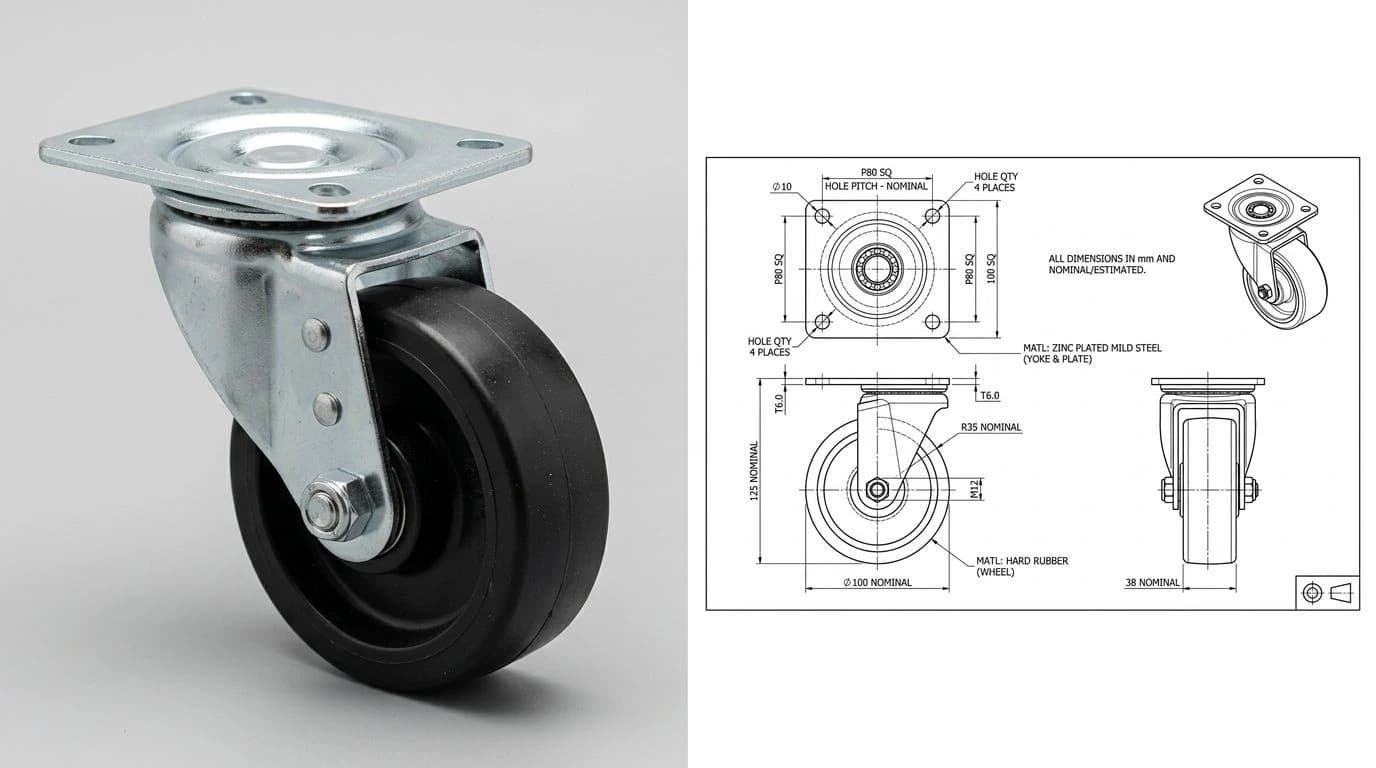
The one measurement AI still needs from you
Here is the honest limit no AI can talk its way around. A photo has no scale. It is measured in pixels, and a CAD drawing is measured in millimetres or inches, so nothing in the image says how big the part really is. However clever the reconstruction, the AI still has to be told one real length to anchor everything else. Give it one dimension you know, from calipers on the part or a spec you trust, and every other measurement scales from it because the proportions were already correct.
This is not a weakness of the tool, it is physics. No process, human or AI, reads a true size off pixels that never stored one. The idea in full, including how to pick a good reference feature, is in how to get dimensions from a photo, and working from a real object in your hand is how to reverse-engineer a part from a photo.
The honest ceiling: 2D, not a 3D solid
It is worth being upfront about what today's AI genuinely cannot do, because overselling this is how people get burned. A single photo carries no depth on the hidden side, so a true 3D solid model reconstructed from one image is mostly invention wherever the camera could not see. What works reliably, and what a shop can actually use, is a measurable 2D technical drawing: dimensioned views you can manufacture from or pull into your own CAD to take further.
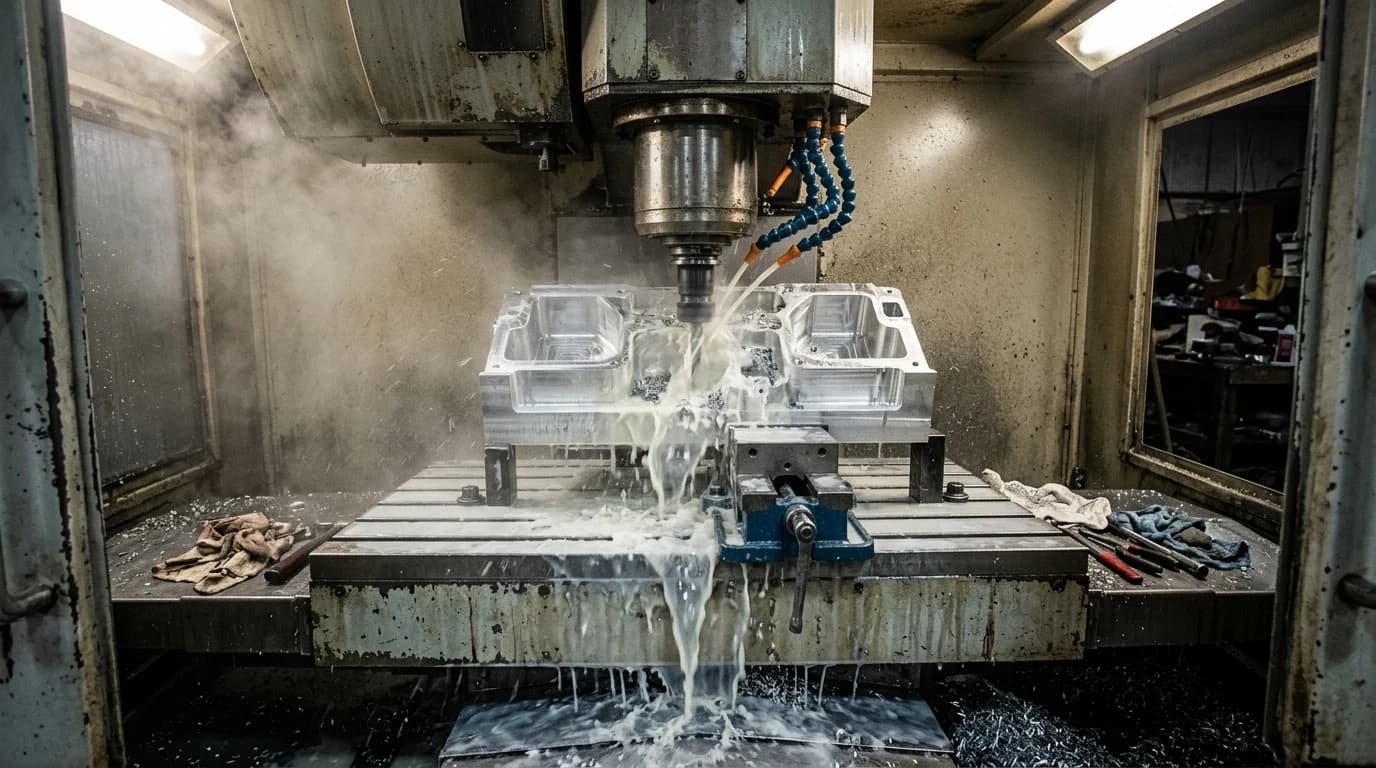
That is a feature, not a cop-out. A clean, to-scale 2D drawing is exactly what most laser, plasma, waterjet and machining jobs need in the first place, and it is honest about where the data actually came from. If you are weighing AI against a human draughtsman for the job, what a technical drawing costs puts the two side by side.
AI image to CAD tools compared
Grouped by what they actually output, the landscape is clearer than the marketing makes it look.
AI image to CAD, by what comes out the other end
The pattern is simple once you see it. The famous general-purpose models all land on the picture side of the wall, which is why they feel so close and yet never quite give you the file. The tools that output real geometry are the narrower, purpose-built ones. If your end format is a cutter file rather than an AutoCAD drawing, our image to DXF converter covers that side.
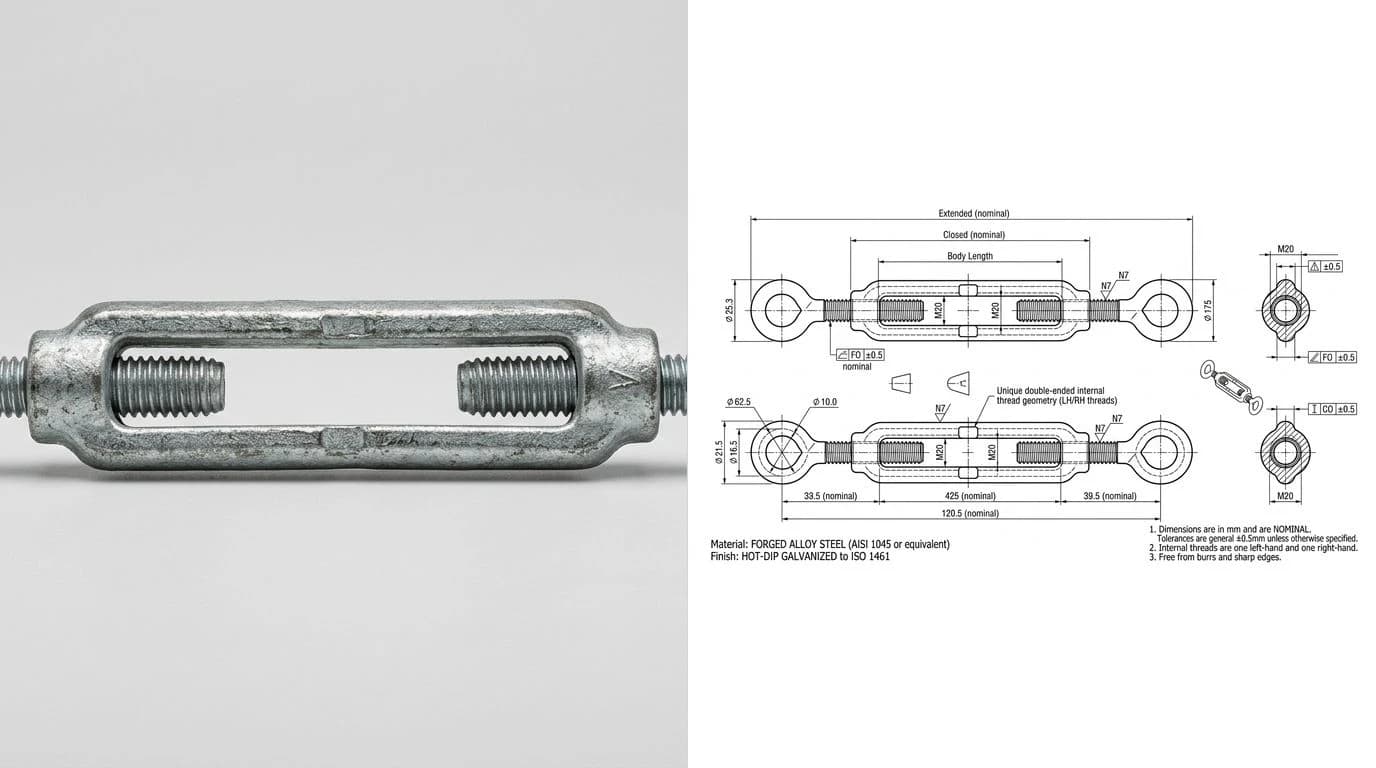
Our AI technical drawing generator sits in that last row on purpose. You upload a photo, type in one real measurement, and it rebuilds a dimensioned technical drawing: orthographic views, closed profiles, every length tied to your reference instead of to pixels, then exports a clean DWG, DXF, SVG or PDF you open straight in CAD. It stays honest about the ceiling too, a measurable 2D drawing you can edit and quote, not a 3D solid conjured out of one photo.
Getting a clean result
- Check the output type first. Is the tool going to hand you a file or an image? If you cannot export DWG or DXF, it is a picture maker, whatever it is called.
- Shoot the part straight on and well lit. Square to the face, even light, whole feature in frame. Perspective and shadow are the two things the reconstruction has to fight.
- Have one real measurement ready. Calipers on a known feature. Without it, nothing the tool produces is to true size.
- Expect 2D, and treat 3D claims with caution. A dimensioned drawing from one photo is realistic; a full solid model is not.
- Verify one dimension in CAD after export, against your reference, before you send the file anywhere.
Clear that list and AI image to CAD stops being a demo that impresses and becomes a file you can build from. Starting from a scanned drawing or an old part instead of a fresh photo? That is scan to CAD, and the plain photo-first route is photo to CAD.
Frequently asked questions
Can AI convert an image to CAD?
Yes, but only the right kind of AI. A general image generator like DALL-E or Midjourney produces another picture, a pretty raster that looks like a drawing but has no geometry inside it. A purpose-built AI drawing tool is different: it reads the shape in your photo, rebuilds it as real orthographic views with dimensions, and exports an editable DWG or DXF. The word AI covers both, so the thing to check is whether the output is a file you can open in CAD or just an image.
Can ChatGPT convert an image to a CAD drawing?
ChatGPT can describe a drawing, write a script that generates one, and now produce an image that looks like a technical drawing, but it does not export a native DWG or DXF you can edit in CAD. The picture it makes is pixels, not lines and arcs, so a shop cannot cut from it and you cannot dimension it. For an editable file you need a tool built to output CAD geometry, not a chatbot that outputs images and text.
Can AI create a DWG or DXF file?
A dedicated AI drawing tool can, and that is the whole distinction. DWG and DXF store geometry as math, closed profiles, arcs, dimensions, so producing one means the AI has to reconstruct real linework, not paint a picture of it. General chatbots and image generators do not write these formats. Tools built for the job export DWG, DXF, SVG or PDF that open straight in AutoCAD or a CAM package. Two details separate a file that merely opens from one a shop can use: curves have to be written as real arcs rather than a fan of short straight segments, or the radius you measure in CAD will be wrong, and the file has to declare its extents so CAD opens looking at the drawing instead of at empty space.
Is there an AI that turns a photo into a CAD drawing?
Yes. You upload a photo of a part, give it one real measurement to set the scale, and it rebuilds a dimensioned 2D technical drawing you export as DWG or DXF. It is not tracing the pixels, it is reconstructing the geometry with proper views and real lengths. The honest limit is that it produces a measurable 2D drawing, not a full 3D solid model built from a single photo.
Can AI make a 3D CAD model from a photo?
It can now produce a 3D mesh, and the distinction between a mesh and a solid is the whole answer. Photo-to-3D tools, TechDraw AI included, return an STL or GLB you can view, 3D print or drop into a scene. What none of them return is a parametric solid with editable features, because a single image has no depth data and the hidden side is still inferred. A technical drawing works as an input too, and it is a cleaner one than a photograph because the shape is already drawn rather than lit, shadowed and foreshortened. Be clear about what that buys you, though: current tools still infer depth from a single rasterised view, so the model follows the drawing's proportions, not its dimensions. Treat any of this output as a mesh for visualisation and printing, and the dimensioned 2D drawing as the part you actually manufacture from.
Why does ChatGPT give me a picture instead of a CAD file?
Because an image generator paints pixels, it does not compute geometry. When you ask it for a technical drawing, it produces something that visually resembles one, but there are no editable lines, no real dimensions and no units underneath. That is fine for a concept sketch and useless for manufacturing. To cross from picture to file, you need a tool that outputs CAD geometry directly.