
Search "best AI technical drawing tool" and you get a list of products with almost nothing in common. One writes 3D models from a sentence. One reads a finished drawing and grades it. One turns a photo into something that lookslike a blueprint but cannot be measured. Filing them under one heading is like calling a calculator, a spell-checker and a printer all "writing tools." True, and a good way to buy the wrong one.
Our articles are still written by humans!
Get human written articles in your Google feed.
Five jobs hiding behind one search term
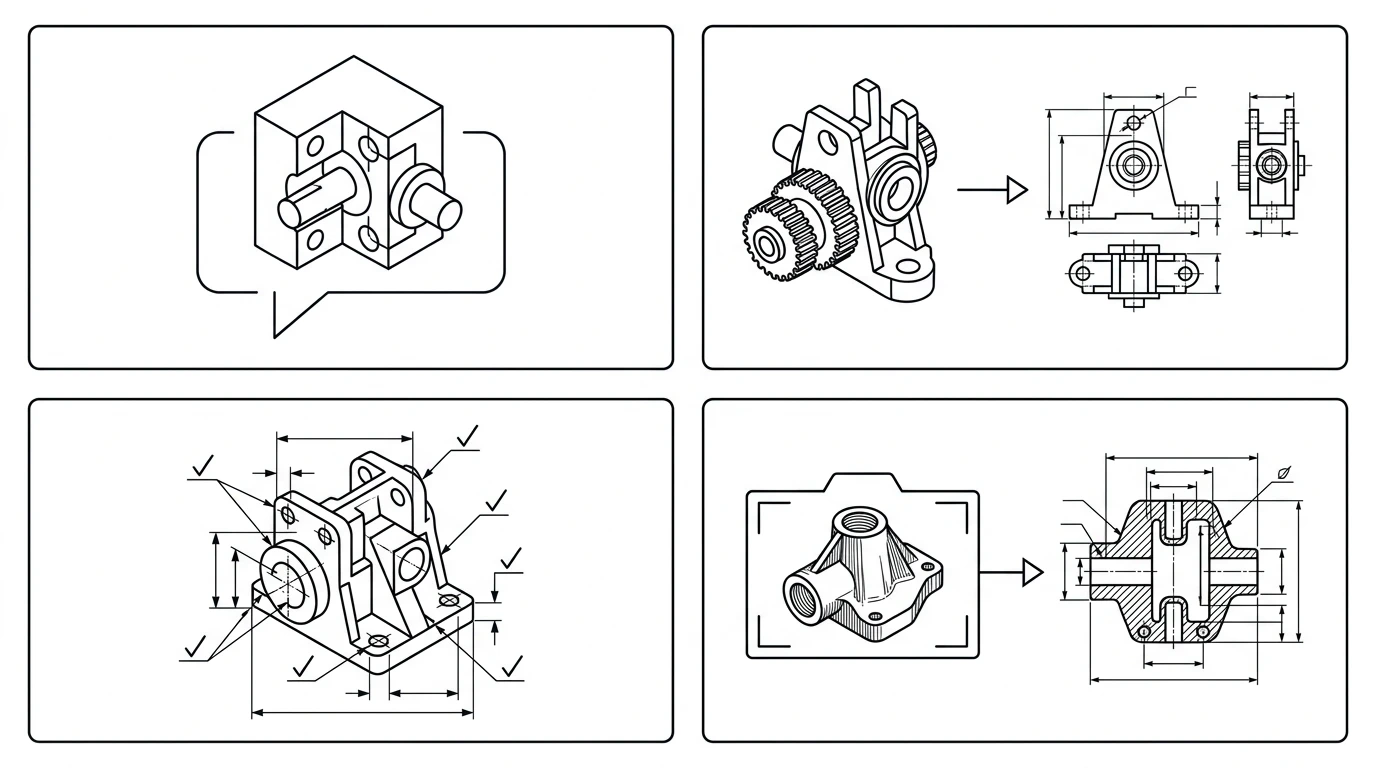
Before any table makes sense, separate the categories, because each one solves a different problem and they do not substitute for each other. Nearly every regretted purchase comes from buying out of the wrong row.
1. Text-to-CAD: geometry from a description
You type "a 60 mm flange with four M6 holes on a 40 mm bolt circle" and the tool generates an editable 3D model. AdamCAD, Zoo and Ragnar live here. The input is words, not a real object, so it is excellent for inventing a new part and no help at all for documenting one that already exists.
2. Drawing automation: 2D drawings from a 3D model
Already have a finished 3D CAD model? Tools like DraftAid generate the production 2D drawing (views, dimensions, your title block) automatically. A real time-saver inside a CAD shop, but it needs a completed 3D model as input. No model, no drawing.
3. Drawing review, OCR and extraction: read, don't create
A growing class of tools reads existing drawings instead of making them. CoLab's AutoReview flags missing callouts, ambiguous tolerances and title-block errors. Engineering drawing OCR tools go the other direction: they pull structured data out of the sheet, part numbers, dimensions, GD&T callouts and title-block fields, so a quote or an ERP entry doesn't have to be retyped by hand. Useful for quality, procurement and archives. Either way they are checkers and readers, not generators; what AI can and cannot catch on a sheet is its own topic, covered in can AI check a technical drawing for errors.
4. Style filters: a photo that looks like a blueprint
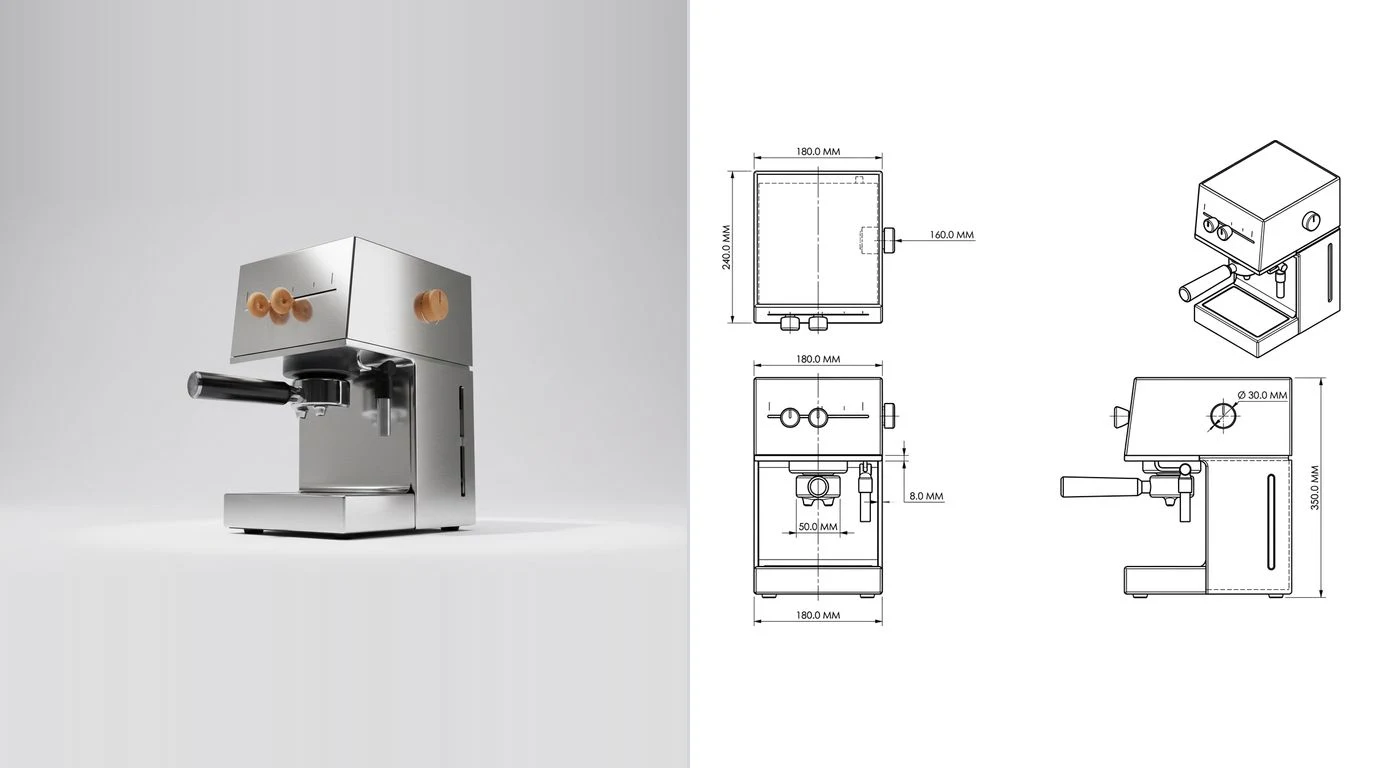
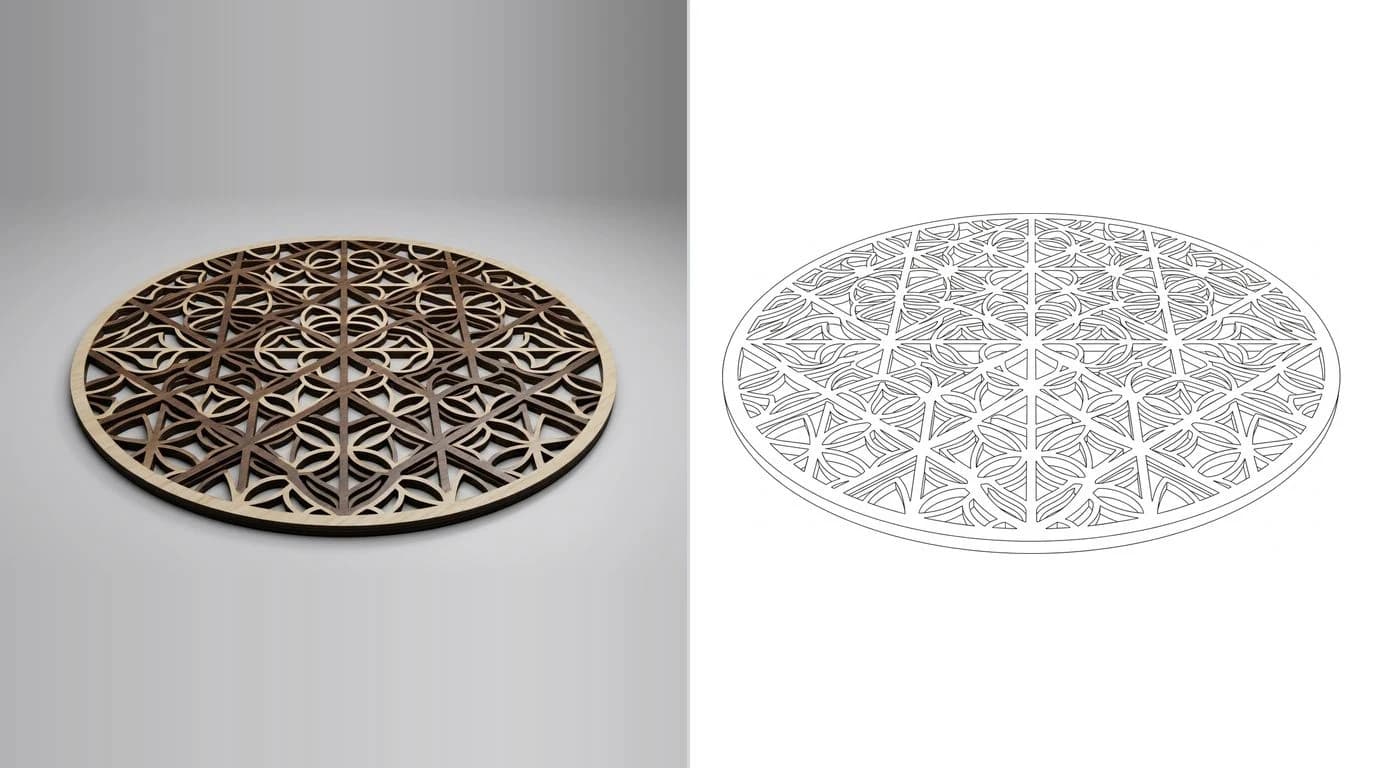
This is the category that floods the results: upload a photo, get back line-art or blueprint-textured art. Often free, often instant, always cosmetic. The output is a picture with no real measurements and nothing a shop can quote, which we take apart in our photo-to-drawing reality check.
The comparison table
The whole landscape on one screen. The column that decides everything is the one marketing pages skip: real measurements? Does the output carry dimensions you could manufacture from, or just lines that look the part.
AI technical drawing tools by job to be done (2026)
Read that as a map, not a leaderboard. AdamCAD is not "worse than" DraftAid; they do different jobs. The only ranking worth making is which row matches the part in front of you.
Tool-by-tool breakdown
AdamCAD
A slick web text-to-CAD tool that turns a prompt into a parametric 3D model with editable dimension sliders, and exports STL/OBJ. The startup (YC W25) raised a $4.1M seed in late 2025 to build toward an AI CAD copilot. Best for spinning up a new part from an idea. Limit: it makes 3D geometry, not a dimensioned 2D drawing, and it cannot take a photo of an existing part.
Zoo Text-to-CAD
An open-source text-to-CAD platform built on Zoo's own modeling engine, with a free tier that includes monthly generation credits. A good pick if you want an inspectable, developer-friendly pipeline. Limit: like all text-to-CAD it starts from words and outputs 3D geometry; fidelity drops on complex assemblies.
Ragnar
One of the few that markets both text- and image-to-CAD. It generates editable B-Rep geometry (not a mesh) that you can refine conversationally ("add a 6 mm mounting hole," "fillet those edges 2 mm") and export to STEP for SolidWorks or Fusion. Promising for reverse-engineering. Limit: it targets a 3D model rather than a dimensioned 2D drawing, and real-world dimensional accuracy from a single photo is unverified; the scale catch below hits it as hard as anyone.
Leo AI
An AI design copilot for mechanical engineering, trained on a large corpus of CAD files. It generates 3D concepts from a sketch or spec, answers engineering questions, and runs part search inside your workflow. Pro plans start around $15 per user per month. Limit: it is a concepting and productivity assistant, not a photo-to-drawing generator.
DraftAid
Automates the production 2D drawing from an existing 3D model inside SolidWorks or Inventor, applying your templates and dimensions, with claims of up to 90% drafting-time reduction and seconds per sheet. If your team lives in CAD and drafting is the bottleneck, this is the clearest win on the list. Limit: you must already have a finished 3D model; pricing is quote-based.
CoLab AutoReview
Enterprise AI design review. It reads 2D drawings and 3D models and flags missing callouts, ambiguous tolerances, DFM issues and title-block errors in a single pass, in beta with real manufacturers. Limit: it checks drawings, it does not create them, and it is enterprise-priced.
Style-filter generators
OpenArt, Writecream, Glima, Photosstyle and the rest turn a prompt or photo into a blueprint-styled image, usually free and instant. Perfect for a hero image or a pitch deck. Limit, and it is the one that matters: the output is the lookof a drawing, not its content. When we asked a general image model for a dimensioned bracket, it returned contradictory numbers and a 2.5-metre callout on an 80 mm part; we documented the whole test in can ChatGPT make technical drawings. Treat these as illustration tools, not engineering tools.
The catch with every "photo to drawing" tool
One bit of physics decides whether a photo-based tool is leveling with you. A single photograph cannot reveal a part's absolute size. A small part near the lens and a large one far away can land the same image, so shape is recoverable and size is not, unless something of known size is in the frame. It is a property of cameras, not a gap better training will close. We walk through the geometry in turning an image into CAD, and compare how the AI-specific tools handle it in AI image to CAD.
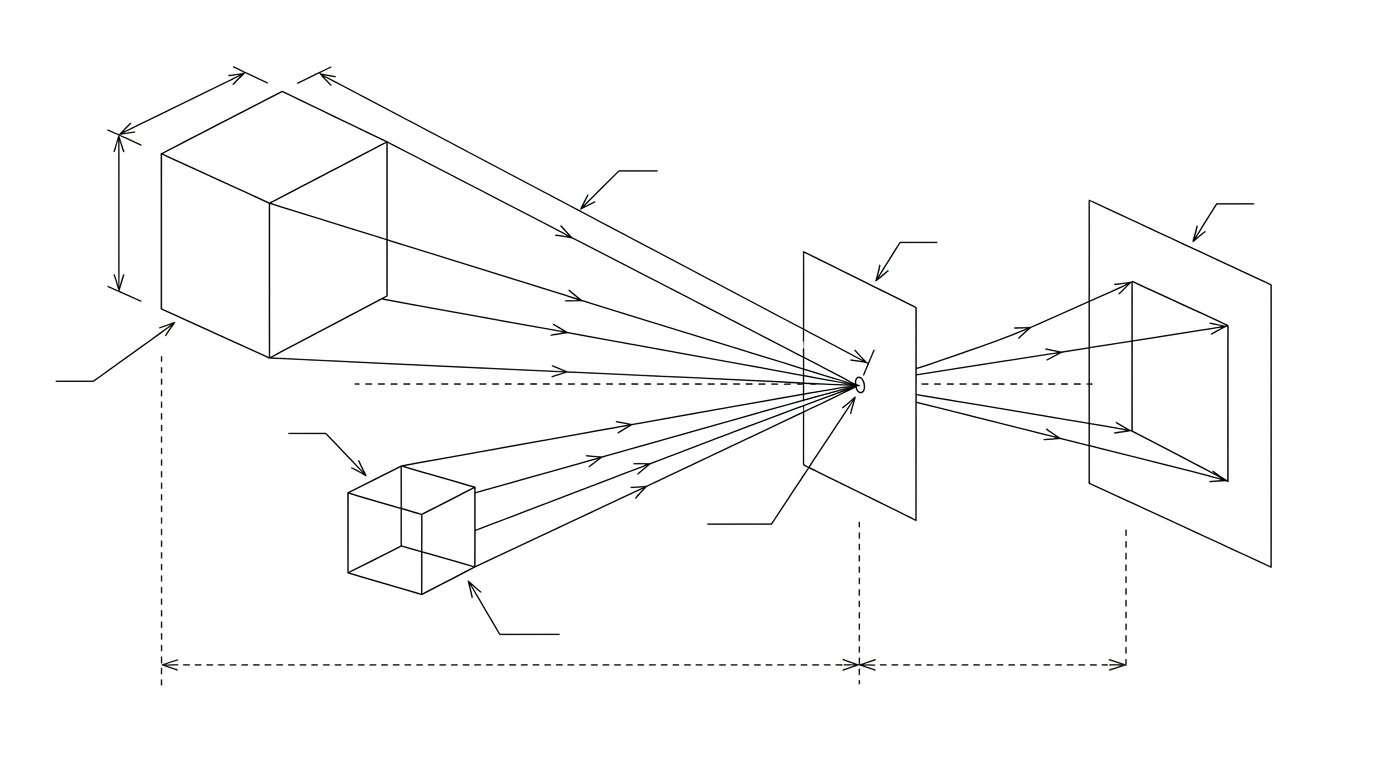
That single fact is the cleanest test of whether a tool is bluffing:
- A tool that takes one photo and returns confident dimensions with no reference and no questions is making the numbers up.
- A tool that asks for one known measurement can anchor every other dimension on the sheet and produce a drawing that is actually to scale. More on accuracy in are AI technical drawings accurate.
"Technical drawing" or "engineering drawing"? Same tools, same catch
Half the people shopping this category search for the best AI for engineering drawings rather than technical drawings, and it is worth saying plainly that they land on the same shortlist. An engineering drawing is a technical drawing of a part or assembly with the manufacturing information on it, the views, dimensions, tolerances and notes. So the five jobs above carve up the engineering-drawing world the same way: text-to-CAD invents the part, DraftAid drafts the sheet from your model, CoLab and the OCR tools read the finished sheet, and a photo-to-drawing tool rebuilds one from the physical part.
The same warning carries over too. The image generators that dominate "AI engineering drawing" results produce sheets that look engineered, complete with invented tolerances, which makes them more dangerous, not less, in an engineering context. If the drawing is going anywhere near a shop, the bar it has to clear is in what makes a drawing manufacturing-ready, and no style filter clears it.
How to choose, by where you start
- From an idea, nothing physical yet: a text-to-CAD tool (AdamCAD, Zoo, Ragnar) gives you 3D geometry to refine.
- From a finished 3D model: drawing automation like DraftAid produces the 2D sheet in seconds.
- From a drawing that needs checking: a review tool like CoLab AutoReview catches what a tired reviewer misses.
- From a need for a technical-looking picture: a free style filter is fine, as long as nobody downstream tries to build from it.
- From a physical part you need to manufacture: a photo-to-drawing tool that anchors to a measurement.
- From a floor plan you need rendered, not machined: you are in the wrong roundup; see our AI floor plan to render tools comparison instead.
The verdict
There is no single "best" tool here, only a best tool per job. Inventing a part from scratch? Start with AdamCAD or Zoo. Drowning in drafting from existing models? DraftAid pays for itself fastest. Shipping drawings that have to be right? Put CoLab on the review step. And if the job is the one the roundups skip, a part in your hand and a shop waiting on a drawing, you want a tool that photographs the part, takes one caliper reading, and exports a dimensioned DXF, DWG, SVG or PDF to the bar in our manufacturing-ready checklist. That is the lane our AI technical drawing generator was built for, and you can try it free on your own part.
Frequently asked questions
Can AI generate a technical drawing from a photo?
Yes. AI can read a part's shape from a photo and lay out clean orthographic views and dimension lines in seconds. What it cannot do from a photo alone is know the part's true size: one image fixes proportions, not absolute scale. A usable drawing needs one measured reference dimension to anchor it, which is the workflow TechDraw AI is built around.
Is there a free AI tool for technical drawings or CAD?
Several. Zoo’s Text-to-CAD has a free tier with monthly credits, AdamCAD lets you try text-to-3D before paying, and many “style filter” sites generate blueprint-looking images for free. The catch with the free image tools is that their output is a picture, not a measurable drawing — fine for a mood board, not for a machine shop.
What is text-to-CAD AI?
Text-to-CAD turns a written description (“a 60 mm flange with four M6 holes on a 40 mm bolt circle”) into editable 3D CAD geometry. Tools like AdamCAD, Zoo and Ragnar generate a parametric model you can tweak. It starts from words, not from a real part, so it is great for new concepts and useless for documenting something already on your bench.
What is the best AI for engineering drawings?
It depends on the job. To draft 2D engineering drawings from an existing 3D model, DraftAid is the strongest automation play. To review or extract data from finished drawings, CoLab AutoReview and engineering-drawing OCR tools lead. To create a dimensioned drawing of a physical part from a photo plus one measurement, that is the lane TechDraw AI covers. Generic image generators are the one category to avoid, because they fake the look of an engineering drawing without real dimensions.
Can AI replace CAD software?
Not yet, and not entirely. AI removes the slow, repetitive parts — laying out views, placing dimensions, drafting boilerplate — but a person still confirms the real measurements, tolerances and design intent. The current state of the art is AI as a fast first draft plus human verification, not full automation.
How accurate are AI-generated technical drawings for manufacturing?
It depends entirely on whether the tool anchors to a real measurement. A drawing built from one caliper-measured reference dimension and human confirmation can be fully manufacturable. A drawing a tool invents from a single photo with no reference is guessing at scale — treat that as a sketch, never as a document you send to a shop.
Sources
- Single View Metrology in the Wild (ECCV 2020) — absolute scale is unrecoverable from a single image without a reference
- Img2CAD: Conditioned 3D CAD Model Generation from Single Image (arXiv, 2024)
- Zoo — Introducing Text-to-CAD (open-source text-to-CAD platform)
- Engineering.com — CoLab launches AutoReview AI tool for design review
- 3D Printing Industry — Open-source AI Text-to-CAD software by Zoo unlocks accessible 3D design
- TechCrunch — YC alum Adam raises $4.1M to turn viral text-to-3D tool into an AI copilot
- ImageMeter — Reference Scale: why a known reference is required to recover real-world dimensions from a photo