
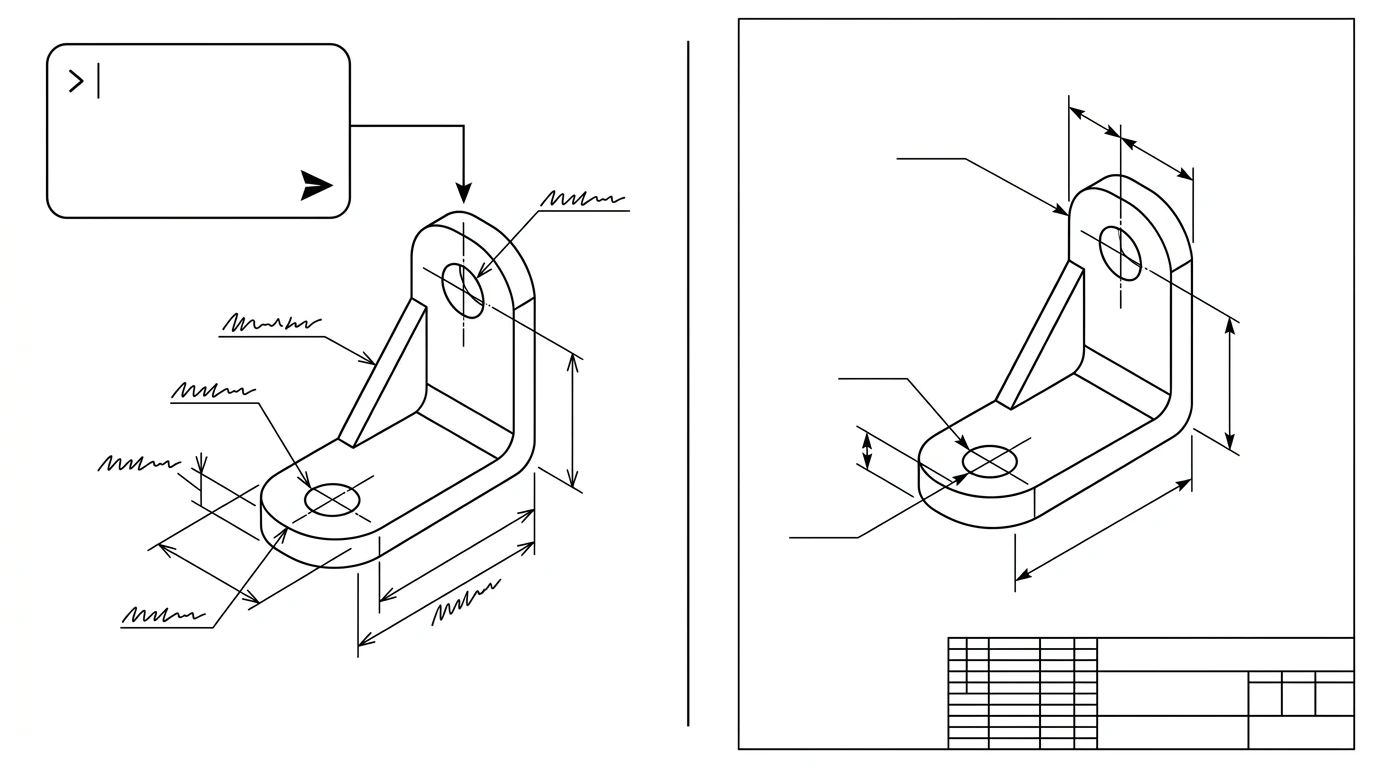
We gave a state-of-the-art AI image model one prompt: draw a dimensioned L-bracket, 80 mm tall, 60 mm wide, two 8 mm holes, front, top and side views. Twice, same words. What came back looked good enough to fool a manager in a meeting. Read either one as a machinist would, and it falls apart in about ten seconds. That gap is the whole story.
Our articles are still written by humans!
Get human written articles in your Google feed.
The short answer
No. ChatGPT cannot make a real, manufacturing-ready technical drawing. It can generate a picture that resembles one, write code that constructs simple geometry, and describe a drawing you show it. What it cannot do is produce a to-scale, correctly dimensioned drawing of your actual part. The reason is structural: a chatbot predicts plausible pixels and words, and a drawing is a contract of exact numbers. Those jobs do not overlap.
What it actually produced
To see it firsthand, we ran the bracket prompt twice through Google's Gemini image model. (ChatGPT's built-in image generator and DALL·E are the same class of tool; OpenAI's own documentation says they output flat raster images too, so the failure here is not a one-vendor quirk.) Both results are below-grade in instructive ways.
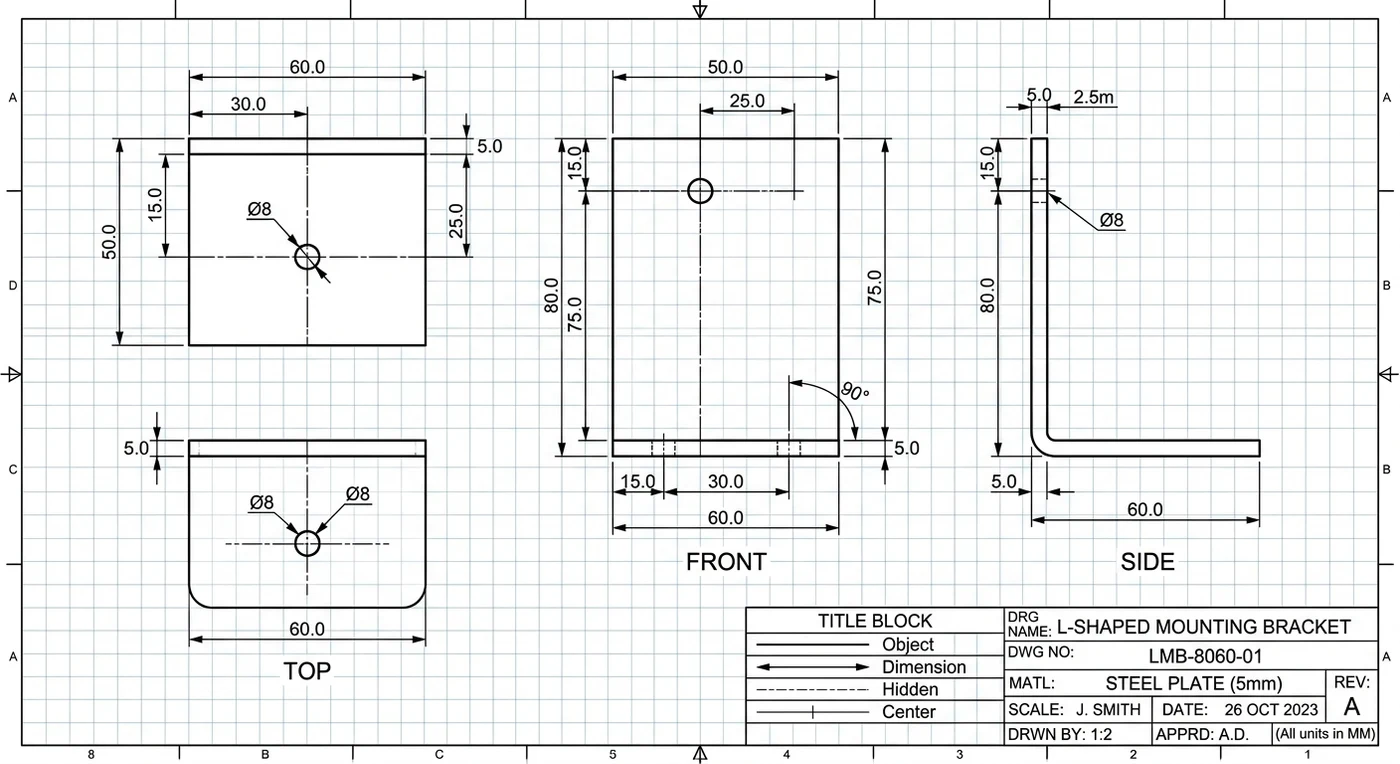
Reading the two outputs side by side, the pattern held:
- The numbers contradict themselves. In run 1 the vertical leg is dimensioned 80.0 in one place and 75.0 in another, on the same edge. Pick one.
- Units break. The side view of run 1 carries a
2.5mdimension on a part that is supposed to be 80 mm tall. A 2.5-metre bracket is a different object entirely. - Same prompt, different part. Run 2 used a completely different dimensioning scheme (15 / 55 / 10 instead of 80 / 75) and a different drawing number (LB-1001-A01 vs LMB-8060-01). Ask twice, get two parts.
- It invents a paper trail.Both sheets confidently filled in a designer ("J. SMITH"), a 2023 date, a material and a drawing number. We specified none of those. In run 1 it put the drafter's name in the scale field.
- It is a PNG.There is no vector geometry inside, no DXF to open in CAD. OpenAI's image docs describe raster output only and warn the models struggle with precise, layout-sensitive text.
Can it read a drawing instead?
Going the other direction is more promising. Upload a drawing and ChatGPT's vision will describe the views and decode standards. Ask what a feature control frame means or how an ISO tolerance is read and it is a patient tutor. Paired with our guide on how to read a technical drawing, that is a real use.
It breaks the moment you need a number you can act on. It cannot reliably pull precise dimensions off a drawing image, and it cannot work out the true scale even when a scale bar is printed on the sheet. Worse, it is wrong with total confidence: a 2023 study by Dragi Tiro on using ChatGPT for mechanical-engineering calculations found it produced incorrect formulas and results and judged it unsafe to rely on. Use it to understand a drawing, never to measure one. We dig into that in are AI technical drawings accurate.
And there is a floor under all of this that no model will lift: a single photo cannot tell 80 mm from 800 mm, because a camera throws away absolute size. We explain that piece of geometry, and why it matters for every photo-based tool, in turning an image into CAD. For what the purpose-built tools do with that same limitation, rather than a general chat model, see AI image to CAD.
Where it earns its keep
Used for what it is actually built to do, ChatGPT is a strong sidekick for an engineer.
Writing code that builds geometry
The one real route from a chatbot to genuine vector output is code. Ask it for OpenSCAD, Python or SVG and it will write a script that constructs a shape from parameters. This works: a 2023 study in Lab on a Chip built functional microfluidic CAD parts in OpenSCAD by talking GPT-4 through them. The catch is that you supply every dimension, it only handles simply-defined parametric shapes well, and its sandbox lacks the common ezdxf library, so it cannot even write a real DXF inside the chat.
Explaining and scripting
- Writing AutoCAD command sequences and AutoLISP to automate drudgery.
- Explaining GD&T, tolerancing and drawing standards in plain language.
- Drafting the words around a drawing: notes, specs, revision history.
For ready-made prompts that put all of this to work, see our 20 ChatGPT prompts for technical drawing.
Chatbot vs purpose-built tool
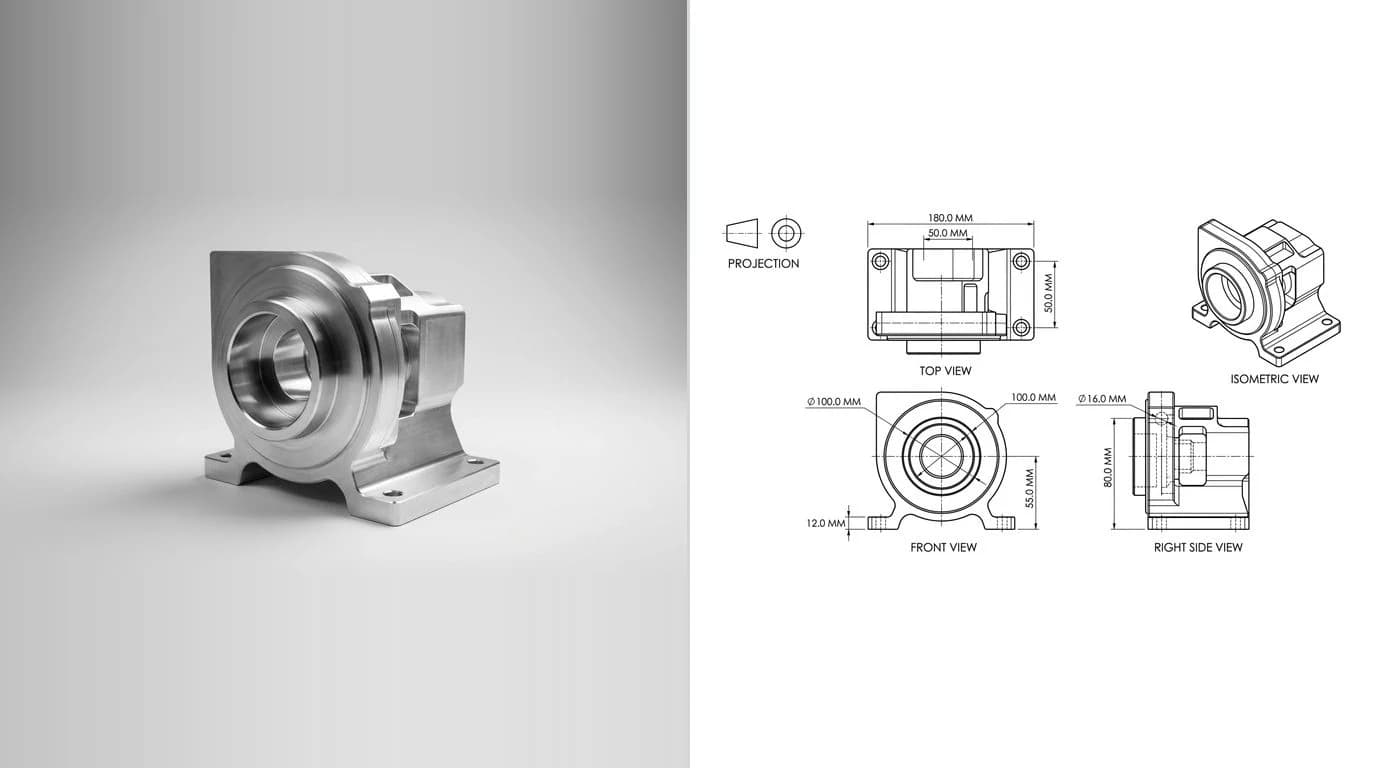
The difference is architectural. A chatbot predicts the next token or pixel. A purpose-built pipeline predicts constrained geometry and checks it, which is why research systems like Img2CAD can generate editable CAD from an image: they treat it as a geometry problem, not a text one.
What each approach can actually deliver
For the full map of these categories, see the best AI technical drawing tools.
The verdict
ChatGPT is a great engineering assistant and a poor draftsman. Lean on it to write CAD scripts, explain standards, and draft the prose around your work. Do not lean on it for a drawing you intend to cut metal from. For that you want a tool that measures rather than imagines, and if you are starting from a physical part, one that asks you for a single caliper reading and builds the sheet around it. That is the approach behind our AI technical drawing generator, and it is the line between a picture of a part and a drawing of one.
Frequently asked questions
Can ChatGPT make a CAD file like DXF or DWG?
Not natively. ChatGPT can write code (for example OpenSCAD or Python) that constructs simple geometry, which is the only real path to vector or CAD-style output. But its built-in code sandbox does not include the usual DXF library, and you have to supply every dimension yourself as text. It cannot measure a part and hand you a ready DXF.
Can DALL·E or Midjourney make technical drawings?
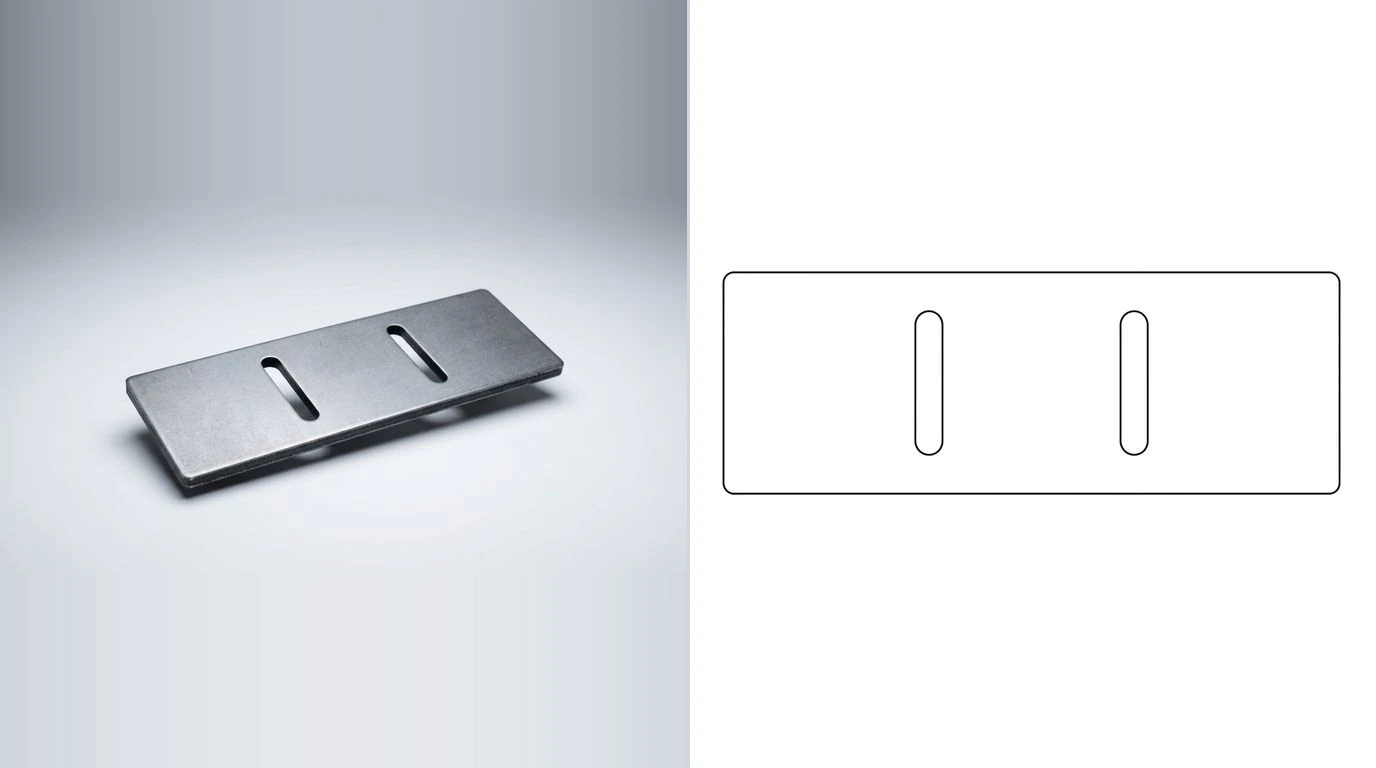
No. Image generators output raster pictures (PNG or JPEG) that resemble a blueprint or line drawing. They are not to scale, not measurable, and not exportable to CAD. Any dimension numbers in the image are decorative text the model invented, and they are frequently inconsistent with each other.
Can ChatGPT read or interpret an engineering drawing?
Partly. Its vision can describe a drawing and explain standards and GD&T symbols, which is useful for learning. What it cannot do reliably is extract precise dimensions or determine true scale from the image, even when a scale bar is shown, so never trust a measurement it reads off a drawing without checking it yourself.
Is ChatGPT good for CAD design?
As an assistant, yes: it writes AutoCAD scripts and OpenSCAD for simple parametric shapes, explains workflows, and drafts documentation. As a drafting tool, no: it struggles with anything that needs exact coordinates, and it cannot produce a to-scale, dimensioned drawing of a real object on its own.
Can AI turn a photo into a technical drawing?
Yes, but only with a size reference. A single photo cannot reveal a part's absolute size, so you have to give the tool one real measurement to anchor the scale. A purpose-built pipeline like TechDraw AI does exactly that; a general chatbot does not.
Sources
- OpenAI — Image generation guide (raster-only output; precision and layout limitations)
- Single View Metrology in the Wild (ECCV 2020) — absolute scale is unrecoverable from one image without a reference
- Utilizing ChatGPT to assist CAD design for microfluidic devices (Lab on a Chip, 2023)
- Img2CAD: Conditioned 3D CAD Model Generation from a Single Image (arXiv, 2024)
- Dragi Tiro — The Possibility of Applying ChatGPT for Calculations in Mechanical Engineering
- OpenAI Developer Community — code interpreter lacks the ezdxf library for editing CAD files