
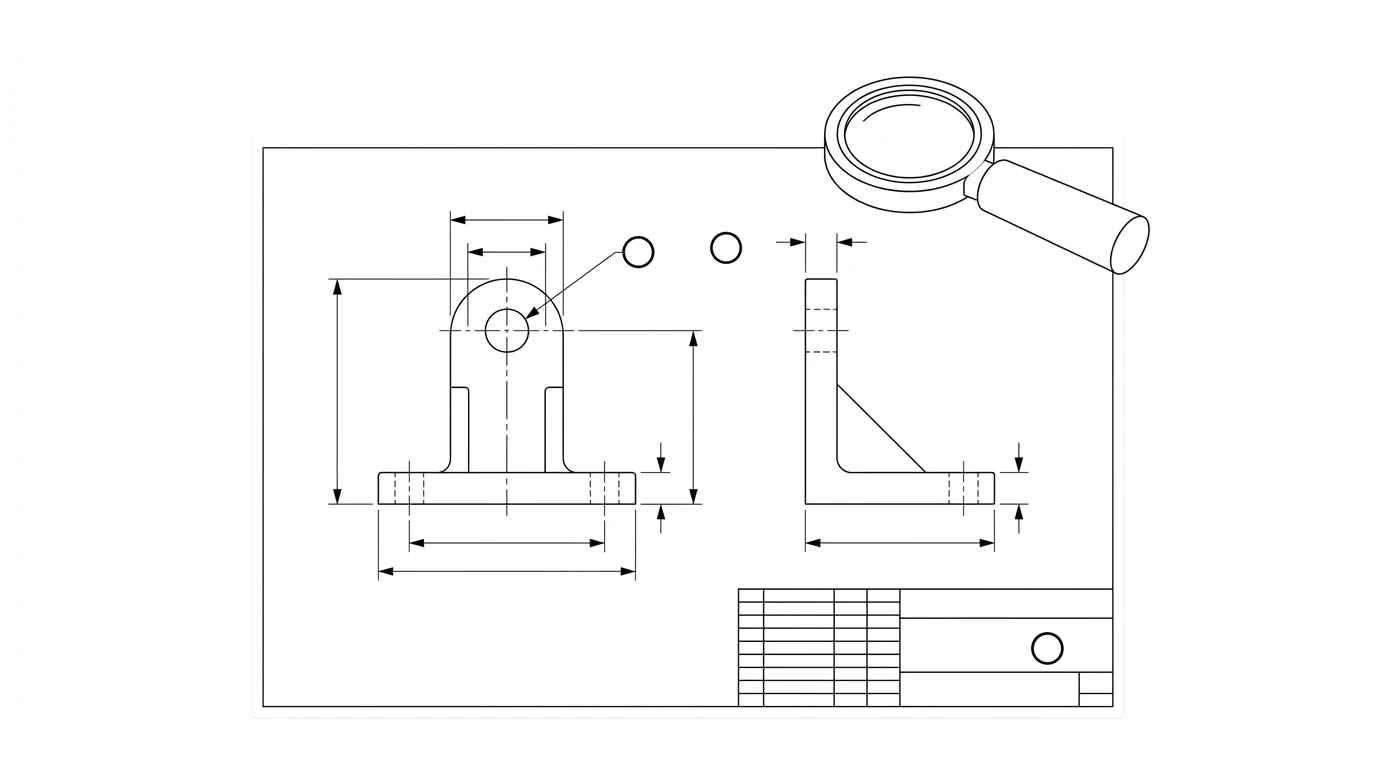
Point a chatbot at a technical drawing and ask “does this look right?” and it will answer confidently, every time. The question worth asking first is what that confidence is actually built on. An AI reading an image of a drawing is not the same thing as CAM software checking geometry against a model, and the difference between those two decides exactly what it can and can't be trusted to catch.
Our articles are still written by humans!
Get human written articles in your Google feed.
Why people ask a chatbot to check a drawing
Every mainstream AI chat tool can now take an image, and every engineer who has waited two days for a drawing review has had the same thought: what if I just uploaded it here first? It's a reasonable instinct. A second look before a drawing leaves your desk catches the embarrassing stuff, a missing tolerance, a blank field, a symbol that doesn't match its neighbor, and a shop's first read of a sloppy sheet colors how much they trust the rest of it.
The instinct is right. The expectation usually isn't. People ask an AI to “check the drawing” the way they'd ask a senior drafter, expecting it to catch a bad datum scheme or a tolerance that won't assemble. That's not what's happening under the hood, and knowing the actual mechanism is the difference between a review that saves you a re-send and one that gives you false confidence.
What “AI checking a drawing” actually means
When you upload a drawing to a chat model, you are handing it an image. It doesn't open a CAD file, doesn't know the real geometry, and doesn't run any dimensional analysis. What it does is describe and reason over what it sees, the way it would describe any photograph: it can read printed values, recognize common symbols, and notice when something on the sheet looks incomplete or inconsistent with the rest of it.
That is a fundamentally different act from what dedicated DFM (design for manufacturability) software does. A CAM or DFM tool ingests actual 3D geometry and checks it against real rules: wall thickness against a material and process, hole depth-to-diameter against a drill length, an actual tolerance stack computed across a chain of features. A chat model given a picture of a drawing has none of that. It is doing pattern recognition and language reasoning on an image, closer to a careful human skim than a simulation.
That distinction sets the boundary for the rest of this guide. If a check is really a completeness or consistency question, “is there a value here, does this match that,” a vision-capable AI can often answer it. If the check is really a correctness or physics question, “will this actually work,” it can't, no matter how confident the answer sounds.
What AI can actually catch
These are the checks that hold up in practice, because they only require reading the sheet carefully, not understanding the part.
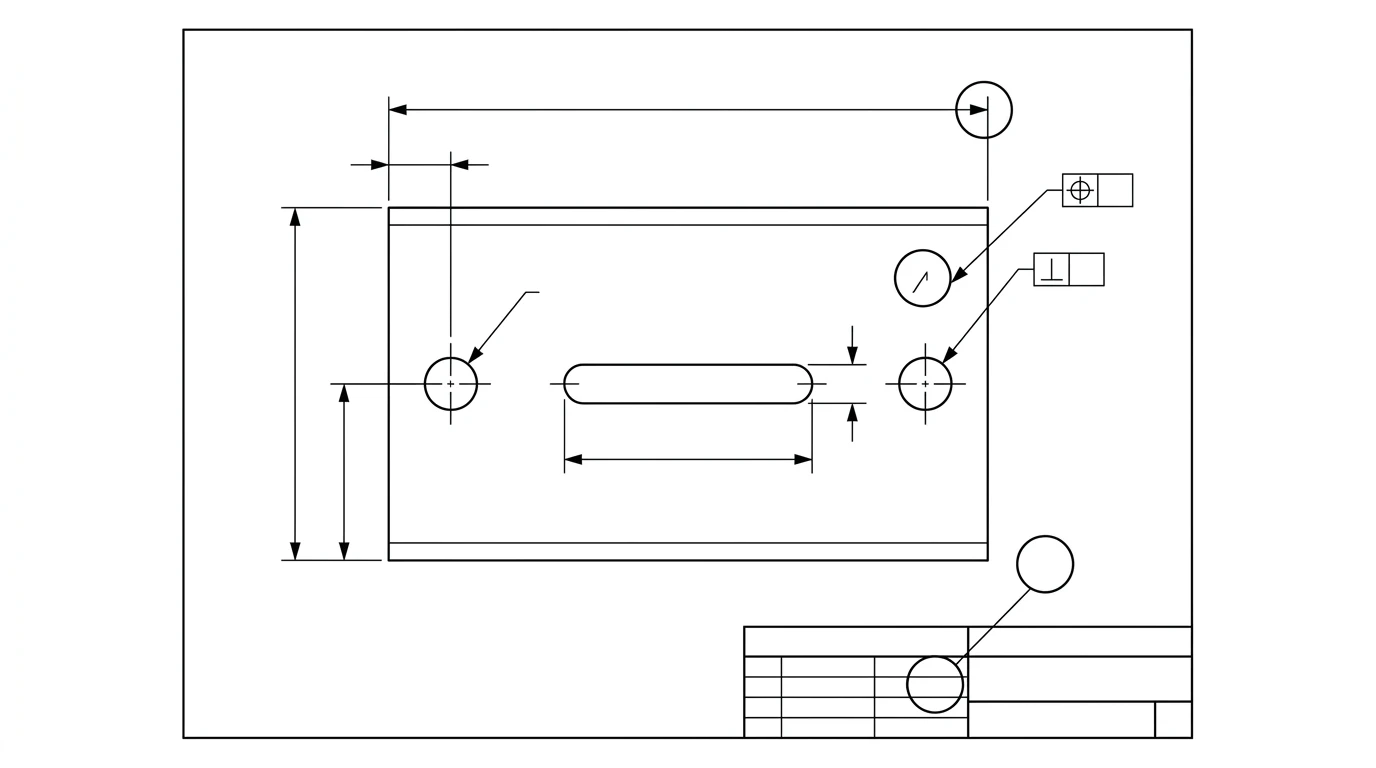
- Missing dimensions. A feature that's clearly drawn but never dimensioned, or dimensioned in one view and silent in another.
- Blank or inconsistent title-block fields. No material, no scale note, no projection symbol, or a revision letter that doesn't match the revision history.
- Mismatched symbols. A radius symbol where a diameter is meant, a reference dimension in round brackets that reads like it should be basic, one instance of a callout formatted differently from an identical one elsewhere on the sheet.
- Unit inconsistency. Millimetre values mixed with inch values with no note explaining which governs, or a scale note that contradicts the drawn proportions.
- Structurally incomplete GD&T. A feature control frame with no datum reference in a spot where one is standard, or a characteristic symbol used somewhere it almost never appears, which is exactly the kind of thing our GD&T symbols guide walks through so you can sanity-check the flag yourself.
- View and label mismatches. A section marked A-A with no matching cutting-plane line, or a detail callout with nothing on the sheet showing the detail.
Notice what all of these have in common: every one is verifiable from the sheet alone. Nothing here requires knowing what the part does, how it's held, or what it mates with. That is exactly the category a language model reading an image is built for.
What AI reliably misses
These look like the same kind of check, but each one actually needs information that isn't on the page, or a simulation the model isn't running.
- Tolerance stack-up. Whether a chain of toleranced dimensions compounds into a gap or interference at assembly. That's an analysis across multiple parts, not a read of one sheet. For the mechanics of how stacks compound, see how to read tolerances on a drawing.
- Whether the part actually assembles or functions. A drawing only shows one part. Fit, clearance and function are properties of the assembly, and the model has no visibility into the mating part unless you show it that too, and even then it isn't simulating the fit.
- Whether a tolerance is achievable. A ±0.01 mm callout reads the same to a language model whether it's routine for the process or something no shop can hold on that feature. It has no manufacturing capability data to check against.
- Whether the datum scheme is functionally right. The model can tell you a frame references A, B, C. It can't tell you those are the correct datums for how the part is actually located and inspected, because that depends on intent the drawing doesn't always spell out.
- Real-world scale. If a drawing image carries no embedded dimension a person can trust, the model cannot verify the part is really the size the numbers claim. It's reading printed values, not measuring anything.
- Process and finish suitability. Whether a specified surface finish or material is sensible for the chosen manufacturing process is a shop-floor judgment call, covered in our manufacturing-ready checklist, not something visible from the sheet.
The quick-reference table
What a vision-capable AI review can and can't be trusted for
The hallucination risk nobody mentions
The failure mode that actually bites people isn't the AI saying “I can't tell.” It's the AI reading a blurry Ø12.5 as Ø12.8 and stating it as fact, or inventing a plausible-sounding tolerance for a callout it genuinely couldn't resolve, with the same confident tone it uses for everything else. Low-resolution scans, phone photos taken at an angle, and screenshots of screenshots are exactly where this happens, because the model is filling in a best guess where the pixels genuinely run out.
How to prompt a useful review
A vague “does this look OK?” gets a vague answer. A review that actually earns its keep asks for specific, checkable things:
- Ask it to list every dimensioned feature and flag any that appear drawn but not dimensioned, rather than asking for a general opinion.
- Ask it to list the title-block fields it can read and call out which ones are blank or illegible, so a genuinely unreadable scan doesn't get silently skipped.
- Ask it to flag anything ambiguous rather than guess. Explicitly telling the model to say “unclear” instead of inferring a value cuts down on confident misreads.
- Ask it to compare symbols and units for consistency across the sheet, which is the kind of check it's actually built to do well.
For the exact prompts we use for this and for the rest of a drawing workflow, see our ChatGPT prompts for technical drawing guide, which has a dedicated section on review and DFM prompts.
Where this fits in a real workflow
The useful framing isn't “AI reviewer instead of a person,” it's AI reviewer before a person. Run the paperwork-level pass first, fix what it flags, then have a qualified reviewer spend their limited time on the parts of the job that actually need judgment: the datum scheme, the tolerance that controls fit, the finish call. That's the same division of labor we lay out in AI vs hiring a draftsman, and it applies just as much to checking a drawing as to making one.
It also matters more, not less, when the drawing itself came from an AI tool. If you generated a drawing from a photo, the review still has to happen; nothing about the generation step exempts it. The difference is what the review needs to focus on: a photo-derived drawing lives or dies on the one real measurement it was anchored to, which is a check no image-reading pass can perform for you, only a caliper can. That's the same reason we ask for one, not zero, and not a guess, when we walk through image to CAD.
An AI pass is a fast, genuinely useful first filter for the paperwork that gets a drawing rejected before anyone even reads the tolerances. It is not, and currently cannot be, the thing that confirms the part is right. Use it for what it's good at, and keep a person on the hook for everything else.
Watch: A purpose-built AI drawing review
For contrast with pasting a sheet into a chatbot, this is CoLab's walkthrough of AutoReview, a tool built only for reviewing 2D engineering drawings. Going by its chapters, it runs a general analysis, flags material, finish and BOM conflicts, checks the sheet against a company's own standards, flags true position and GD&T issues, and routes the comments to colleagues. CoLab pitches it as an automated first-pass check, the same place this post puts AI review in a real workflow. It is a vendor demo, so treat its catches as claims to test on your own drawings, and keep the human sign-off.
Frequently asked questions
Can ChatGPT check a technical drawing for errors?
It can review a drawing image for completeness and consistency: missing dimensions, blank title-block fields, mismatched symbols, inconsistent units. It cannot verify that the drawing is geometrically correct, that a tolerance is achievable, or that the part actually assembles with its mating parts, because it isn't running any geometry engine, it's reading pixels.
Can AI verify GD&T on a drawing?
It can recognize the symbols and flag structural problems, like a feature control frame with no datum reference where one is clearly expected, or a characteristic used somewhere it normally wouldn't be. It cannot confirm the datum scheme is the right one for how the part actually gets held and measured. That judgment call requires knowing the part's function, which a picture of the drawing doesn't fully convey.
Is it safe to send an AI-reviewed drawing straight to a machine shop?
Treat an AI pass as a first filter, not a sign-off. It's good at catching the paperwork gaps that cause a shop to send a drawing back with questions. It's not a substitute for a qualified person confirming the tolerances that actually control fit and function.
What file format should I give an AI for review?
A clear, high-resolution image or PDF, not a screenshot of a screenshot. A native CAD file isn't read at all by a chat-based reviewer; only whatever image or PDF you export from it. Low-resolution scans and small phone photos are exactly where these tools misread a value with the most confidence.
Can AI catch a tolerance stack-up error?
Not reliably. A stack-up error comes from how a chain of toleranced dimensions compounds across an assembly, which requires simulating the assembly, not reading a sheet. A general-purpose chat model reads what's printed; it doesn't run a tolerance analysis behind the scenes.
Does an AI review replace a second set of human eyes?
No. It changes what the human catches. Instead of spending the review hunting for a missing dimension or a blank title-block cell, the reviewer starts from a list of flagged spots and spends their time on the judgment calls: does this tolerance matter, is this datum scheme right, will this actually assemble.