
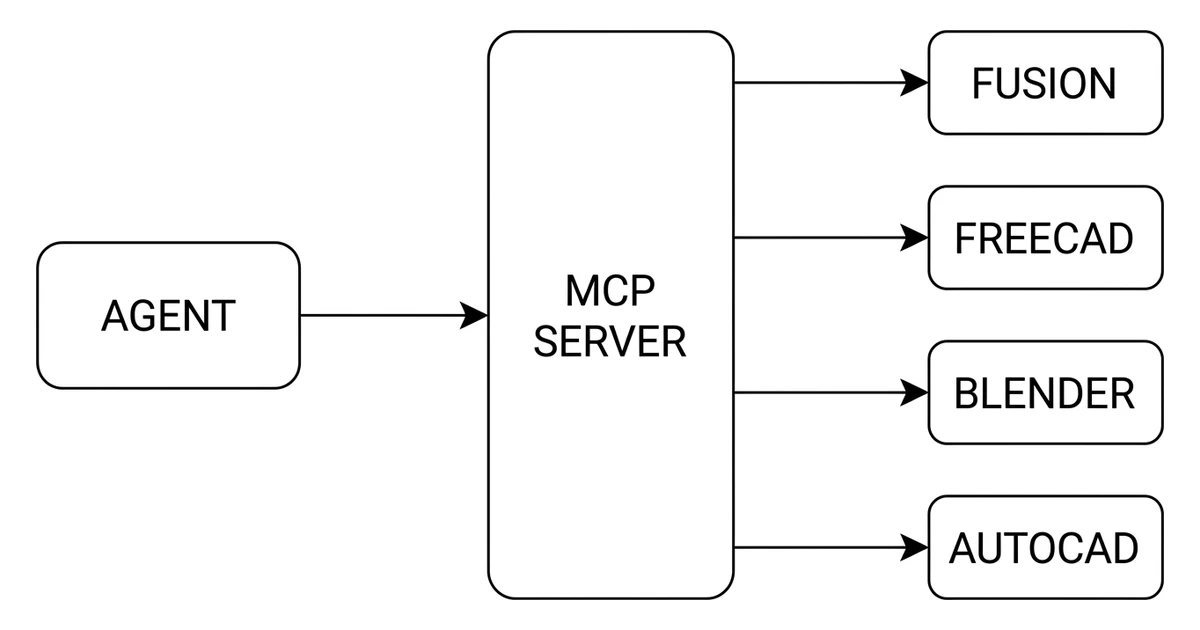
Search for a list of CAD MCP servers and you will find one written last year, confidently recommending projects that have not been touched since March 2025, and stating that Autodesk has no MCP server. That last part stopped being true in April 2026. Here is the landscape as it actually stands, with star counts and last-commit dates we pulled from the GitHub API rather than copied from another list, and an honest account of where every one of these servers stops.
Our articles are still written by humans!
Get human written articles in your Google feed.


The short answer
If you use Fusion, install Autodesk's own server and stop reading the community lists. If you use FreeCAD, neka-nat/freecad-mcp is the one with real momentum behind it. If you use Blender, there are now two credible options and one of them belongs to the Blender project itself. If you use AutoCAD, everything is community-built and you should read our guide to connecting Claude to AutoCAD before you install anything, because the security section there applies to all of them.
And if what you actually need is a drawing, not a model, no server in this article will give you one. That is the honest gap, and it is the last section.
What an MCP server is, precisely
The Model Context Protocol is an open standard for letting an assistant call tools that live outside itself. An MCP server is the small program on your side of that connection. It advertises a list of tools, each with a name and a schema, and when the model decides to call one, the server runs it and returns the result.
The important consequence for CAD is that the model never touches your CAD file. It calls something like create_sketch or extrude, and the server turns that into a call against the application's own scripting API. The CAD kernel does the geometry, exactly as it would if you had clicked the button.
That is why almost every desktop CAD MCP server has the same awkward requirement: the application has to be installed, licensed and already runningon the same machine. The server is a remote control, not a replacement. If Fusion is not open, Autodesk's server has nothing to drive and the connection simply fails.
Autodesk went official in April 2026
This is the change that dates every older article on the subject. In April 2026 Autodesk announced MCP support for Fusion, and it is not one server but two, with a genuinely different shape each.
Autodesk's two Fusion MCP servers, announced April 2026
The local one is the one people mean when they say Claude can now drive Fusion. It creates and modifies geometry, executes commands and reads the model back. The cloud one is doing something quieter and, for a lot of teams, more useful: answering questions about your Fusion data without anyone opening Fusion at all.
Autodesk has also said further servers are coming, including one for Revitand one for accessing Autodesk documentation, with no dates attached. Treat “coming soon” as exactly that.
The landscape, with real numbers
Every figure below came from the GitHub API on 8 August 2026. Stars move, so treat them as a snapshot with a date on it rather than a fact. The column that matters more is the last one.
CAD and 3D MCP servers, star counts and last push dates read from the GitHub API on 8 August 2026
Two things in that table are worth pausing on. The first is the scale gap. The Blender server has more stars than every other project in the list combined, several times over, which tells you about the size of the Blender community and almost nothing about whether MCP is useful for engineering. The second is that ahujasid/blender-mcp, the URL most articles link to, now redirects: the project moved to the MCPBlender organisation. Old links still work, but if you are checking whether a project is alive, follow the redirect before you judge it.
Blender is also the one place where an official option exists alongside the community favourite. The Blender project hosts its own blender_mcp on its infrastructure, separate from the MCPBlender project, which is unaffiliated with the Blender Foundation despite the similar name. If you are choosing for a studio rather than a hobby machine, that distinction is worth ten minutes of your time.
Stars are not maintenance
Read the last-commit column again. bonninr/freecad_mcp last saw a commit in March 2025. jhacksman/OpenSCAD-MCP-Server, March 2025. BLamy/onshape-mcp, April 2025. daobataotie/CAD-MCP, July 2025. Between them they carry well over a thousand stars and they are all sitting on a version of the MCP specification that has since moved.
This is the specific failure mode of every “9 MCP servers for CAD” listicle: the list was accurate when written, nobody updates it, and it keeps ranking. A server that has not been touched in sixteen months is not necessarily broken, but it has not been tested against the client you are running today, and when it breaks there is nobody on the other end of the issue tracker.
The honest filter is short. Look at the last commit date. Look at whether open issues get replies. Look at whether the README mentions a protocol version at all. Stars tell you a project was interesting once.
Four kinds of server, four ceilings
Underneath the names, these projects fall into four architectures, and the architecture predicts the ceiling far better than the star count does.
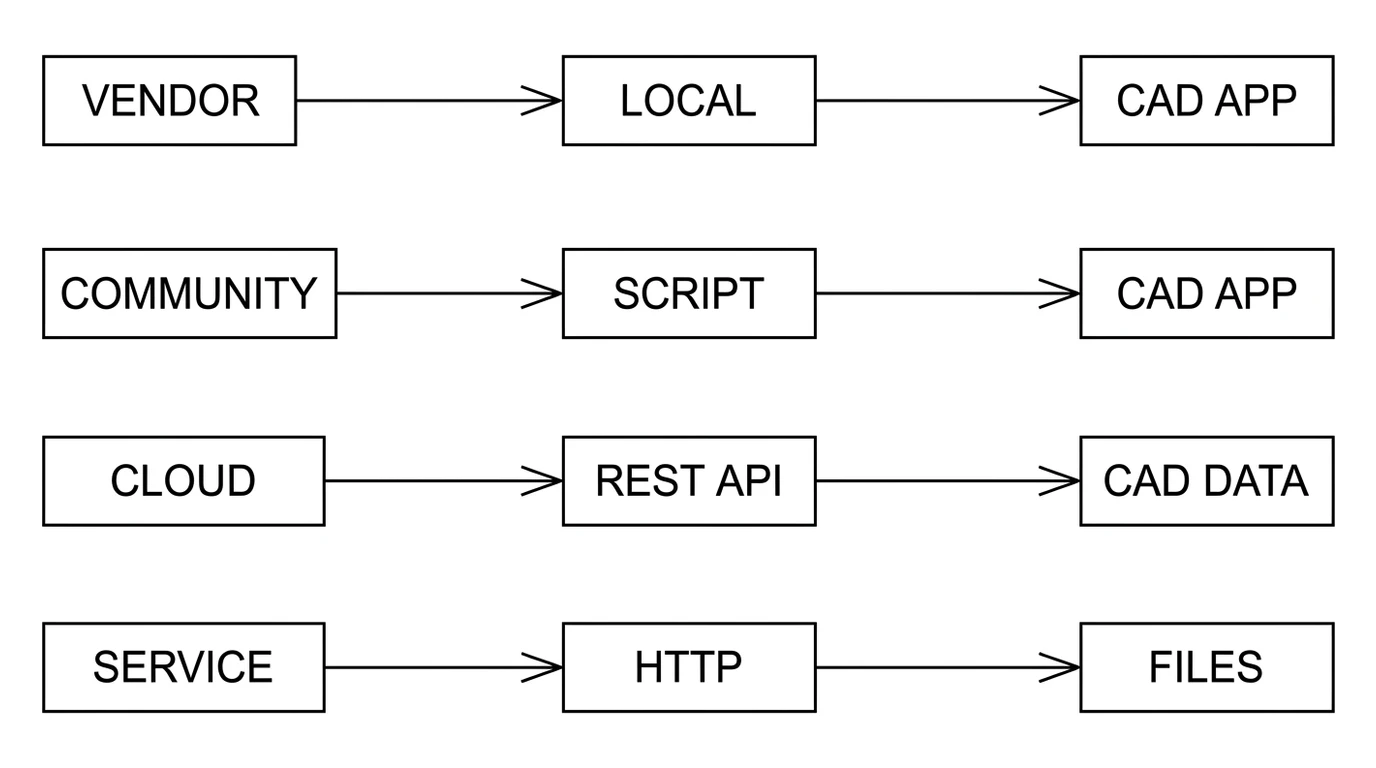
1. Vendor servers driving a local application
Autodesk's Fusion MCP server is the example. The vendor writes it against their own API, so it breaks less and covers more. The cost is that you are tied to that application, that licence and that machine.
2. Community servers scripting a local application
The AutoCAD, FreeCAD and SOLIDWORKS servers all work this way, driving the application through AutoLISP, Python or a plugin. This is where the interesting work is happening and also where the sharp edges are: Windows-only in most cases, version-sensitive, and dependent on scripting surfaces that vendors change without warning. AutoCAD LT is a recurring disappointment here, since it cannot load .NET plugins at all.
3. Cloud servers hitting a REST API
Autodesk's Fusion Data MCP and the Onshape server are these. Nothing needs to be installed and nothing needs to be running, because the data already lives on a server. The ceiling is that you can only do what the REST API exposes, which is usually data management rather than modelling.
4. Service servers that return files
The fourth shape has no CAD application in it at all. The server calls a hosted service and hands back a file. Our own techdrawai-mcp package is one of these, and we mention it here because it belongs in an honest taxonomy, not because it competes with the servers above: it turns a photograph into a dimensioned drawing and DXF, which is a different job from driving a modeller. It needs no CAD install, and equally it cannot open your Fusion document.
The part the READMEs leave out
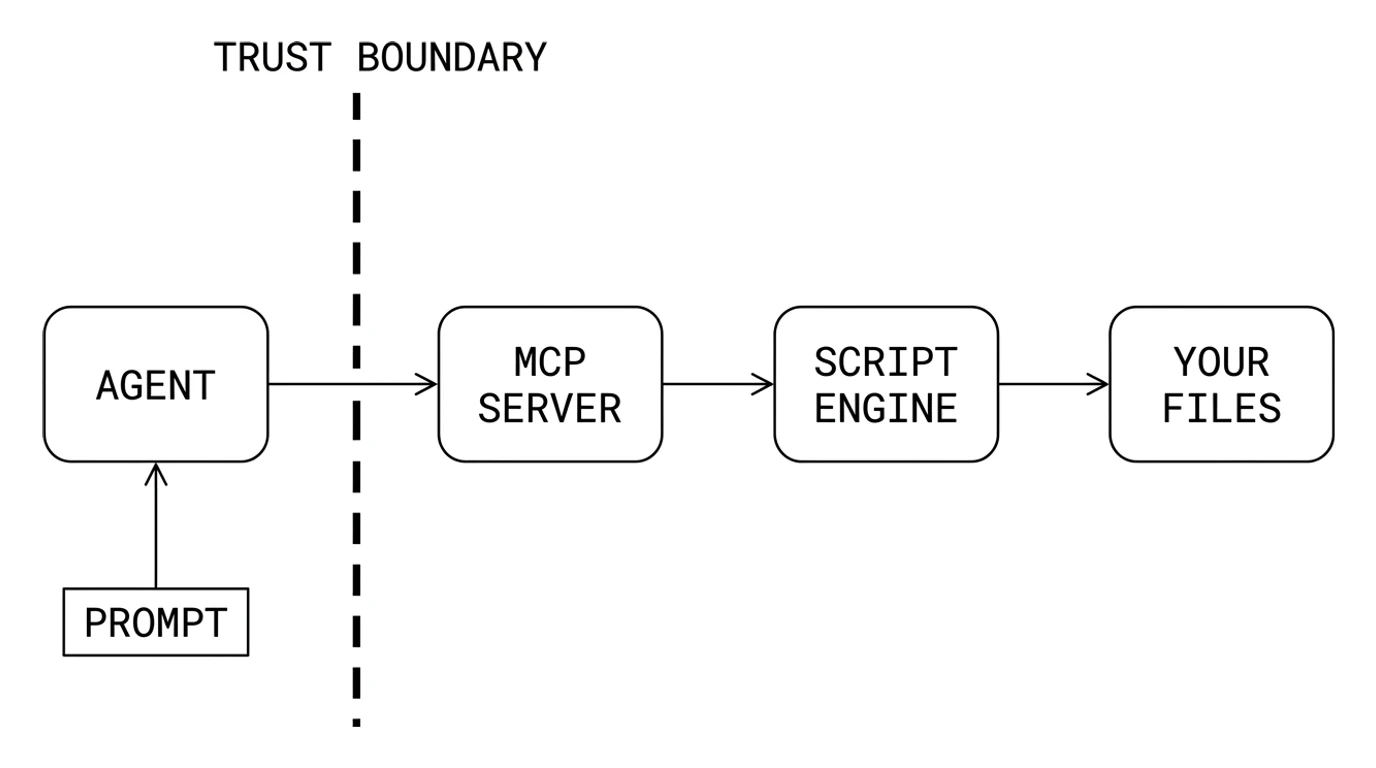
Several of these servers expose a general script execution tool. execute_codeagainst FreeCAD's Python console, arbitrary AutoLISP against AutoCAD, a Python block against Blender. From the author's point of view this is the only sane way to cover an API with thousands of methods, and it is why these projects can do so much with so little code.
It also means the tool call the model makes is code that runs as you. Not sandboxed, not confined to the CAD document, not limited to the folder you are working in. The same file access your user account has.
The realistic threat is not that the assistant turns malicious. It is indirect prompt injection: instructions hidden in content the model reads as part of doing its job. A downloaded model file, a supplier's PDF, a web page it fetched for a standard reference, a comment inside a script. The model cannot reliably tell your instructions from instructions embedded in the data, and if it acts on the wrong ones it does so with a code execution tool in hand.
- Run against scratch copies, not the live project folder, until you trust a server.
- Prefer servers that expose named operations over servers whose main tool is a raw eval. A smaller surface is a smaller blast radius.
- Keep tool call approval on. Reading the call before it runs is the whole defence, and it costs seconds.
- Keep the CAD application's own autosave and backups enabled. Most damage from these tools is accidental, not hostile.
- Check the licence before you build on one.
eyfel/mcp-server-solidworksis AGPL-3.0, which is a very different proposition from the MIT projects around it if you are shipping a product.
The gap: nobody makes a drawing
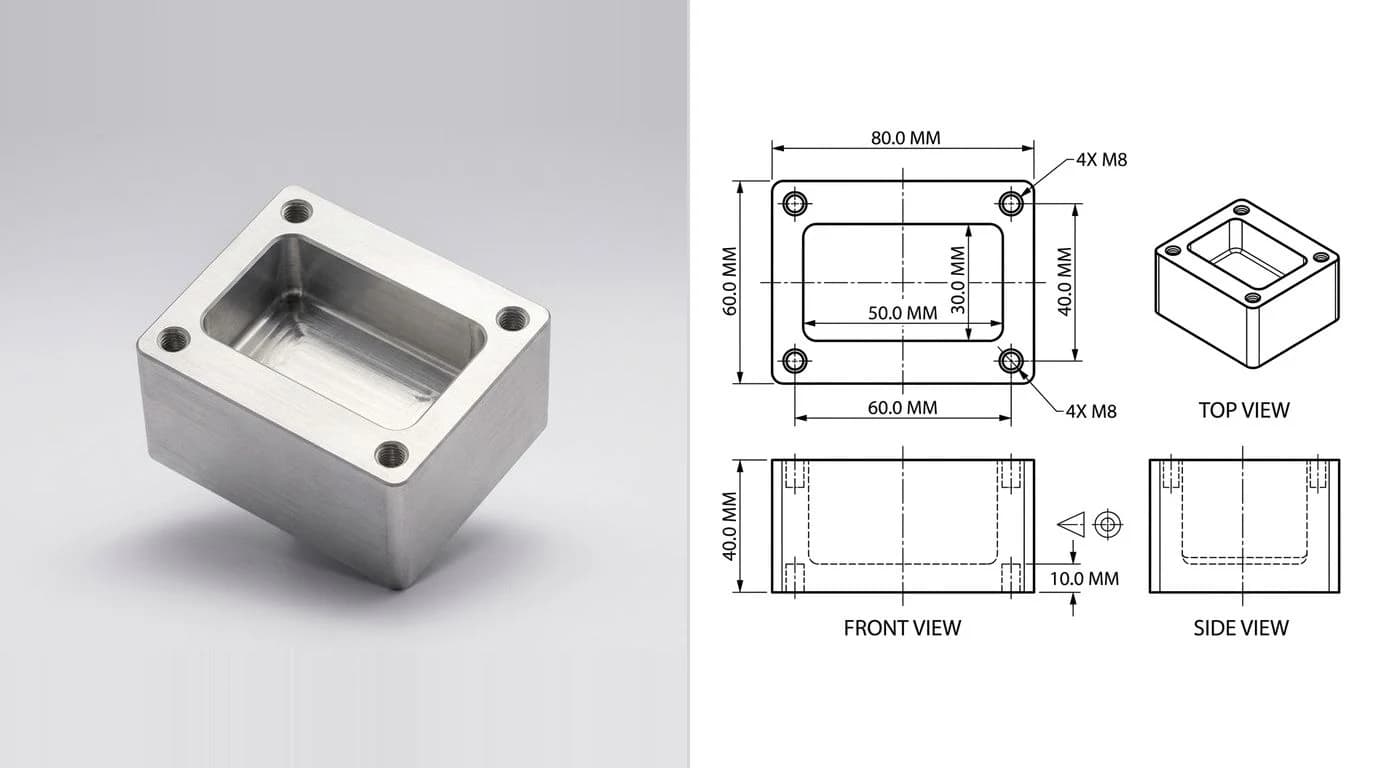
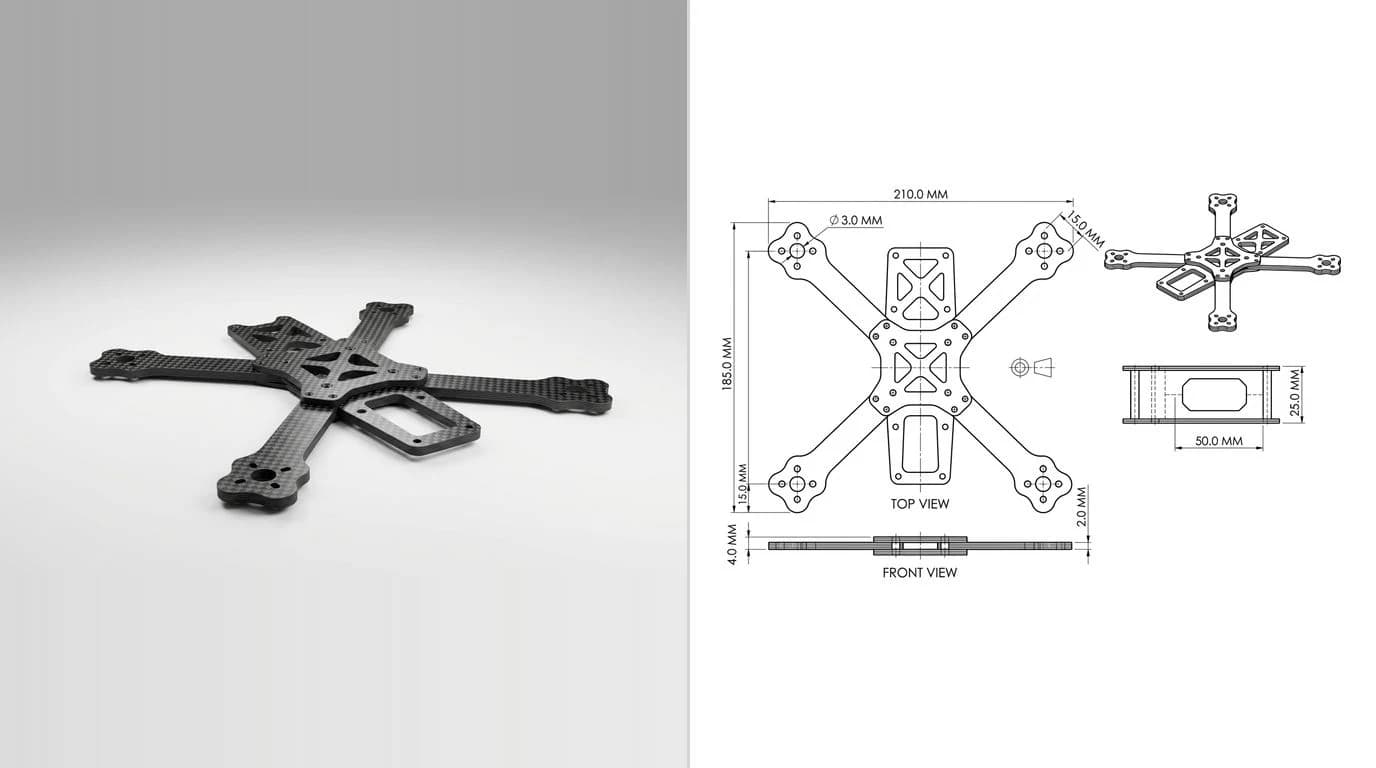
Here is the thing every one of these projects has in common, and it is not in any comparison table we have seen. They all drive a 3D modeller. What comes back is geometry: a solid, a mesh, a scene, a document. That is genuinely useful, and it is not what a fabricator asks you for.
A machine shop asks for a dimensioned, toleranced 2D sheet, for the reasons we set out in why machine shops still want a 2D drawing. Fusion can generate drawing views from a model through its drawing environment, and an agent can trigger that. But the judgement underneath a drawing is not view placement. It is deciding which dimensions carry the function, which get a tight tolerance and which take the general one, what the datum is, and what the title block has to say. No current server automates any of that, and honestly none of them claims to.
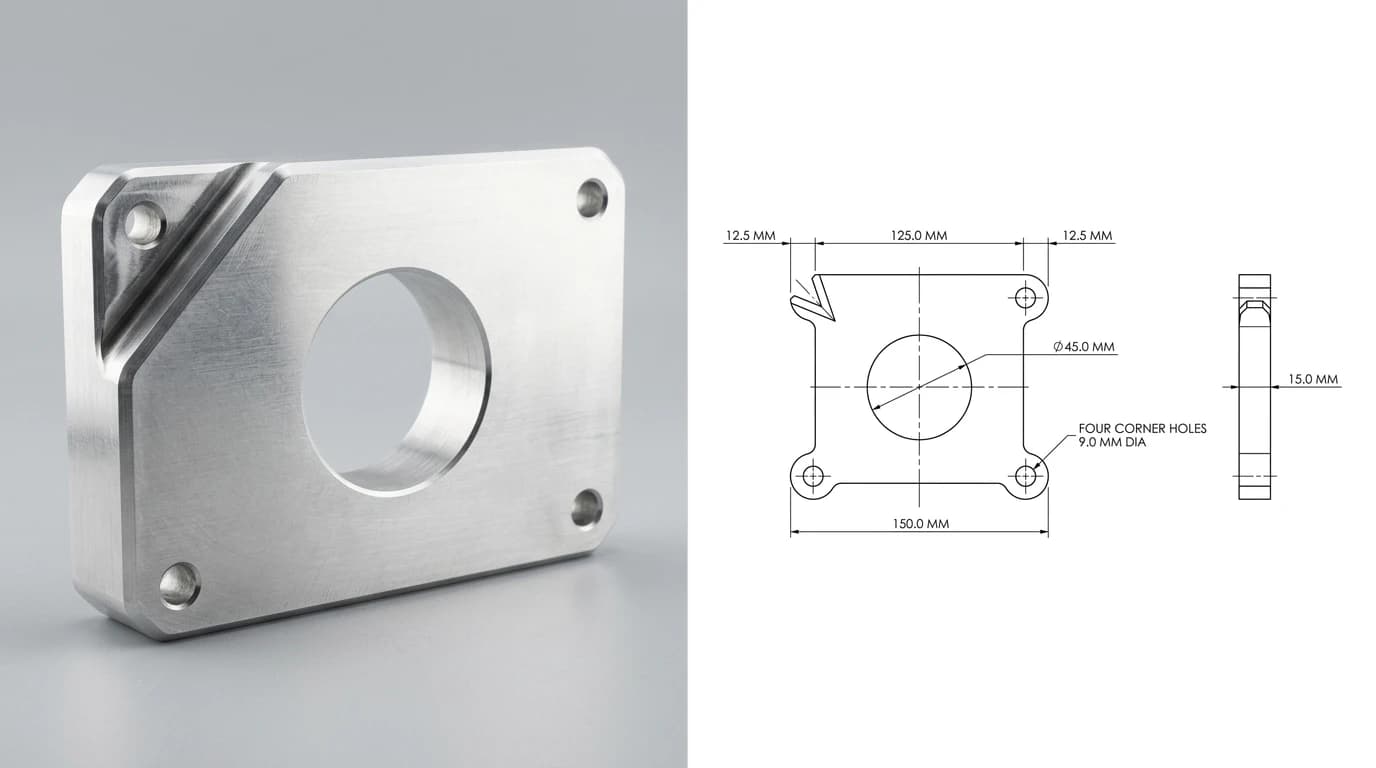
If the drawing is the deliverable, the shorter path is usually to skip the modeller entirely. That is what our image to CAD converter does, and what the photo to manufacturing drawing workflow walks through. If you want the same thing from inside an agent rather than a browser, that is what our MCP server is for, and the honest framing is that it belongs to the fourth family above, not the first three.
How to choose one
- Start with your CAD application, not with the list. The server has to drive what you already own. Everything else is secondary.
- Prefer the vendor server where one exists. For Fusion that is now a real option and it did not exist a year ago.
- Check the last commit date before the star count. Four of the well-known projects are more than a year stale.
- Read what the main tool actually is. A list of named operations is a different security posture from a single execute-code tool.
- Decide whether you want a model or a drawing. If it is a drawing, none of the modeller servers finishes the job, and knowing that up front saves an afternoon.
If your CAD application is AutoCAD, start with connecting Claude to AutoCAD, which covers the three routes into the desktop and the security implications of each in more detail than any README does. Driving those same servers from an OpenAI model is a different wiring job, covered in connecting GPT-6 Astra to AutoCAD. If you want to know what these assistants can and cannot draw before you wire anything up, can Claude read CAD files answers the capability question directly, and our Claude prompt library has the prompts that work once you are connected.
FAQ
Frequently asked questions
What is a CAD MCP server?
A CAD MCP server is a small program that exposes a CAD application's own API as tools an AI assistant can call over the Model Context Protocol. The assistant does not read or write the CAD file itself. It calls a named tool such as create sketch or extrude, the server translates that call into the application's scripting API, and the CAD application does the work. That is why almost every desktop CAD MCP server needs the application installed, licensed and running on the same machine.
Does Autodesk have an official MCP server?
Yes, since April 2026. Autodesk released two: the Autodesk Fusion MCP server, which runs locally, requires Fusion to be running, and executes modelling commands inside it; and the Autodesk Fusion Data MCP server, which runs remotely, does not require Fusion to be running, and queries or manages Fusion data through Autodesk cloud services. Autodesk has said more are coming, including one for Revit and one for its documentation. This is a recent change, and most of the CAD MCP articles still circulating were written before it, when the only Autodesk server was the read-only Product Help one.
Is there an MCP server for AutoCAD?
There is no official Autodesk one for AutoCAD. Autodesk's own servers cover Fusion, with Revit previewed. AutoCAD is served entirely by community projects, and the most active is puran-water/autocad-mcp, which generates AutoLISP and targets process engineering work such as P&ID. Because these drive AutoCAD through AutoLISP or a plugin, they inherit AutoCAD's own constraints: Windows, a recent release, and in most cases full AutoCAD rather than LT.
Which CAD MCP server is the most popular?
By GitHub stars it is not a CAD server at all in the engineering sense. The Blender server MCPBlender/blender-mcp had 25,635 stars when we checked on 8 August 2026, an order of magnitude ahead of everything else, because Blender's audience is far larger than any parametric CAD audience. Among engineering tools, neka-nat/freecad-mcp led with 1,709 stars. Star counts measure attention, not fitness for manufacturing work, and several heavily starred servers have not been updated in a year.
Are CAD MCP servers safe to install?
Treat them as code running with your user account, because that is what they are. Several expose a general script execution tool, which is the honest way to cover a huge API surface but also means any instruction reaching the model can become code on your machine. The specific risk is indirect prompt injection: text inside a file, a model, a web page or an email that the assistant reads can carry instructions it then acts on. Practical mitigations are to run against scratch files rather than production data, keep the CAD application's own backups on, review tool calls before approving them, and prefer servers that expose named operations over servers that expose a raw eval tool.
Can an MCP server produce a manufacturing drawing?
Not today, in the sense a shop means. Every server in this landscape drives a 3D modelling application, so what you get back is geometry: a solid, a mesh, a Blender scene, a Fusion document. None of them produces a dimensioned, toleranced 2D sheet ready to send to a fabricator. Fusion can generate a drawing view from a model through its own drawing environment, but choosing which dimensions matter, which are critical, and what the general tolerance is remains a human judgement that no current server automates.
Do I need Claude to use a CAD MCP server?
No. MCP is an open protocol, so any client that speaks it works, including Claude Desktop, Claude Code, Cursor, VS Code and others. What varies is the installation route rather than the protocol. Autodesk's Fusion MCP server is distributed as a Claude Desktop extension and is also documented as working with Cursor and other MCP-capable HTTP clients, while most community servers are configured by hand in a JSON config file that several clients share.
What licence do these servers use, and does it matter?
It matters if you plan to build anything on top of one. Most of the popular CAD MCP servers are MIT licensed, which is permissive. At least one is not: eyfel/mcp-server-solidworks is AGPL-3.0, a strong copyleft licence whose network clause reaches software offered as a service. For personal use the difference is academic. If you are embedding a server in a commercial product or a hosted tool, read the licence before you read the README.
Sources
- Introducing the Fusion MCP: Opening Fusion to AI-Powered Workflows (Autodesk Fusion Blog)
- Introducing the Autodesk Fusion Data MCP Server (Autodesk Fusion Blog)
- Autodesk announces Fusion MCP servers and more AI updates (Engineering.com)
- Model Context Protocol specification
- blender_mcp, the Blender project's own MCP server
- neka-nat/freecad-mcp on GitHub
- puran-water/autocad-mcp on GitHub