
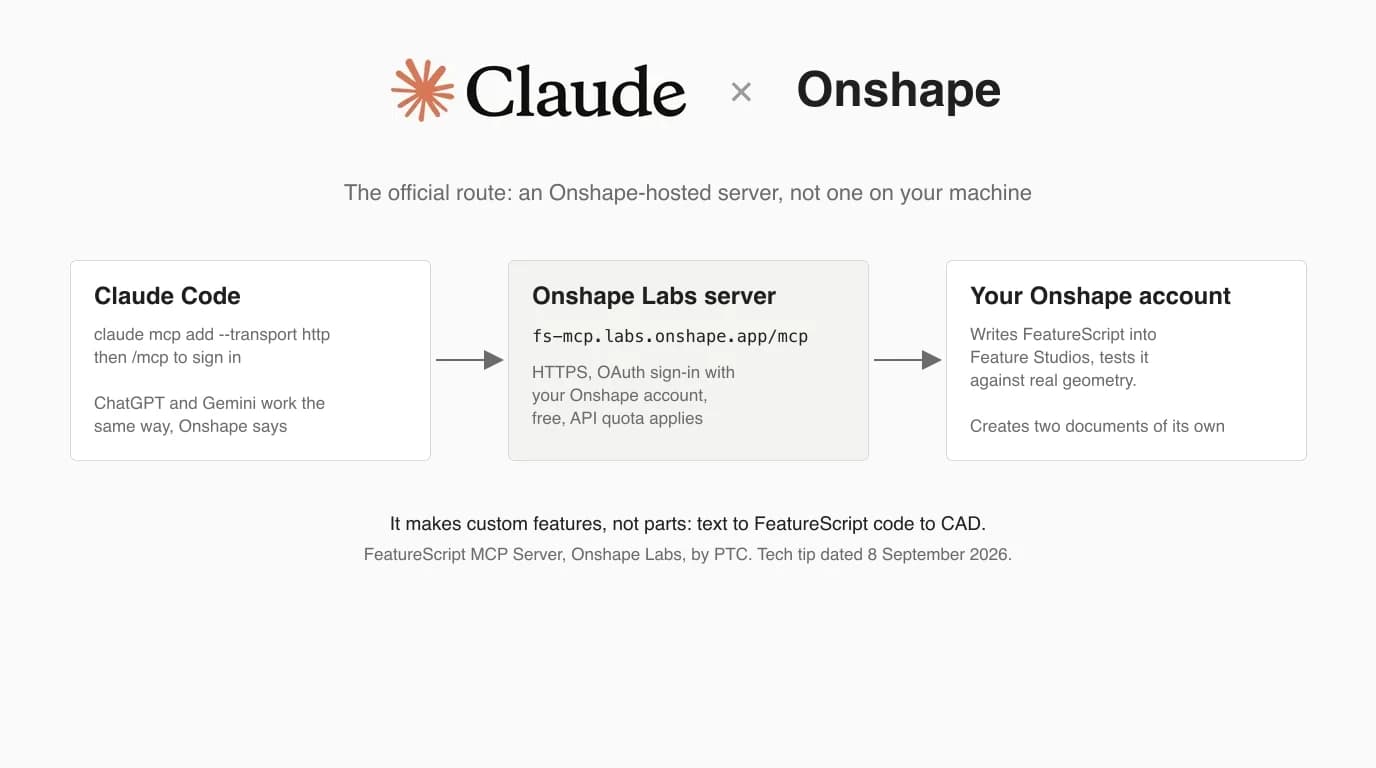
The Onshape FeatureScript MCP Server is an Onshape Labs app, made by PTC, that connects Claude Code to your Onshape account so Claude can write, run and test custom FeatureScript features from a plain English description. It is free, it is official, and it is the second CAD vendor after Autodesk to ship its own Claude route. It is also the first one in this series that lives in the cloud rather than on your machine, which changes what you sign in to, what you pay in API calls, and where your code ends up. This guide follows Onshape's own documentation step by step, with those pages on screen, and adds what they leave out. What we did ourselves: added the server to Claude Code on this Mac and probed Onshape's endpoint to read the permissions it can ask for. What we did not do: sign in with an Onshape account and build a feature. For that part we lean on Onshape's examples and two independent testers, and we say so each time.
Our articles are still written by humans!
Get human written articles in your Google feed.


What the FeatureScript MCP Server is, and is not
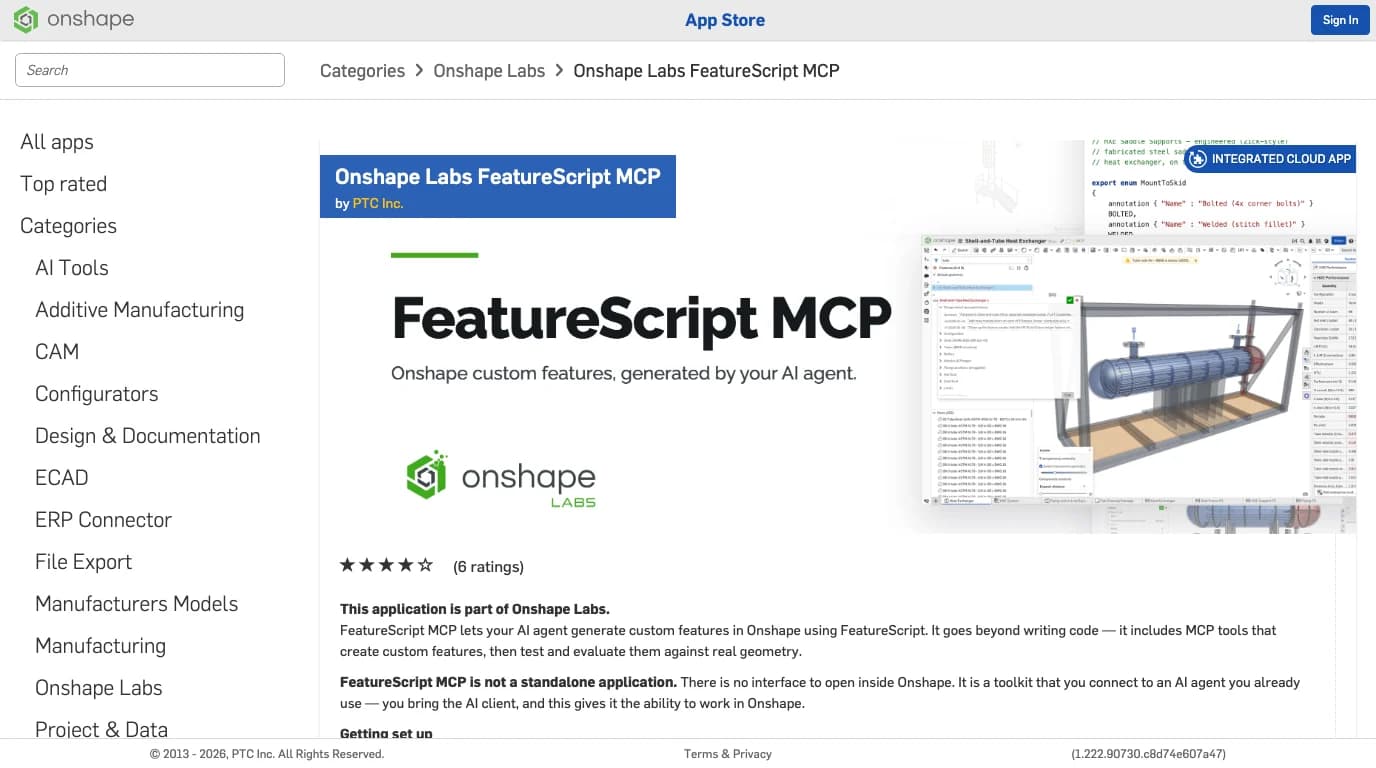
FeatureScript is the language Onshape's own features are written in. Extrude, Fillet and Helix are FeatureScript functions, and a Feature Studio lets anyone add new ones that then appear in the toolbar like the built-in ones. The FeatureScript MCP Server gives an AI assistant the ability to do that writing. In Onshape's words from the App Store listing, it “goes beyond writing code”: it includes MCP tools that create custom features, then test and evaluate them against real geometry. The listing is equally clear about what it is not: “not a standalone application. There is no interface to open inside Onshape.” You bring the AI client.
Three things it is not, because all three get confused with it. It is not Onshape AI Advisor, the help panel inside Onshape that answers questions from the documentation and gives you references; that one builds nothing. It is not the community Onshape servers that drive Part Studios through the REST API with sketch and extrude tools; those are covered below and they need API keys. And it is not a way to turn a photo into an Onshape model; it starts from your description, and if you are starting from a picture of a part, the drawing is the step before this one, which is what this site does.
Before you start
- An Onshape account, on any plan. Onshape's tech tip does not name a required plan, and the App Store shows the subscription as Free. The catch is on the Free plan itself: all its documents are public, so read the section on data before you run anything you would not post on a forum.
- Onshape Labs switched on. The app sits in the Labs category of the App Store, and Labs is off by default. The path is My account > Preferences, scroll to the bottom, tick “Enable access to experimental, proof of concept features”. On a company or enterprise account an administrator has to grant Labs access first.
- Claude Code, installed, signed in with your claude.ai login. Onshape's steps are written for it. ChatGPT and Gemini are named as alternatives and Claude Desktop is not; see the clients section.
- On Windows, Onshape on your PATH. The tech tip has you add
C:\Users\USERNAME\.local\binto the system Path so Claude can find the Onshape tooling. Mac users skip this. - A throwaway document. Onshape's own test prompt wants the URL of a new empty document. Create one first and keep the tab open.
Step 1: Enable Onshape Labs and subscribe
- Sign in at
cad.onshape.com, open My account > Preferences, scroll to the bottom and enable Onshape Labs. Click Enable Onshape Labs in the prompt. - Open the App Store and search for FeatureScript MCP Server. The listing is under Categories > Onshape Labs.
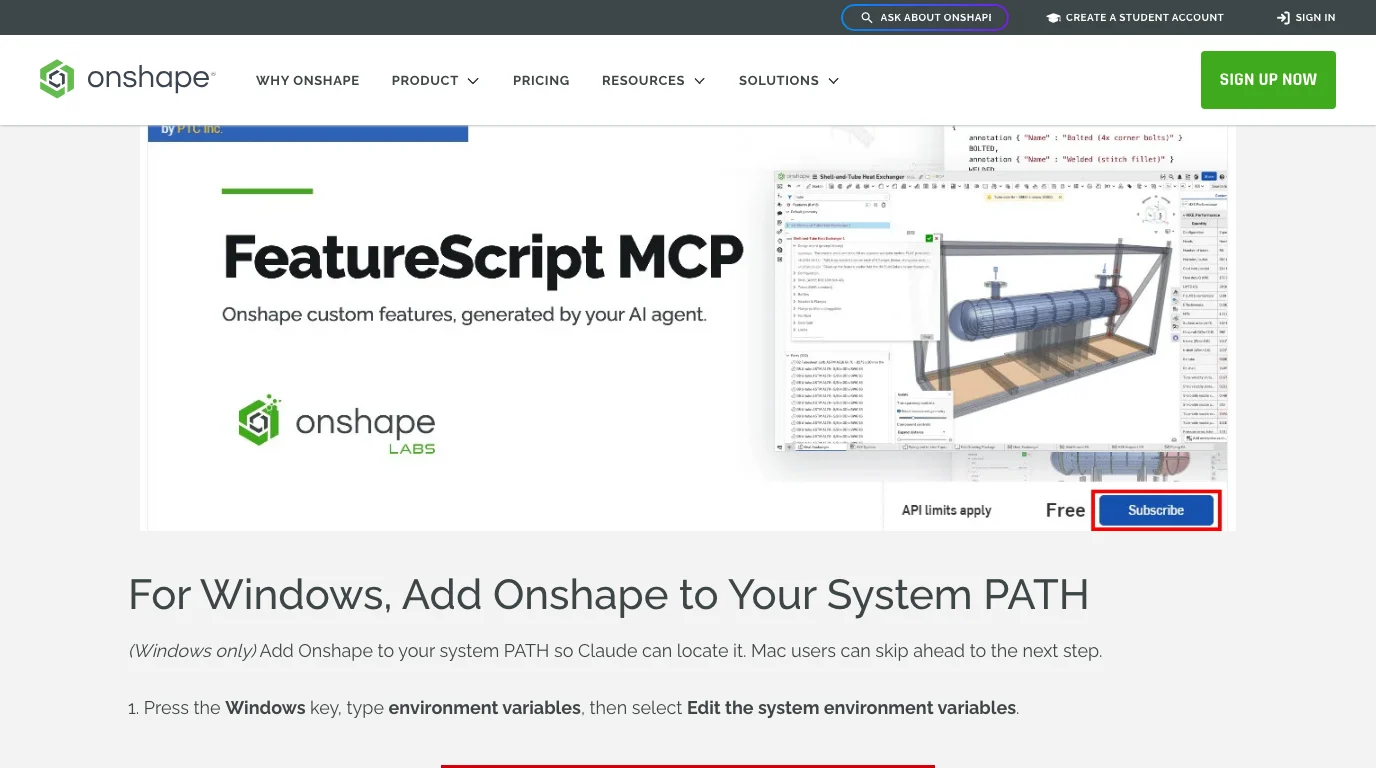
- Click Subscribe. There is nothing to download and nothing opens inside Onshape.
- Go to your Application Settings and confirm Onshape appears in the list. That is also where you come back to unsubscribe.
Step 2: Add the server to Claude Code
There is no package to install. The server is an HTTPS endpoint on Onshape's side, and Claude Code takes it in one line. Run this in the folder you want to work from, or add -s user to make it available everywhere:
claude mcp add --transport http onshape https://fs-mcp.labs.onshape.app/mcpThen run claude mcp list. Here is what that gave us on 10 October 2026, on a Mac, before signing in. The warning is the expected state, not a fault: the server exists, it answered, and it wants a login.
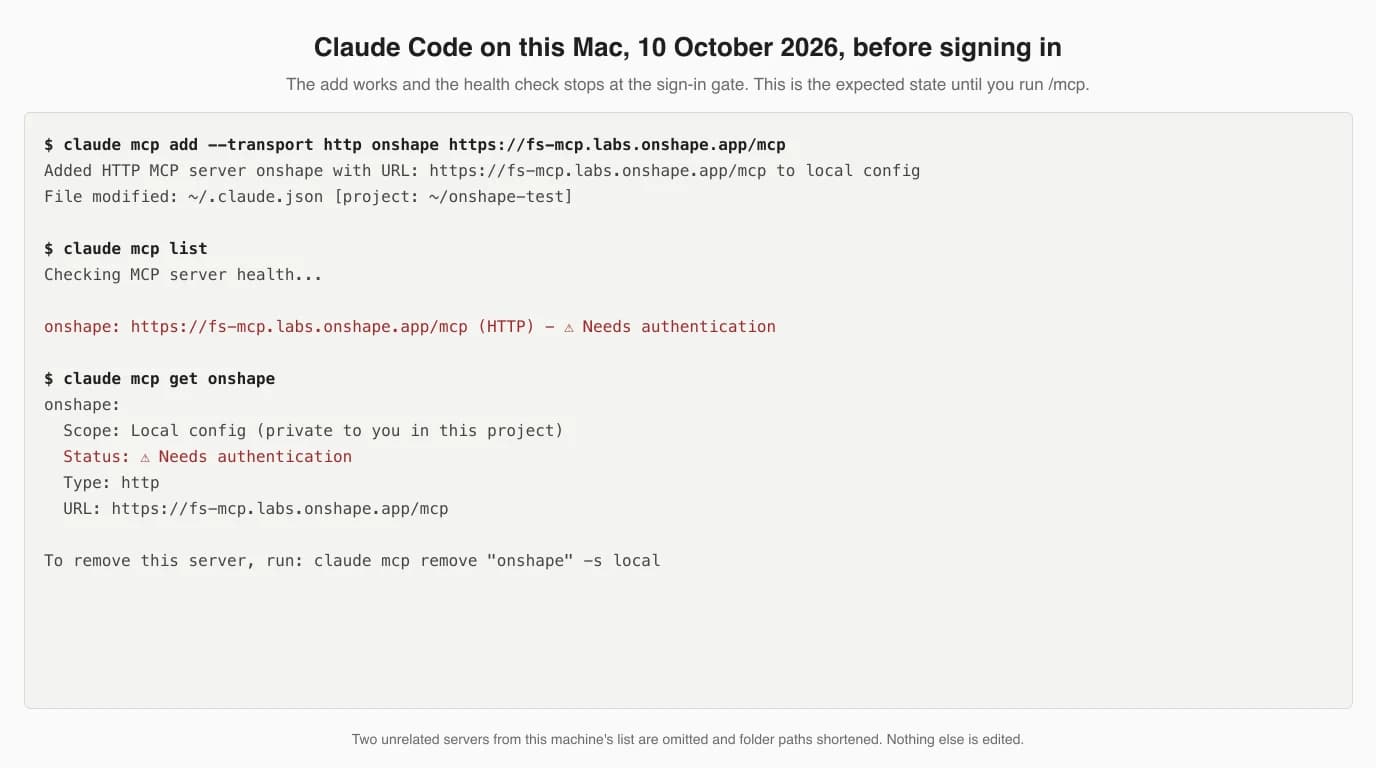
add is yours to choose. Onshape's tech tip uses onshape; the ChampionXperience guide uses Onshape-Labs. It only has to match what you pick in the /mcp screen in the next step.Step 3: Sign in, and read what you are granting
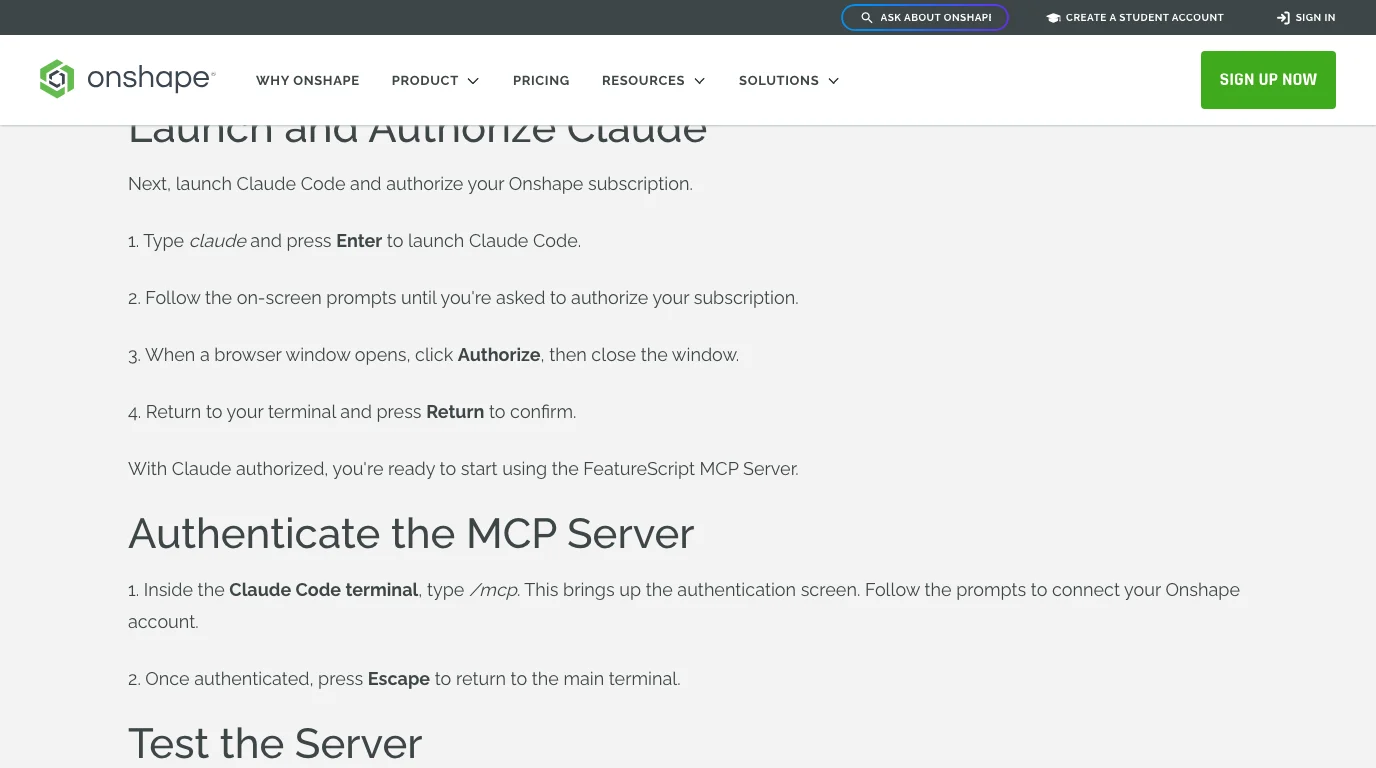
- Run
claude. If this is a fresh install, follow the prompts to authorise Claude Code itself in the browser first. - Inside Claude Code type
/mcp, selectonshapeand choose to authenticate. A browser tab opens on Onshape. - Read the grant page, then click Authorize, close the tab and press Escape to get back to the prompt.
What does the grant cover? Onshape's pages do not list the scopes, so we asked the server. An MCP server that uses OAuth publishes its authorisation metadata at a well-known address, and fetching it needs no account. Onshape's answers, verbatim, on 10 October 2026:
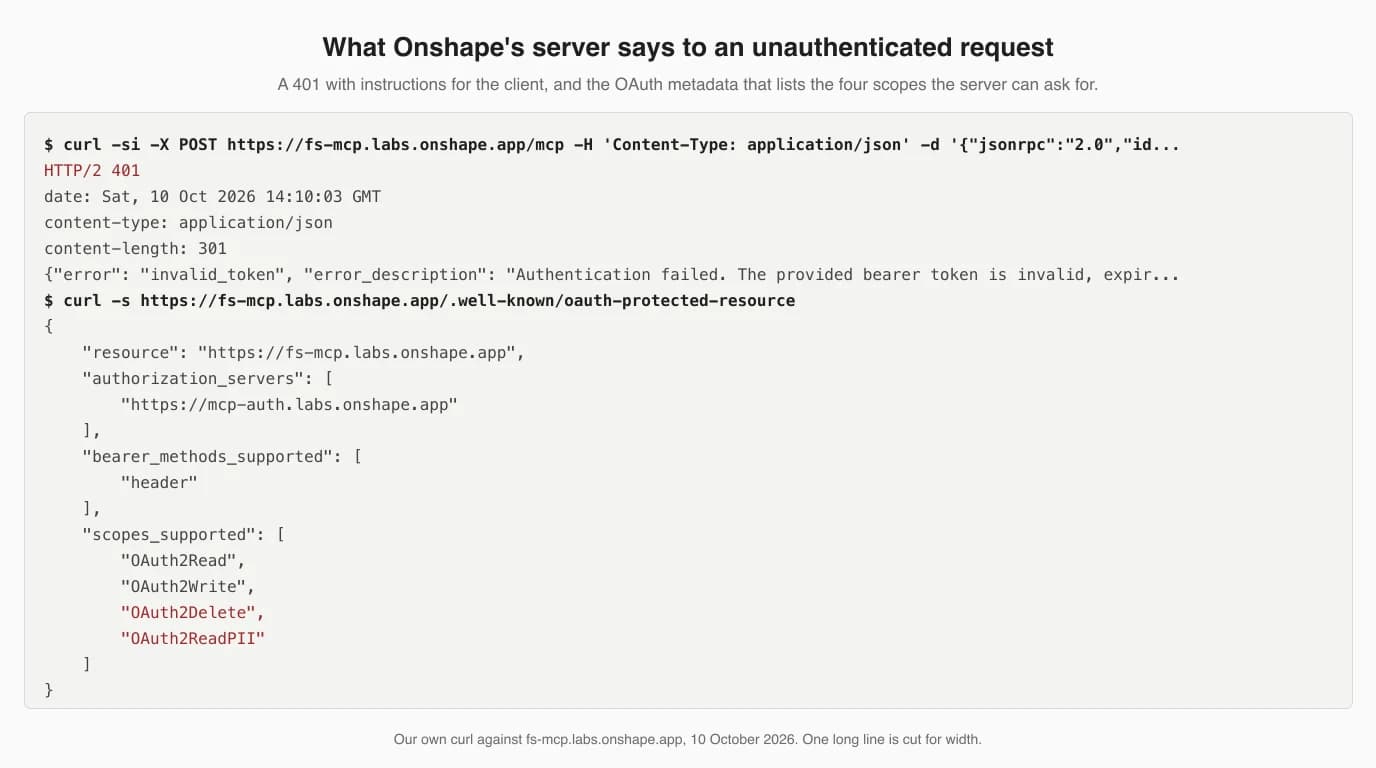
Two of those four deserve a pause. OAuth2Delete matches the listing's own statement that the server “can delete workspaces from the FeatureScript MCP Workspace document”, which is how it cleans up its sandbox. OAuth2ReadPII is Onshape's scope for reading your profile details such as name and email. We could not see the actual consent screen without an account, so we cannot tell you which of the four it requests by default; the screen will. If it asks for more than Read, Write and Delete on its own documents, that is the moment to think. The 401 message is also worth knowing: when a token expires, the server tells the client to clear its tokens and reconnect, which in Claude Code is /mcp again.
Step 4: The first prompt, and the two documents that appear
Onshape's verification prompt is specific, and it needs the URL of the empty document you made earlier:
Create a new Feature Studio named FS1 in this document: https://cad.onshape.com/documents/<your-document-url>FS1 should appear in the document's tab bar. If Claude says the tools are unavailable, run /mcp and authenticate again; that is Onshape's only documented fix and it matches what the 401 above asks for.
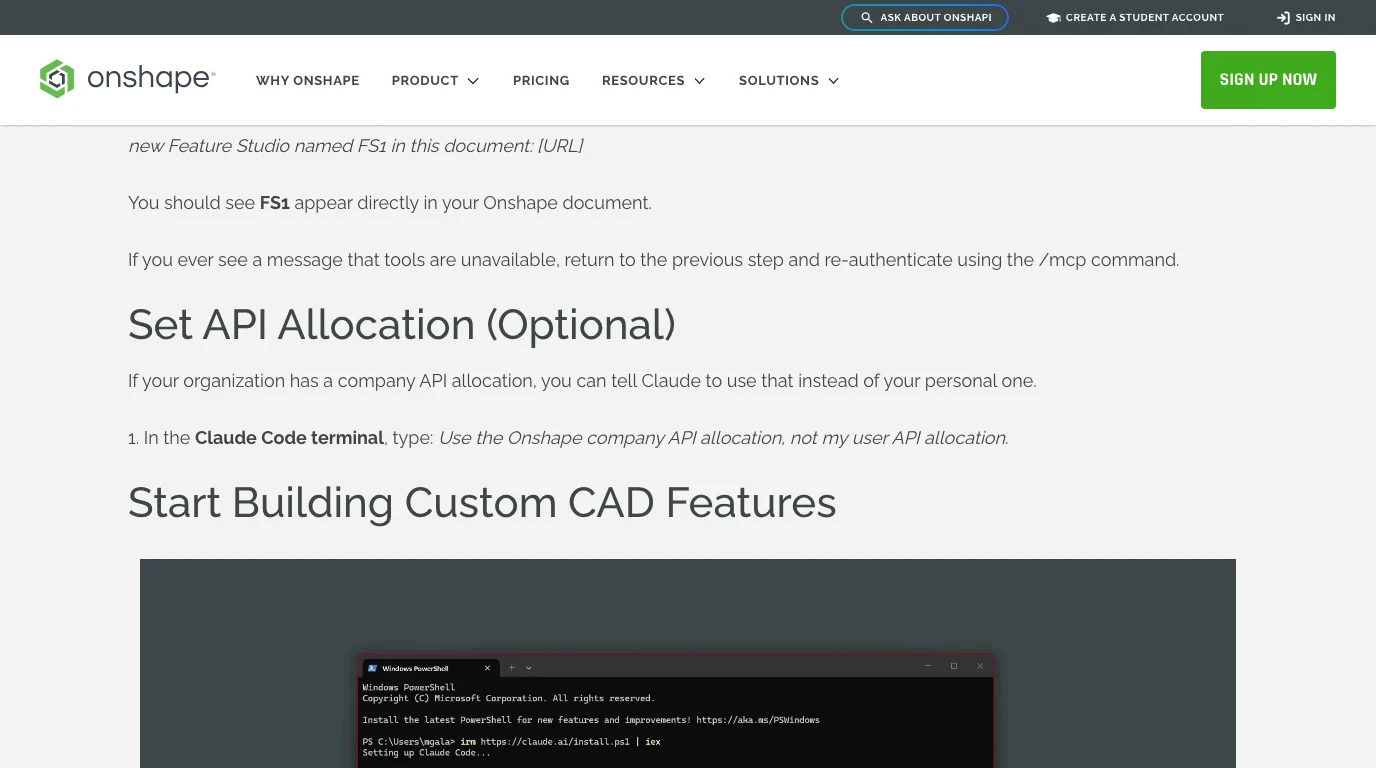
Two documents you did not create will also show up in your account, and the App Store listing explains them. FeatureScript MCP Workspace is a sandbox where the AI builds and tests features, kept apart from your real documents. FeatureScript MCP Notes holds a file called FS Notes.md which the listing calls persistent memory: the tool records lessons from past errors and reads them back on every new request. That is a thoughtful design. It also means the server keeps a running diary of its mistakes in your account, and on a Free plan that diary is public.
If your company has its own API allocation, this is also the moment to type Onshape's optional line:
Use the Onshape company API allocation, not my user API allocation.Step 5: Your first real feature
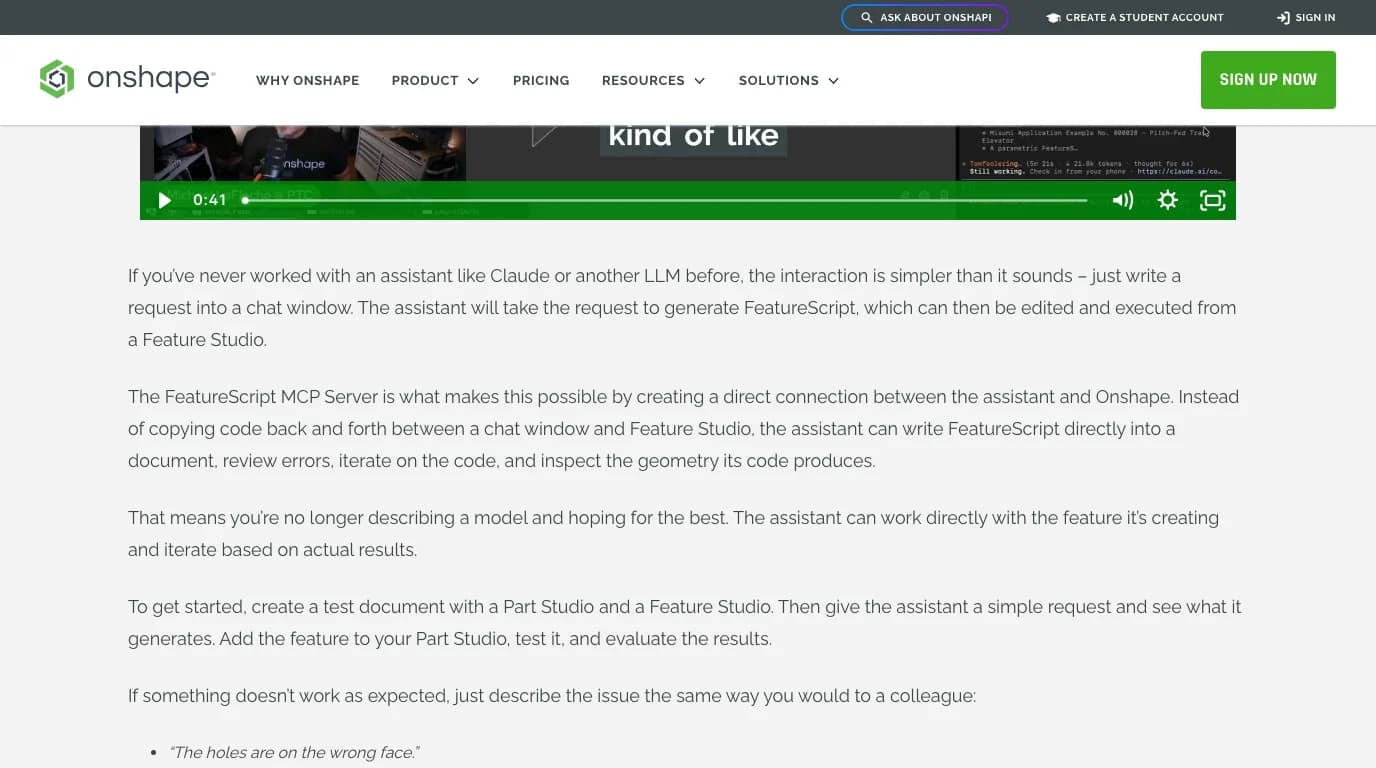
Onshape's getting-started post suggests making a test document with a Part Studio and a Feature Studio, giving the assistant a simple request, adding the feature to the Part Studio and judging the result. Its own list of example requests is the best place to pick from, because each one is a feature with inputs rather than a part:
- A bolt circle feature with inputs for face selection, hole count, pitch circle diameter, hole diameter and angular offset.
- A mounting boss feature that adds a hole and a base fillet.
- A hole callout table built from holes tagged “critical”.
- A feature that flags walls under a minimum thickness for injection moulding.
- A feature that checks bolt-pattern edge distance against a fastener spec sheet.
Start with the bolt circle. It is small enough to finish in one session, every input is a number you can check, and it exercises the whole loop: write, insert, run, read the regenerator's warnings, fix. When something is off, Onshape's advice is to describe it the way you would to a colleague. Its examples are “The holes are on the wrong face” and the like, and the one independent guide we found says the same thing from experience: errors shown in Onshape's warnings, pasted back into the chat, got fixed; a vague “it is wrong” did not.
ChatGPT, Gemini and Claude Desktop
Onshape's blog says the server works with Claude, ChatGPT, Gemini “or another MCP-compatible coding assistant”, and the App Store listing repeats it with the URL and transport method, HTTP, as the only two facts you need. The only client Onshape documents step by step is Claude Code. One tester ran it from DeepSeek through the Claude Code interface and it worked, which says the server does not care which model is on the other end.
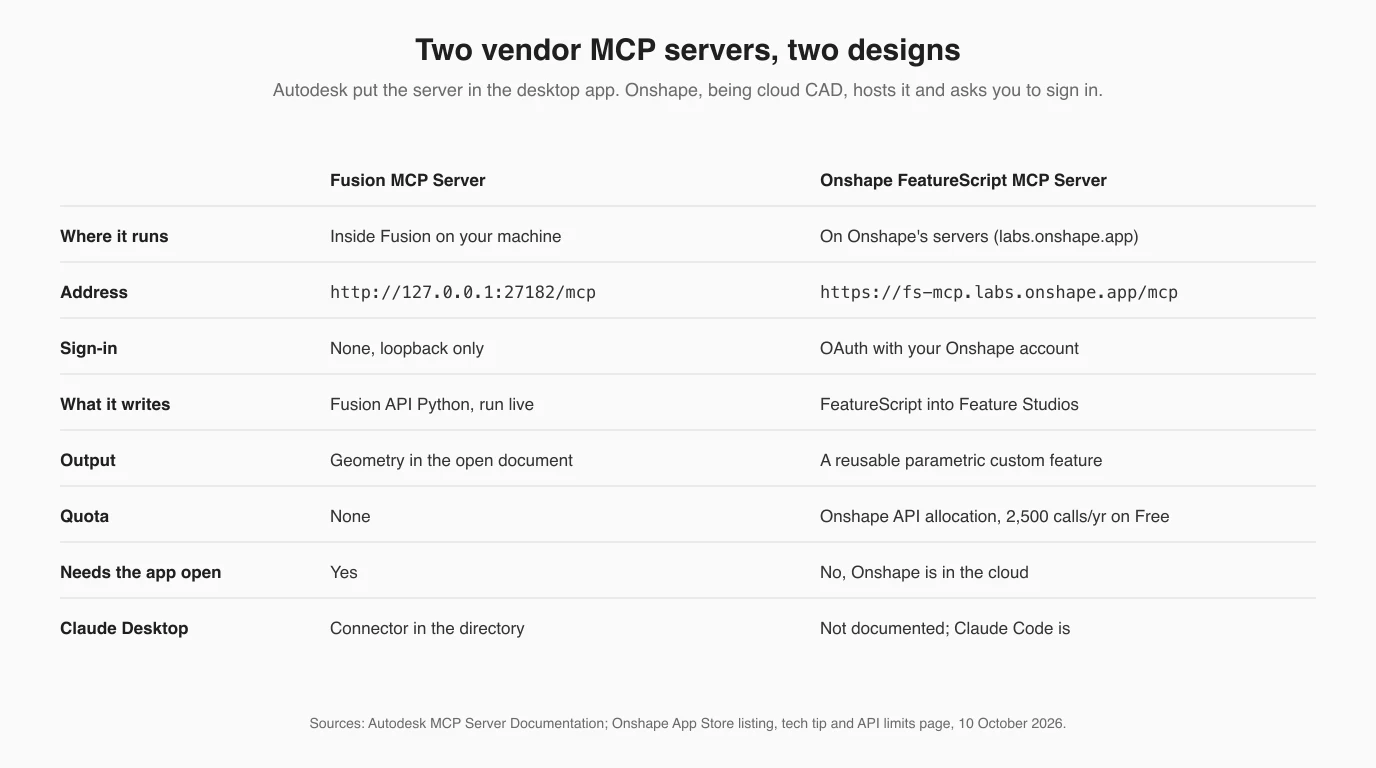
Claude Desktop is not mentioned anywhere. It is an ordinary Streamable HTTP server with OAuth, which is the shape Claude Desktop accepts as a custom connector by URL; that is how Autodesk's cloud Fusion Data server gets added, and the FS Notes design would suit a chat client. We did not test it and Onshape does not promise it, so treat it as an experiment.
The API quota nobody mentions until it runs out
The App Store listing says it in a footnote: “API calls made by this MCP server count toward your overall Onshape API allocation.” Onshape's developer documentation says what that allocation is. The numbers are per year, and they are small.
Annual Onshape API call limits, from Onshape's developer documentation, 10 October 2026
What happens at the limit is also documented: requests are rejected with HTTP 402 until the next cycle, or until more calls are bought through an Onshape representative. Separately from the annual count, endpoints have per-minute rate limits that return 429, and the limits page says they vary by endpoint and does not print them.
There is a wrinkle we could not resolve from the documents. The limits page says that public App Store OAuth apps do not count against your allocation, and the FeatureScript MCP Server is a public App Store OAuth app. Yet its listing says its calls do count, and the tech tip's optional step exists to move that counting from your personal allocation to your company's. We take the listing and the tech tip as the specific statements and the limits page as the general rule they override. If you are on a plan where 2,500 calls matter, check your usage after the first feature: Developer settings in your account shows the count, and admins get emails at 25, 50, 75 and 100 percent.
How many calls one feature costs, nobody has published, and we did not run it, so we will not guess. Two mitigations exist. Rıdvan Polat ships a CLAUDE.md that tells the model how to use the tools frugally, which he says was written to save quota. And a small community project, ares-onshape-local, exists for the explicit purpose of “avoiding the annual API allowance” by working through a signed-in browser session instead of the API; it has no stars and we have not read its code, so that is a pointer, not a recommendation.
When it fails
“Tools are unavailable”, or a server that was working stops
Re-authenticate with /mcp. This is Onshape's only documented failure and fix, and the server's own 401 text explains why it happens: tokens expire, and the client is expected to clear them and reconnect. One tester on VS Code found that the warning survived until he restarted the editor, reopened the terminal in the workspace and then ran /mcp.
“Needs authentication” in claude mcp list
Not a failure. See our own output above: that is the state before the first /mcp. “Failed to connect” would be the one to worry about, and it means a typo in the URL or an outage on Onshape's side.
Claude cannot find the Onshape tooling on Windows
The PATH step. Add C:\Users\USERNAME\.local\bin to the system Path, with your own user name, and open a new PowerShell.
The feature works in one document and is missing in another
By design. Custom features live in the document whose Feature Studio holds them. To use one elsewhere, create a Version in the source document and link to it from the other; after a revision, make a new Version and update the link.
HTTP 402
Your annual allocation is gone. See the quota section; nothing in Claude will fix it.
What it can build
Onshape's use-cases post from 30 September 2026 is the most concrete description, and it is written by the people who made the server, so read it as what they are proud of rather than as a test. The examples that tell you the shape of the thing:
- Standards encoded as features: a garden hose thread to ASME B1.20.7, a roller chain sprocket generator that reads catalogue data, with the requirements carried into MBD annotations.
- A piston model of 60 features and “thousands of lines of code” consolidated into one parametric custom feature.
- Engineering tools inside a Part Studio: an FEA beam tool where you pick curves, set material and loads and see deformed shapes; a shell-and-tube heat exchanger generator with thermal output tables.
- Function libraries that later features import by name, so a personal toolkit builds up across projects.
One line in that post is the economic argument for the whole approach, and it is true of FeatureScript in general: once a feature is built it is deterministic and “subsequent runs consume no AI tokens”. You pay the model once, at authoring time. That is the real difference from a server that drives the CAD directly, where every part is a new conversation.
What independent testers found
Two people have published results we can check, and neither works for PTC.
Rıdvan Polat (ChampionXperience, 14 September 2026) used the official server from Claude Code on Windows, with DeepSeek as the model, and built three features: an advanced shell with different thicknesses on different faces, a weld bead feature with fillet and butt profiles and bead mass by material, and a cabinet generator with doors, hinges, Minifix holes and a cut list. His account of the shell is the useful one: he used plan mode first, the first version did not do what he wanted, warnings pasted from Onshape got it fixed, and he says plainly that jumping into code without planning “will not always produce good results”. His closing judgement is that text-to-CAD still falls short of industrial needs and the engineer stays in the loop.
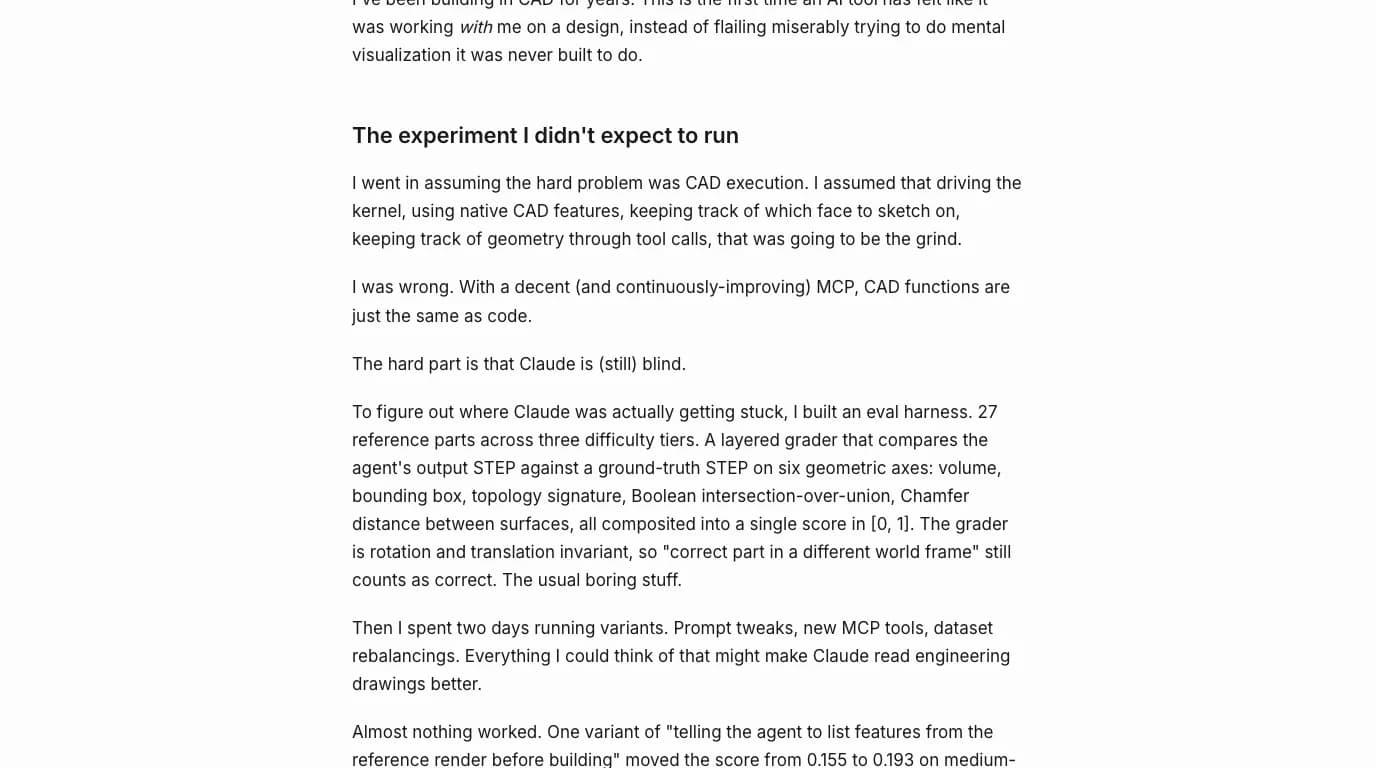
Reshef Elisha (20 April 2026) tested the other kind of server, his own jarvis-onshape-mcp, which drives Part Studios directly rather than writing features. His numbers are the only benchmark we know of for Claude in Onshape, so they matter even though the tool differs. He built a grader over 27 reference parts that compares the agent's STEP with the ground truth on volume, bounding box, topology and surface distance. On the Model Mania 2025 part an autonomous run from the reference image scored 0.533 and a run from a human-written spec scored 1.000 in seven minutes. On the harder 2021 part the autonomous run scored 0.000, it never exported, and the spec run 0.615. Nine prompt variants over two days moved the medium tier from 0.155 to 0.193 at best. His conclusion is one sentence: “The hard part is that Claude is (still) blind.” Execution through the MCP was, in his words, like writing code.
Put together with what we measured in FreeCAD, where a dimensioned drawing produced an exact model but the undimensioned radii were guessed, the pattern is consistent across programs. Give the model numbers and it is reliable. Give it a picture and it is not. That is why the FeatureScript route, where you describe inputs rather than show a part, is a better fit for the current models than the picture-to-part route, and why Onshape chose it.
The community servers
Before Onshape shipped its own, every route from Claude to Onshape was a community server on the REST API, and they are still the only way to have Claude sketch and extrude in a Part Studio. They need an API key pair from Onshape's developer portal, which any account can create, or in two cases an OAuth app you register yourself. Star counts are from GitHub on 10 October 2026.
Onshape MCP servers on GitHub, 10 October 2026, from their READMEs
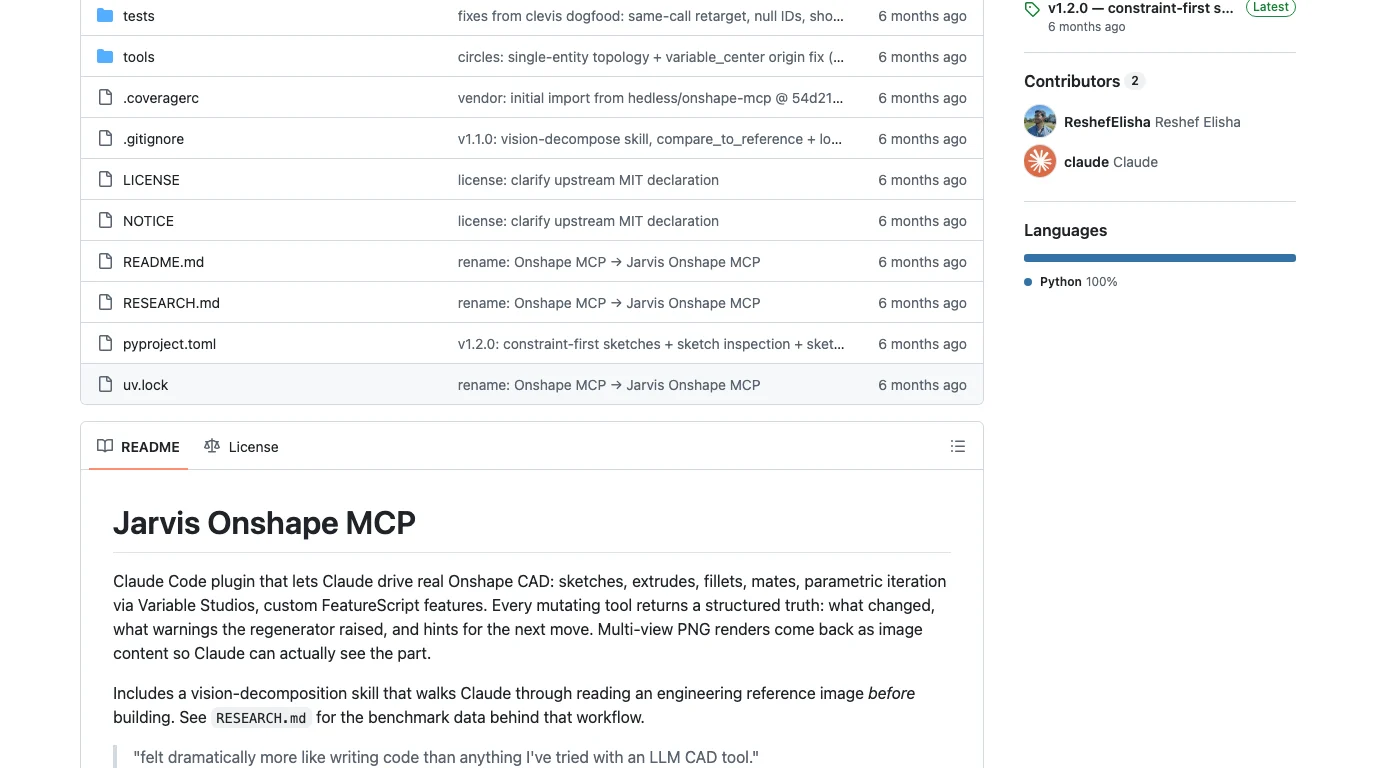
Which to use is a question of what you want built. Features that your team will reuse: the official server, no keys, your quota. Claude modelling a part for you in a Part Studio: a community server, keys in a config file, your quota again, and read the benchmark first.
Where your data goes
- The server is Onshape's, in Onshape's cloud. Unlike the Fusion, FreeCAD and SolidWorks servers in this series, nothing runs on your machine. Your prompts go from Claude to Anthropic as always, and the tool calls go to
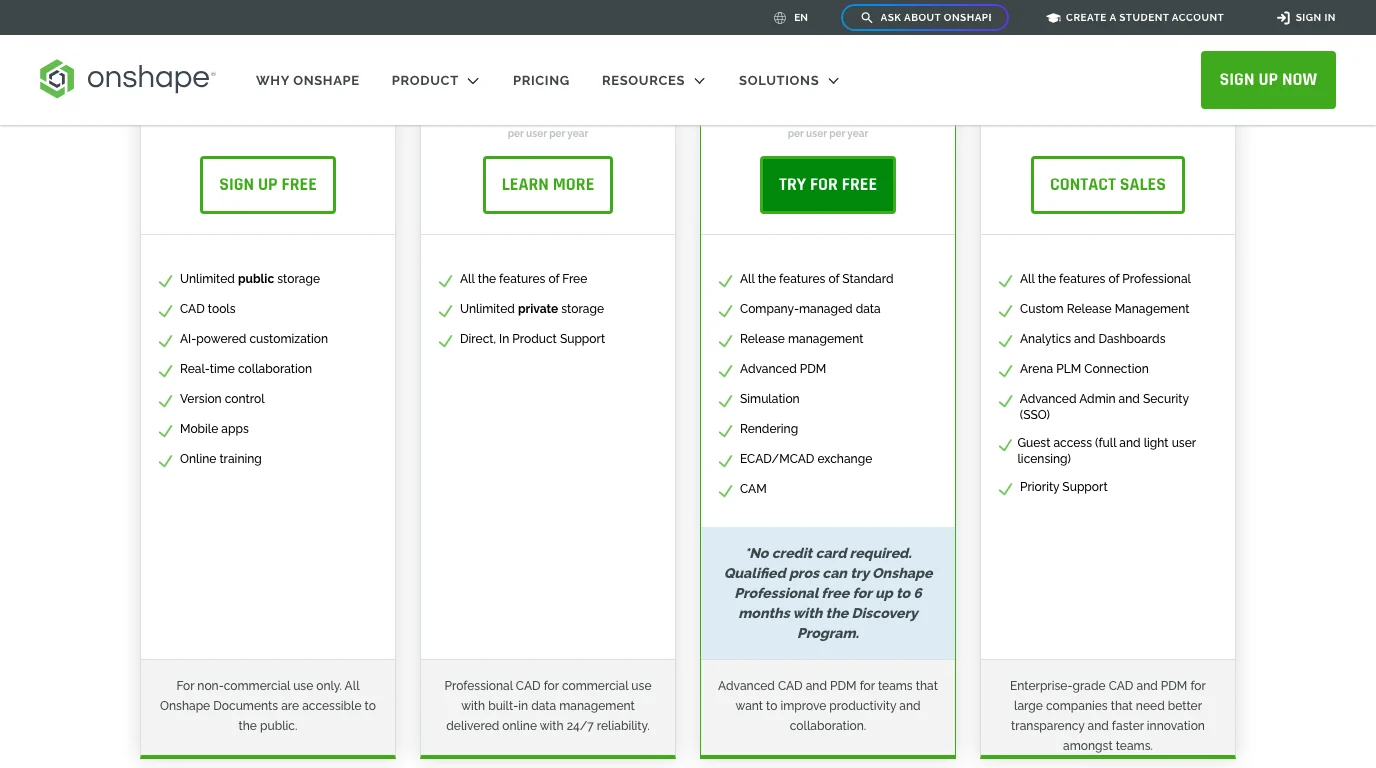
fs-mcp.labs.onshape.app, which acts on your account with the token you granted. The FeatureScript it writes lives in your documents. - On the Free plan it is all public. Onshape's pricing page: “All Onshape Documents are accessible to the public.” That includes the Workspace sandbox, the Notes document and its diary of past errors, and any document whose URL you paste into a prompt. If what you are encoding is a company standard, this is not the plan to do it on.
- Four scopes, read the grant. We showed the metadata above. The listing is honest that it can delete workspaces in its own sandbox document. Nothing we read suggests it deletes anywhere else, and nothing we could verify proves it cannot; the consent screen is the authority.
- Cutting it off is two steps: unsubscribe from the app in Application Settings in Onshape, and
claude mcp remove onshape. The authorisation server also publishes a revocation endpoint, which Claude Code uses when you clear the server.
Where a 2D drawing fits
The FeatureScript server starts from a description with numbers in it, and the benchmark above is the reason it should: a model given a picture guesses, a model given dimensions does not. If what you have is a photo or a sketch of a part, the useful first step is a dimensioned drawing of it, which turns the picture into the numbers the feature needs. That is what this site does from a photo, and the same measured values then go into your prompt as the inputs of the bolt circle, the boss, the bracket. Onshape itself has a Drawings workspace for the other direction, model to sheet, and nothing in the MCP server touches it.
Have the part but not its numbers? Upload a photo and get a dimensioned 2D drawing you can read the inputs from, then hand those to Claude in Onshape.
Turn a photo into a dimensioned drawingRelated reading: Claude with Fusion 360 (the local vendor server, for the contrast), Claude with FreeCAD (the one we ran and measured), the full CAD MCP server landscape, and which CAD files Claude can read without any server at all.
FAQ
Frequently asked questions
Can Claude connect to Onshape?
Yes, officially. Onshape ships the FeatureScript MCP Server, an Onshape Labs app by PTC, free in the Onshape App Store. It is a remote MCP server at https://fs-mcp.labs.onshape.app/mcp that you add to Claude Code with one command and sign into with your Onshape account. Onshape's own tech tip, dated 8 September 2026, documents the Claude Code route; its blog says ChatGPT, Gemini and other MCP-compatible coding assistants connect the same way.
How do I connect Claude to Onshape?
Sign in to Onshape, enable Onshape Labs under My account > Preferences, open the App Store, search for FeatureScript MCP Server and click Subscribe. Then run claude mcp add --transport http onshape https://fs-mcp.labs.onshape.app/mcp, start claude, type /mcp, pick onshape and authorise in the browser. Test it by creating an empty document, copying its URL and asking Claude to create a Feature Studio named FS1 in it.
Is the Onshape MCP server free?
The subscription is free; the App Store listing shows Free with the note API limits apply. You need an Onshape account on any plan and your own Claude Code login. Every call the server makes counts toward your annual Onshape API allocation, which is 2,500 calls per user per year on Free, Standard and Student plans, 5,000 on Professional and 10,000 per user on Enterprise. When it is used up Onshape returns HTTP 402 until the next cycle or until more calls are bought.
Does it work with Claude Desktop?
Onshape documents Claude Code, and its blog names ChatGPT and Gemini as alternatives. Claude Desktop is not documented. Because it is an ordinary Streamable HTTP server with OAuth, you can try adding it in Claude Desktop as a custom connector by URL, which is how Autodesk's cloud Fusion Data server is added, but we did not test it and Onshape does not promise it.
Can Claude model parts in Onshape with this server?
Not directly. The FeatureScript MCP Server writes custom features, which are parametric tools that you then use in a Part Studio like Extrude or Fillet. Onshape describes it as text to code to CAD: Claude writes FeatureScript, inserts it into a Feature Studio, runs it, reads the errors and the geometry, and revises. If you want Claude to sketch and extrude in a Part Studio, that is what the community servers such as jarvis-onshape-mcp do, through the Onshape REST API.
Is my design data public if I use the free plan?
On Onshape Free every document is public; Onshape's pricing page says all documents are accessible to the public. The server creates two documents in your account, FeatureScript MCP Workspace and FeatureScript MCP Notes, so on a Free plan the FeatureScript Claude writes and the notes file it keeps between sessions are public too. Paid plans keep documents private.
What permissions does the Onshape MCP server ask for?
Its OAuth metadata, which we fetched unauthenticated on 10 October 2026, lists four scopes it can request: OAuth2Read, OAuth2Write, OAuth2Delete and OAuth2ReadPII. The App Store listing says it can create and modify Feature Studios, needs to create its two working documents, and can delete workspaces inside the FeatureScript MCP Workspace document. You see the exact grant on the Onshape authorisation page when you run /mcp, and you can unsubscribe from the app in Application Settings to cut it off.
What is the difference between Onshape AI Advisor and the MCP server?
AI Advisor is a help panel inside Onshape that answers questions from Onshape's documentation, courses and blogs, and gives you references. It does not build anything. The FeatureScript MCP Server is the opposite: it has no interface inside Onshape at all, you talk to it from Claude, and it writes and tests code in your documents.
Sources
- Onshape Tech Tip: How to Connect the FeatureScript MCP Server and Claude Code (Mehul Gala, 8 September 2026)
- Onshape App Store: Onshape Labs FeatureScript MCP (by PTC Inc.)
- Onshape blog: How to Get Started with the Onshape FeatureScript MCP Server (Michael LaFleche, 3 September 2026)
- Onshape blog: From Onshape Labs, the FeatureScript MCP Server (Cody Armstrong, 11 August 2026)
- Onshape blog: FeatureScript MCP Server use cases (30 September 2026)
- Onshape: Onshape Labs
- Onshape help: Onshape Labs (how to enable it)
- Onshape developer docs: API limits
- Onshape: Plans and pricing (Free plan terms)
- Onshape help: AI Advisor
- Onshape: FeatureScript documentation
- Rıdvan Polat, ChampionXperience: How to use the Onshape FeatureScript MCP Server to create custom features (14 September 2026)
- Reshef Elisha: Teaching Claude CAD skills. Onshape MCP and visual reasoning tools (20 April 2026)
- ReshefElisha/jarvis-onshape-mcp on GitHub
- hedless/onshape-mcp on GitHub
- altendky/onshape-mcp on GitHub (Apache-2.0)
- gpambrozio/onshape-mcp on GitHub and npm (87 tools)
- ARES-23247/ares-onshape-local on GitHub
- Model Context Protocol: Authorization specification