
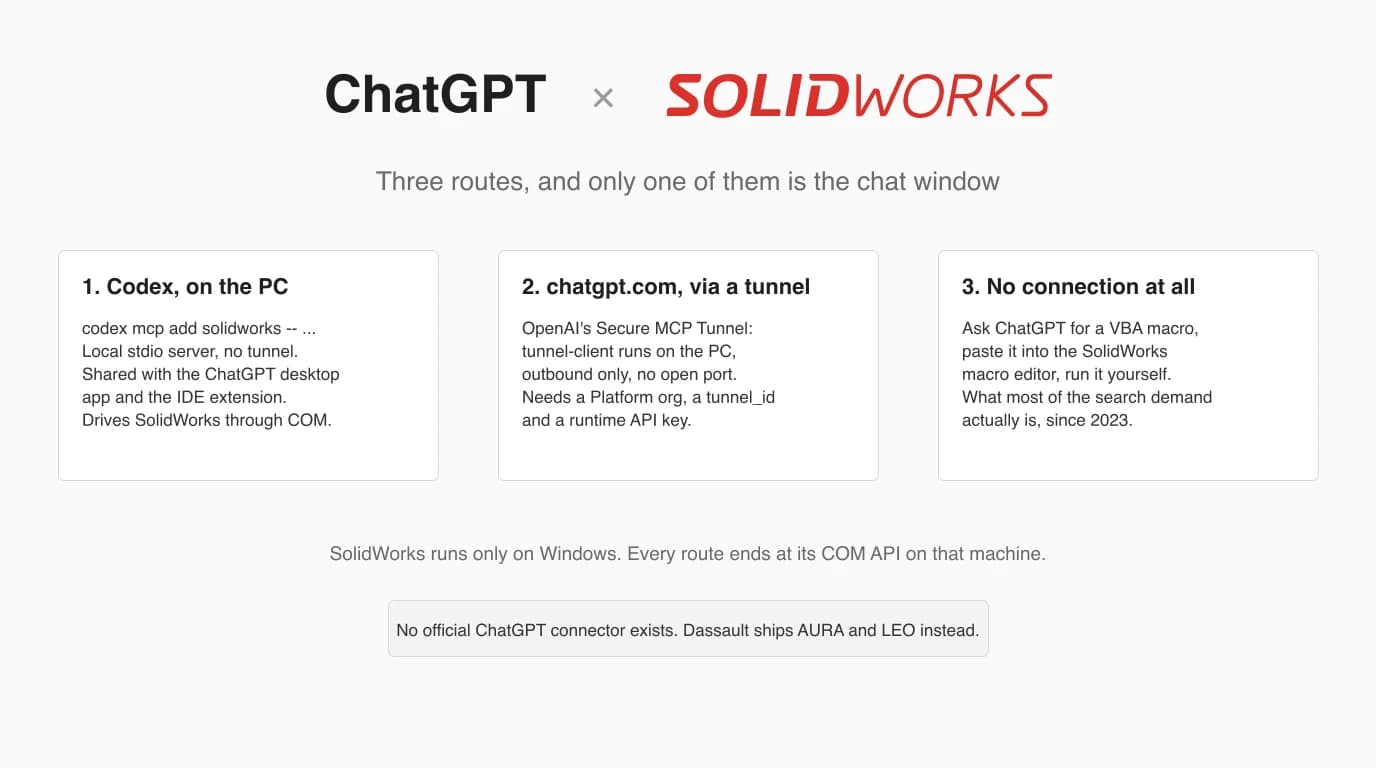
Connecting ChatGPT to SolidWorks means running a community MCP server on the Windows PC that has SolidWorks, and pointing an OpenAI client at it. The server is the same one Claude users install. What changes is the client: Codex and the ChatGPT desktop app launch a local server directly, the chatgpt.com website only reaches it through OpenAI's Secure MCP Tunnel, and the route most people searching for this actually want, a macro written by ChatGPT, needs no connection at all. We registered a SolidWorks server with Codex CLI on this machine, ran OpenAI's tunnel client up to the point where it asks for an API key, and read the installer that claims to set ChatGPT up for you. We did not have SolidWorks or a paid OpenAI account, and the article says so wherever that matters.
Our articles are still written by humans!
Get human written articles in your Google feed.


What connecting ChatGPT to SolidWorks means
Three different things hide behind this phrase, and most tutorials mix them up. The first is ChatGPT driving SolidWorks: an AI client calls tools such as “sketch a circle” or “extrude 10 mm” and the application does it, live, on your screen. That takes an MCP server, a small program that wraps the SolidWorks COM API and exposes it over the Model Context Protocol. The second is ChatGPT reading what SolidWorks made: you give it a STEP, DXF or PDF and ask questions, which needs nothing installed. The third, and by far the oldest, is ChatGPT writing a macro that you run yourself.
Only the first is a connection, and that is the part this article walks through, because it is where people get stuck. The protocol does not care which model is on the other end: the servers written for Claude expose the same tools to Codex. What differs between Anthropic and OpenAI is the client landscape, and that difference decides whether your server ever shows up.
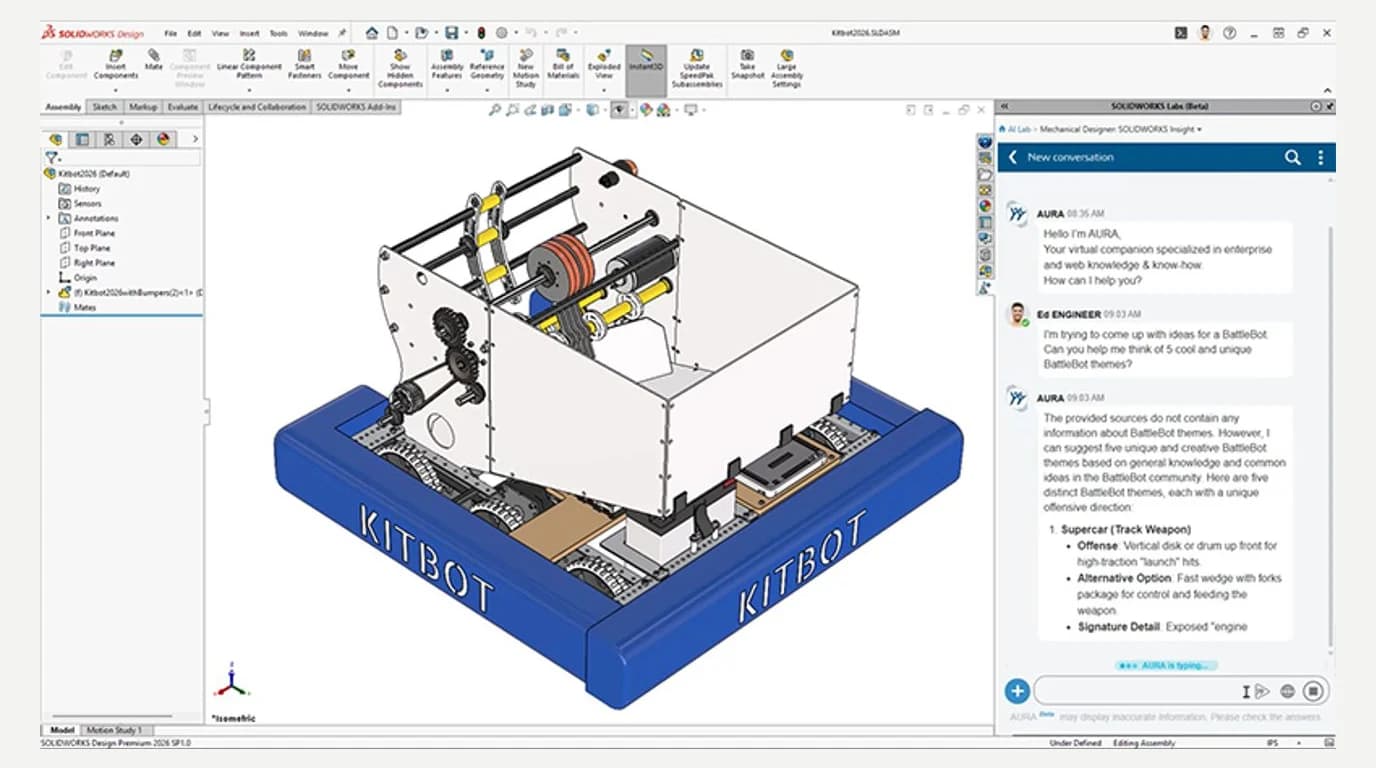
Start from that fact. On solidworks.com the AI story is AURA, which answers questions about your design, and LEO, which turns prompts into parametric CAD, both inside SOLIDWORKS Design with Cloud Services. Neither page mentions OpenAI, ChatGPT or MCP. If you are on that licence, try LEO before you install anything from GitHub. The rest of this is for everyone who wants ChatGPT specifically, or is not on that licence.
The three routes, and which client each needs
OpenAI's own Codex documentation states the split in two sentences: ChatGPT web can use remote MCP-backed tools supplied by plugins, and local Codex clients can also connect directly to MCP servers and share their configuration. It then names the local clients: the ChatGPT desktop app, Codex CLI and the IDE extension support MCP servers and share MCP configuration for the same Codex host.
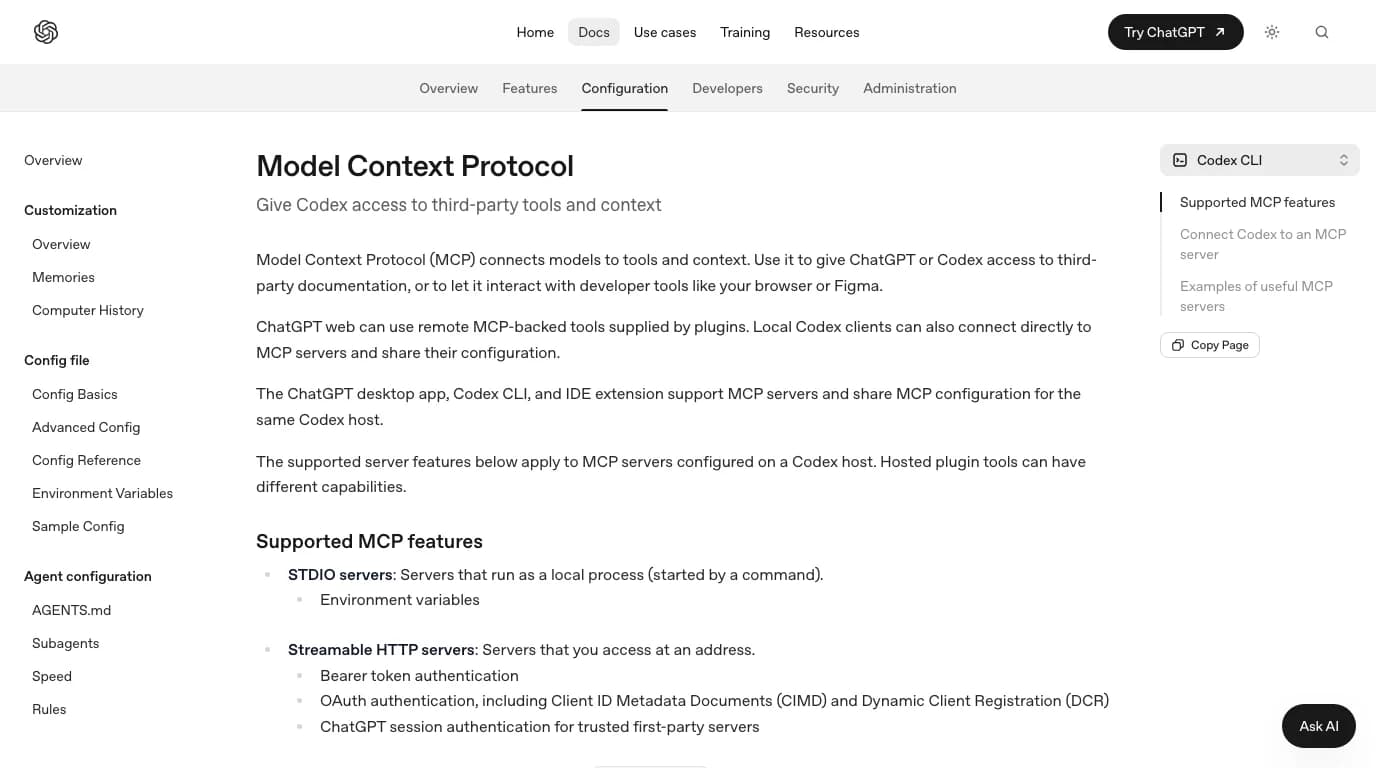
Which OpenAI client can reach a SolidWorks server, as documented on 10 October 2026
Before you start
What every route in this article requires
One thing to settle before any of it: what you want the model to do. If the answer is “write me a macro”, skip to the macro route. If it is “answer questions about my part”, export a STEP and read can GPT-6 Astra read CAD files. The five steps below are for the one case that needs wiring: the model building and editing in a live SolidWorks session.
Step 1: pick a server that knows about ChatGPT
We listed the SolidWorks MCP servers and read their code for the Claude version of this guide on 29 September. For ChatGPT the useful question is narrower: which of them say anything about OpenAI clients, and what exactly. Here is what each repository says as of 10 October 2026.
SolidWorks MCP servers and what their own documentation says about OpenAI clients, checked 10 October 2026
Two honest notes on that table. HarrierPigeon's server has 21 stars against SolidPilot's 382; it is the ChatGPT-aware one, not the popular one, and we have not run it. And the stars on alisamsam's server, the one in most demo videos, say nothing about ChatGPT compatibility either way. MCP is MCP; it should work from Codex. We just cannot point you at anyone who has shown it.
Step 2: install it on the SolidWorks PC
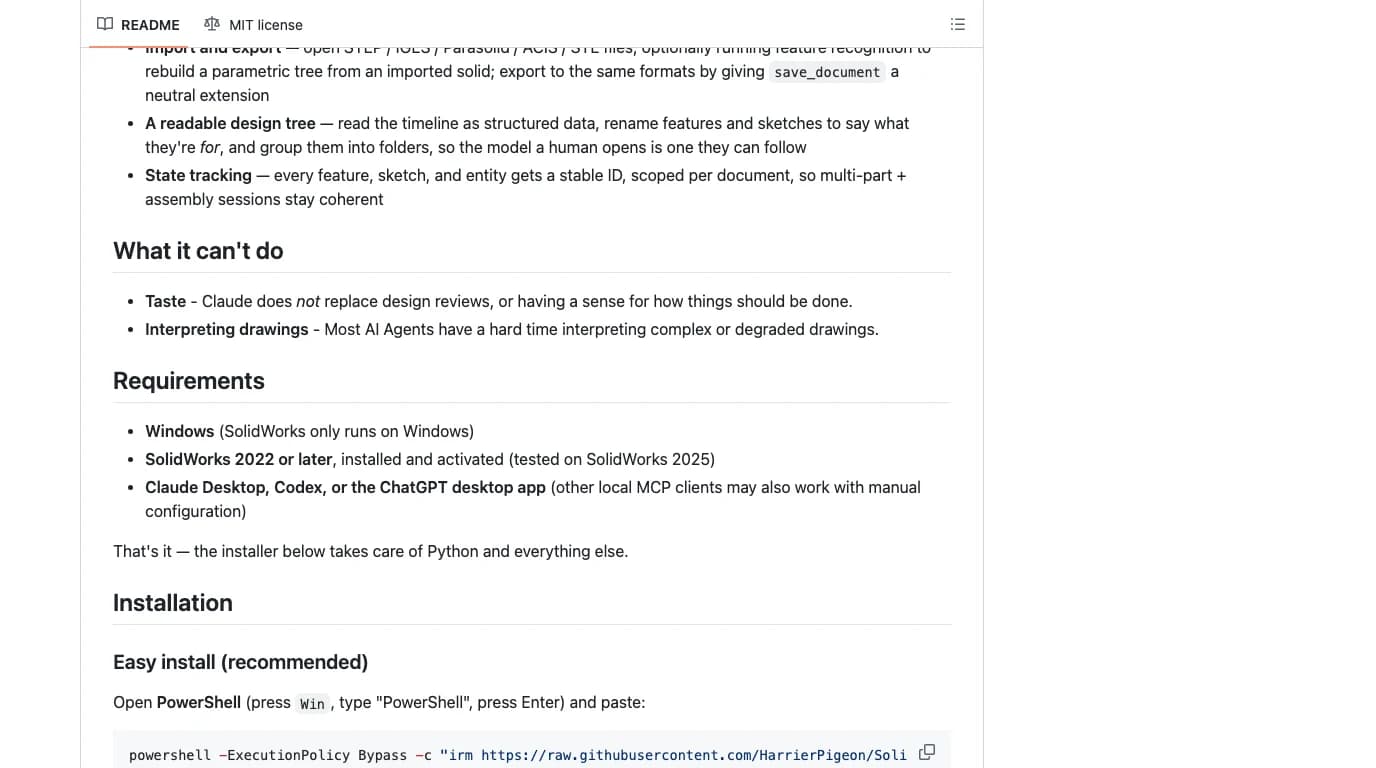
HarrierPigeon's README offers a one-line PowerShell install that fetches a script from GitHub and runs it. Before running anything like that we read the script, and it is worth describing because it is the only place that documents what “set up for ChatGPT” means in practice.
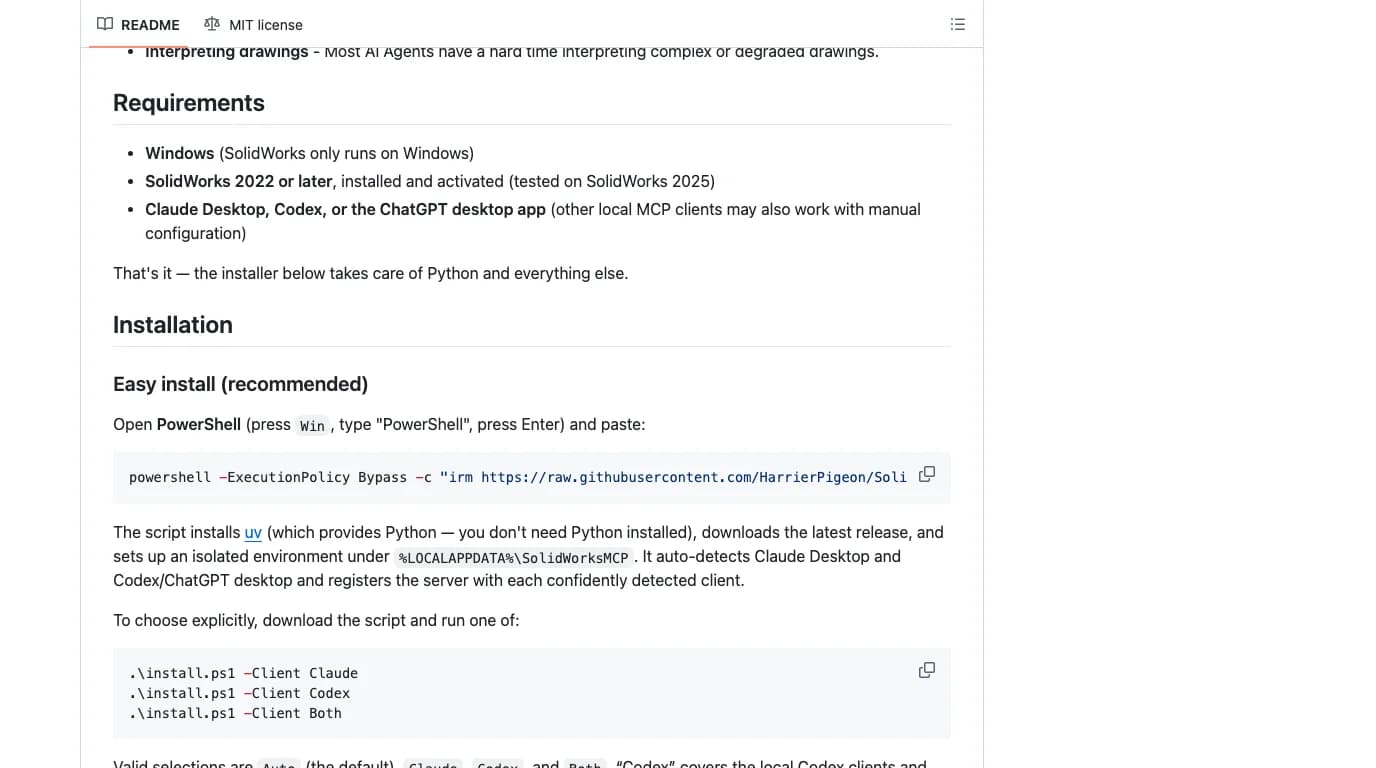
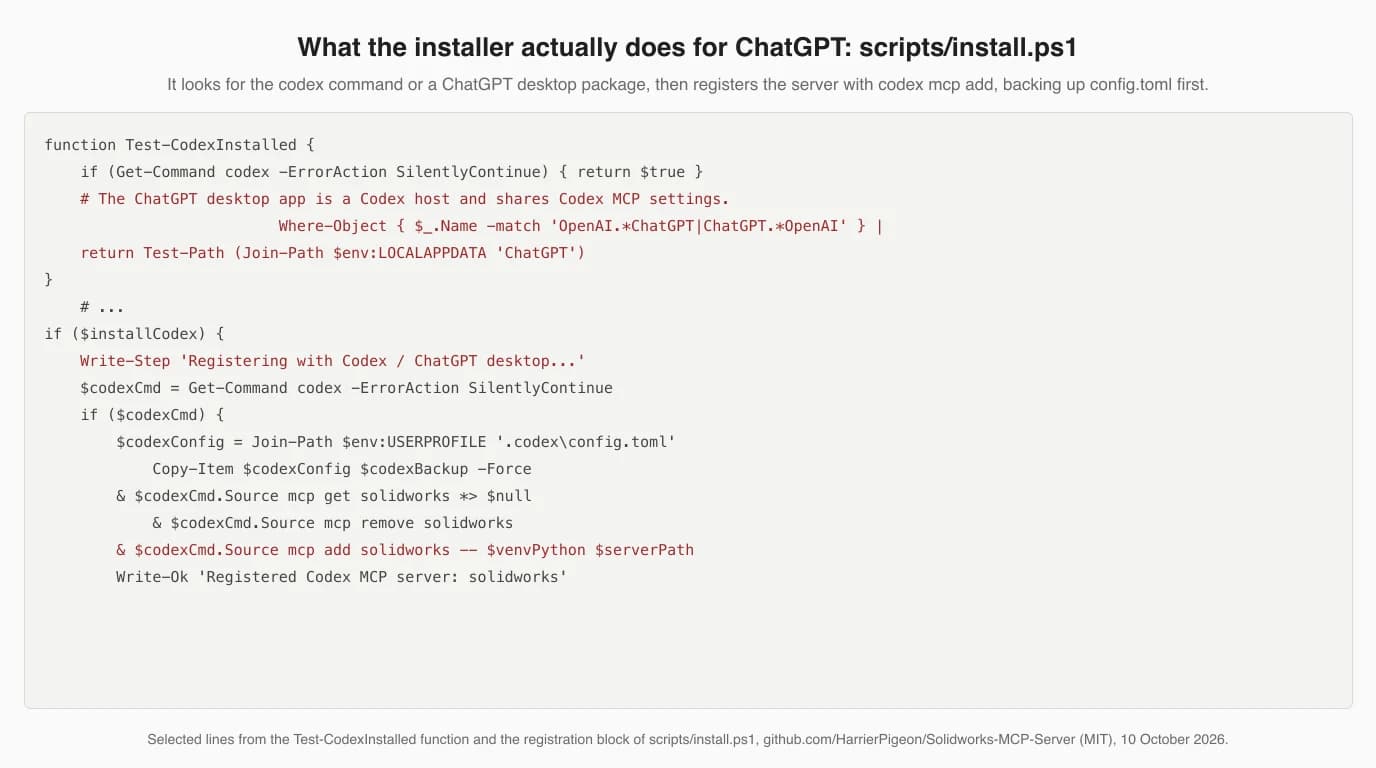
What the script does, in order: installs uv, which brings its own Python; downloads the latest release into %LOCALAPPDATA%\SolidWorksMCP; creates a virtual environment; then looks for clients. Codex counts as detected if the codex command is on your PATH or a ChatGPT desktop package exists under %LOCALAPPDATA%\Packages. For registration, though, it needs the command: it backs up ~\.codex\config.toml, removes any existing solidworks entry, and runs codex mcp add solidworks -- <venv python> <server.py>. If you have the ChatGPT desktop app but no Codex CLI, it prints instructions instead: “In ChatGPT desktop, use Settings > MCP servers > Add server > STDIO”, with the command and argument to paste. We could not verify that menu path ourselves, since the app was not on this machine; it is the script author's wording.
For the manual route, or any other server: clone it, install its requirements with pip install -r requirements.txt, and note the full path to its entry script. SolidPilot also needs its C# layer built with MSBuild first. Keep the path free of spaces if you can; it saves a round of quoting trouble in the next step.
Step 3: register it with Codex
This is the one command the whole article turns on, and it is the same on Windows and on a Mac. The syntax from OpenAI's docs is codex mcp add <name> -- <command> for a local process, and codex mcp add <name> --url <url> for a server reached over HTTP.
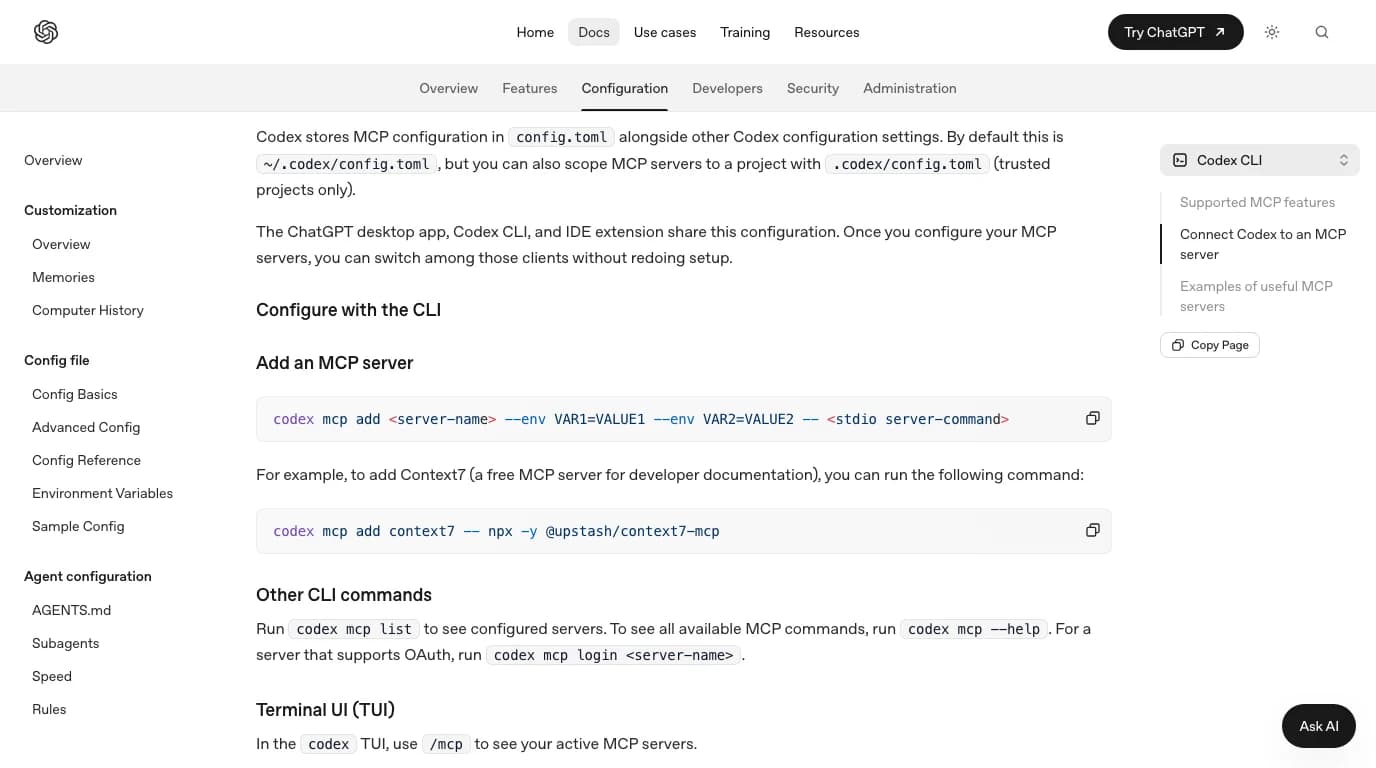
codex mcp add solidworks -- python C:\Tools\Solidworks-MCP-Server\server.pyWe ran exactly that on this Mac with Codex CLI 0.162.1, plus a second entry for a server on another machine, the way haunchen's README shows it. The Windows path is a placeholder, because SolidWorks is not installed here; the commands and the file they write are real.
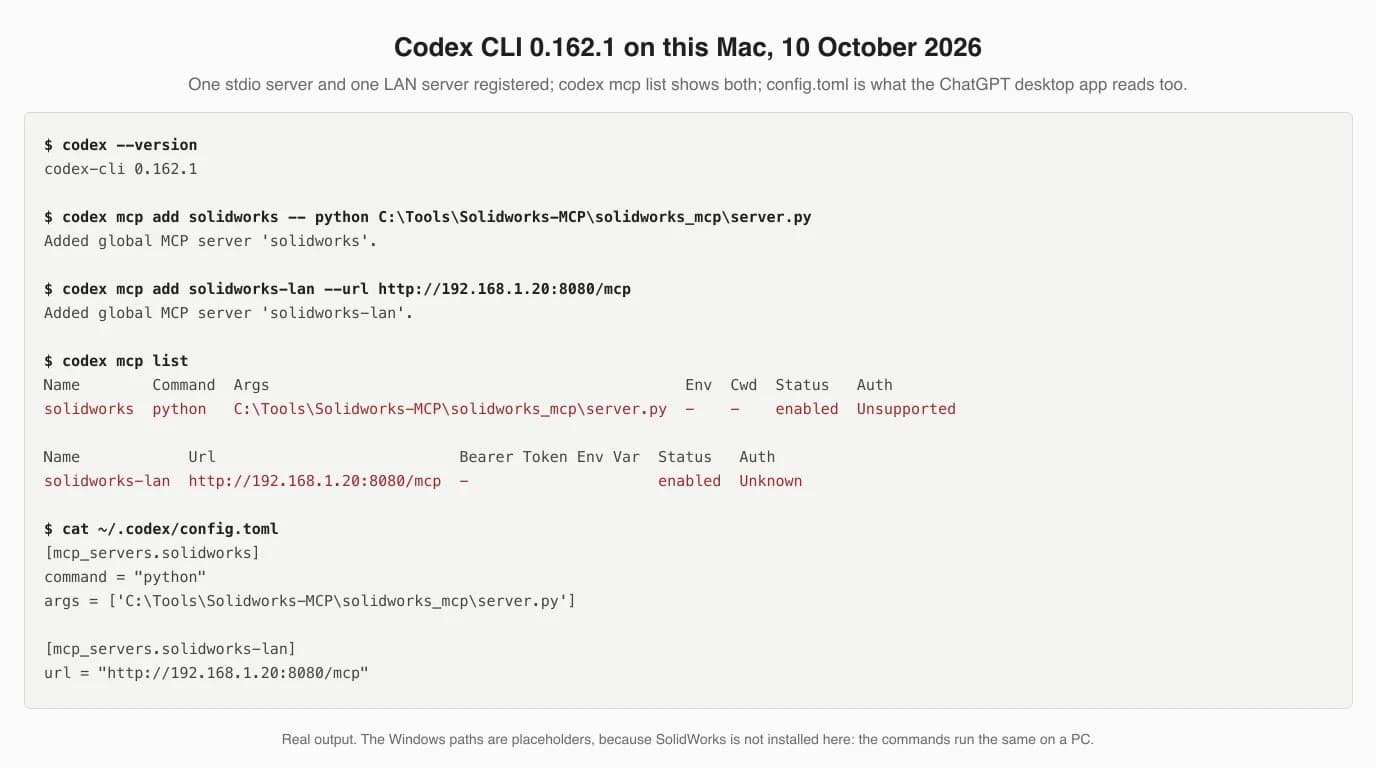
Three things in that output matter. The stdio server's Auth column reads Unsupported; that is not an error, local processes do not authenticate. The config file writes the arguments in single quotes, so the backslashes in a Windows path survive as typed. And the file is ~/.codex/config.toml, which is why the ChatGPT desktop app and the IDE extension see the server too without any further setup, as OpenAI's page says.
[mcp_servers.solidworks]
command = "python"
args = ['C:\Tools\Solidworks-MCP-Server\server.py']

[mcp_servers.solidworks-lan]
url = "http://192.168.1.20:8080/mcp"
Set the model explicitly if you want a particular one. Codex takes -m gpt-6-astra for a session, or a model line in the same config.toml; a config file written before a release can pin an older model. Which model you use changes how well it plans a part. It changes nothing about whether the server connects.
Step 4: check it is there, then build something small
- Open SolidWorks first. HarrierPigeon's README says starting it before the AI client is the most reliable order, and alisamsam's server attaches to a running instance rather than launching one.
- Run
codex mcp listto see the entry, then startcodexand type/mcp. OpenAI documents the same/mcpin the desktop app's composer and a gear menu entry, MCP servers, in the IDE extension. - Ask for something you can check with your eyes in five seconds. The installer's own suggestion is a 50 mm cube. Ours would be a 70 by 49 by 1.5 mm plate, because it is the part we have ground truth for.
- If the tools do not appear, it is the path nine times out of ten: the Python the config names is not the Python with pywin32, or the script path is wrong.
codex mcp get solidworksshows what is stored.
What a working session looks like is in this clip, and it is also the only ChatGPT-side SolidWorks demonstration we could find that is not a macro tutorial. Matthew Stewart found a broken SolidWorks MCP server, fixed it, wrote his own C# add-in as the bridge, and connected it to Codex. He gives Codex a screenshot of a SolidWorks drawing and asks it to rebuild the 3D part. His own description calls it a hobby project and the part simple, which is the right level of claim.
Step 5 (optional): reach it from chatgpt.com through a tunnel
Skip this if Codex does what you need. It exists for one situation: you want the server available in the ChatGPT website, for example so a colleague on another machine can use it, and you cannot or will not expose a public HTTPS endpoint. OpenAI's answer is Secure MCP Tunnel: a daemon called tunnel-client runs on the SolidWorks PC, opens an outbound HTTPS connection to OpenAI, pulls queued MCP requests, forwards them to the local server and returns the answers. No inbound port, no public URL.
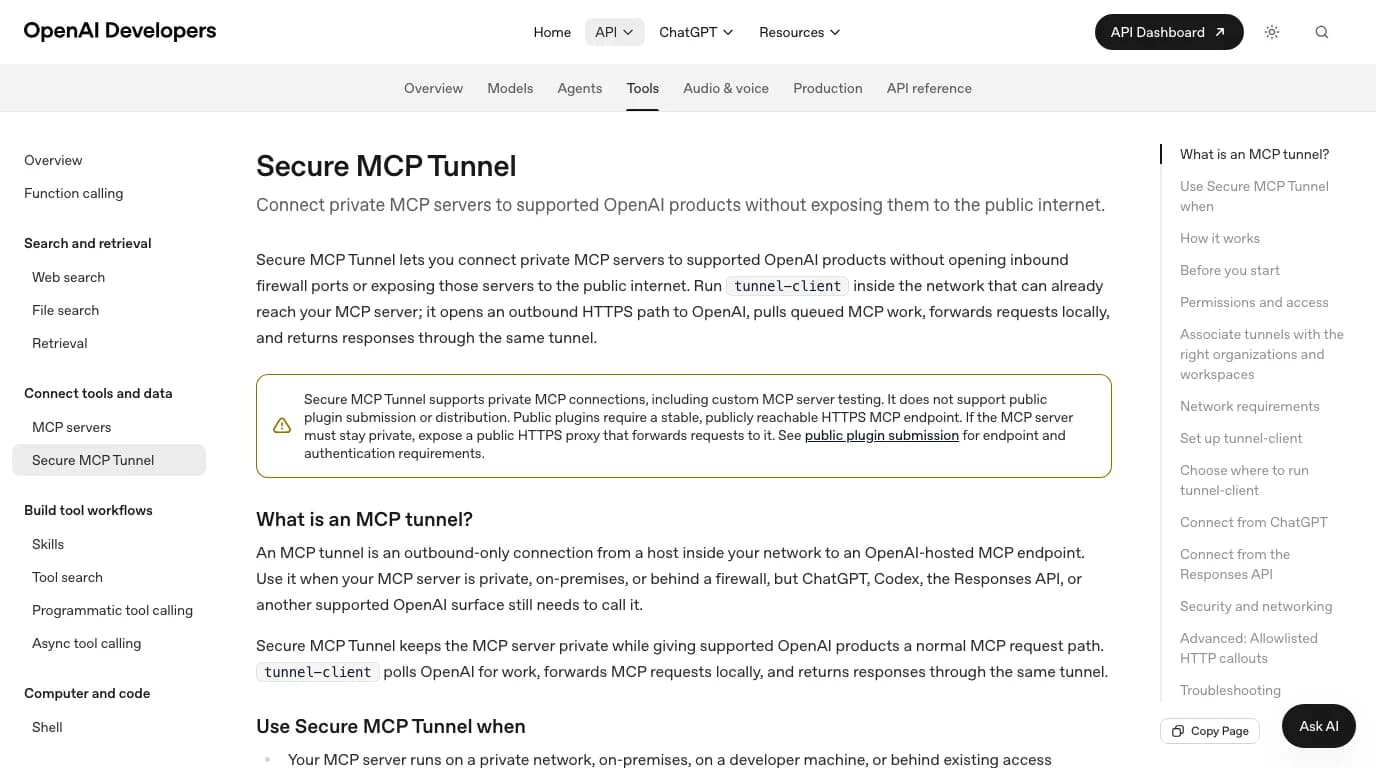
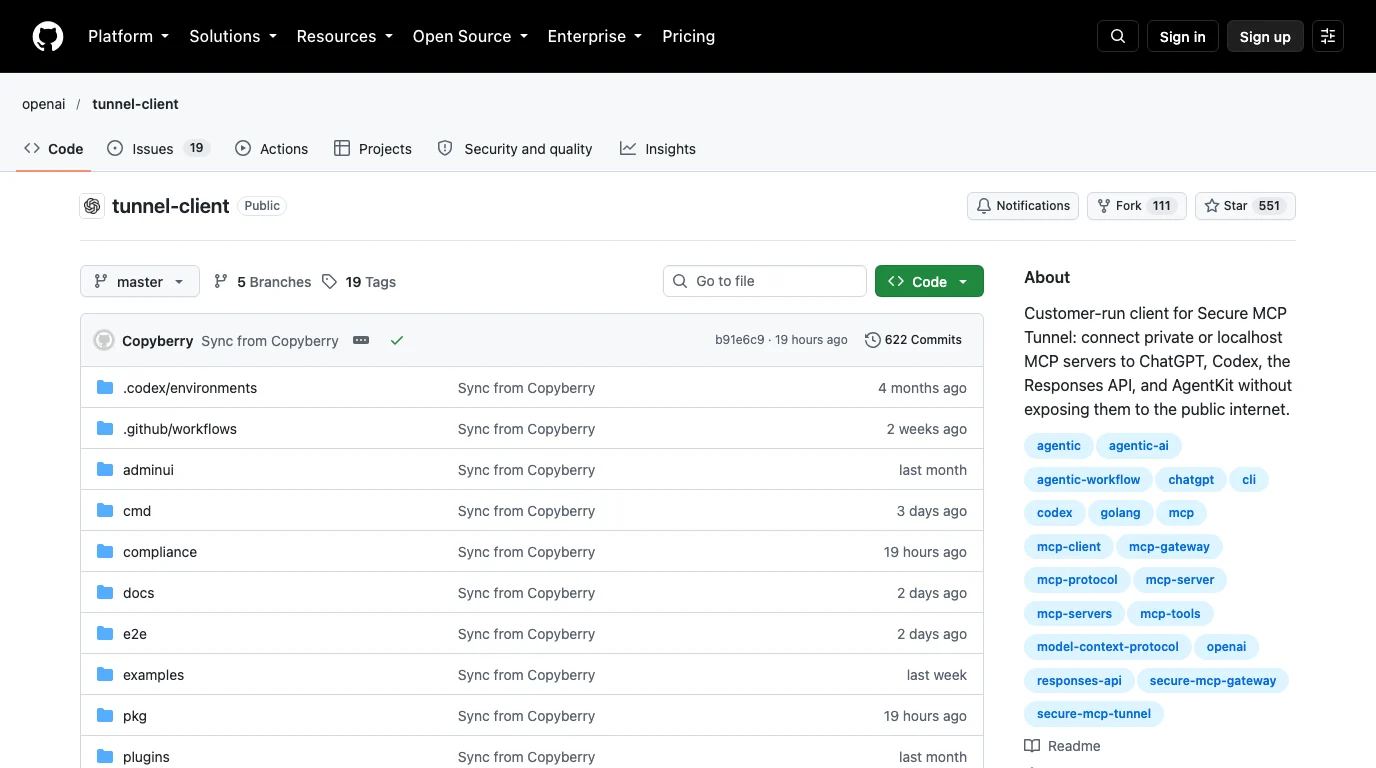
What you need, from OpenAI's docs and the client's end-user guide: a Platform organization (the API side of OpenAI, separate from your chat plan), a tunnel_id created in Tunnels management, and a runtime API key whose permissions are restricted to Tunnels Read and Use. The guide is explicit that the daemon should never get an admin key. On Windows you download the release zip; on a Mac the supported route is brew install openai/tools/tunnel-client, which is what we did.
tunnel-client init --sample sample_mcp_stdio_local --profile solidworks \
  --tunnel-id tunnel_<your id> --mcp-command "python C:\Tools\Solidworks-MCP-Server\server.py"
tunnel-client doctor --profile solidworks --explain
tunnel-client run --profile solidworks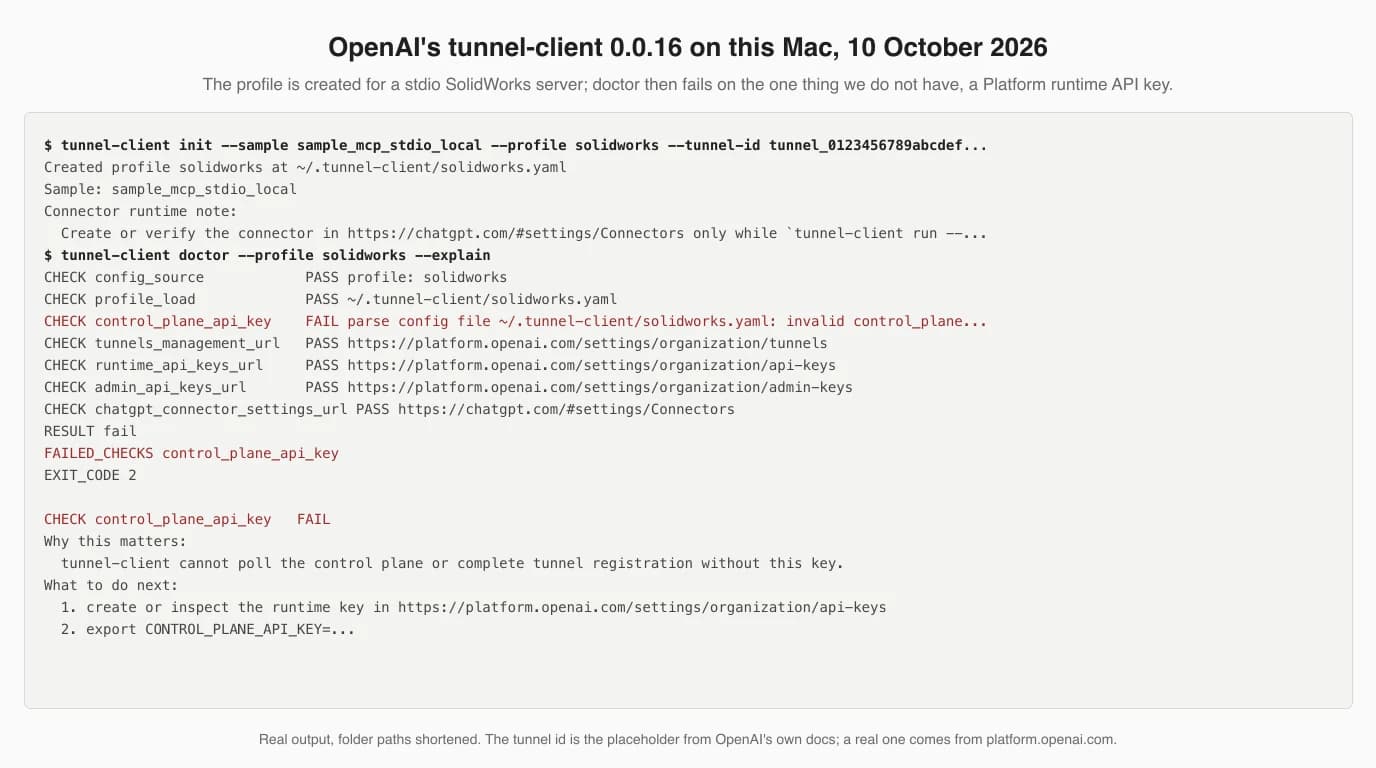
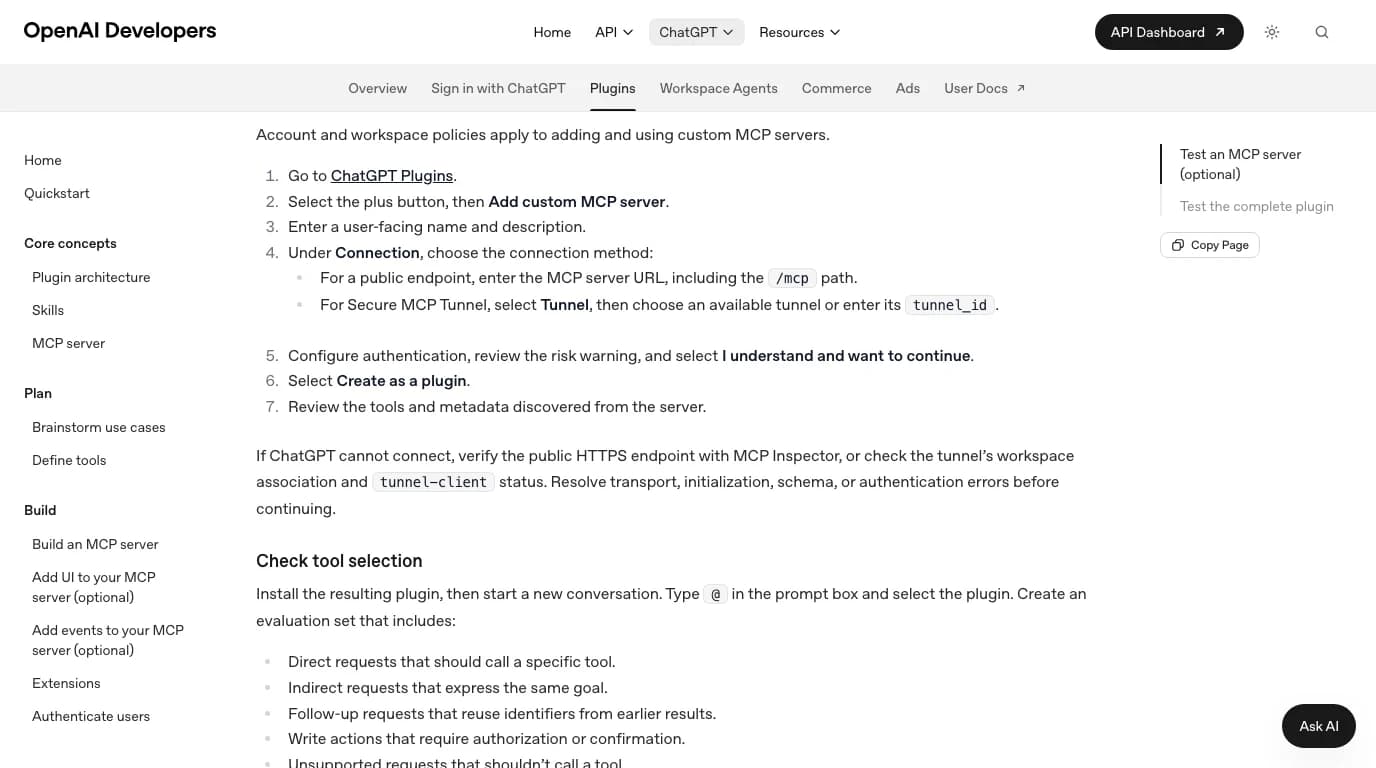
The transcript shows two things worth knowing before you try it. The client checks that the MCP command actually exists before it writes a profile; our first attempt with a placeholder path was refused. And doctor tells you precisely what is missing and where to get it. From there, the ChatGPT side is documented on OpenAI's plugin pages.
- Start
tunnel-client runon the SolidWorks PC and leave it running. OpenAI's note: create or verify the connector only while it is running, and keep it up for every call from ChatGPT. - In ChatGPT, go to Plugins, select the plus button, then Add custom MCP server.
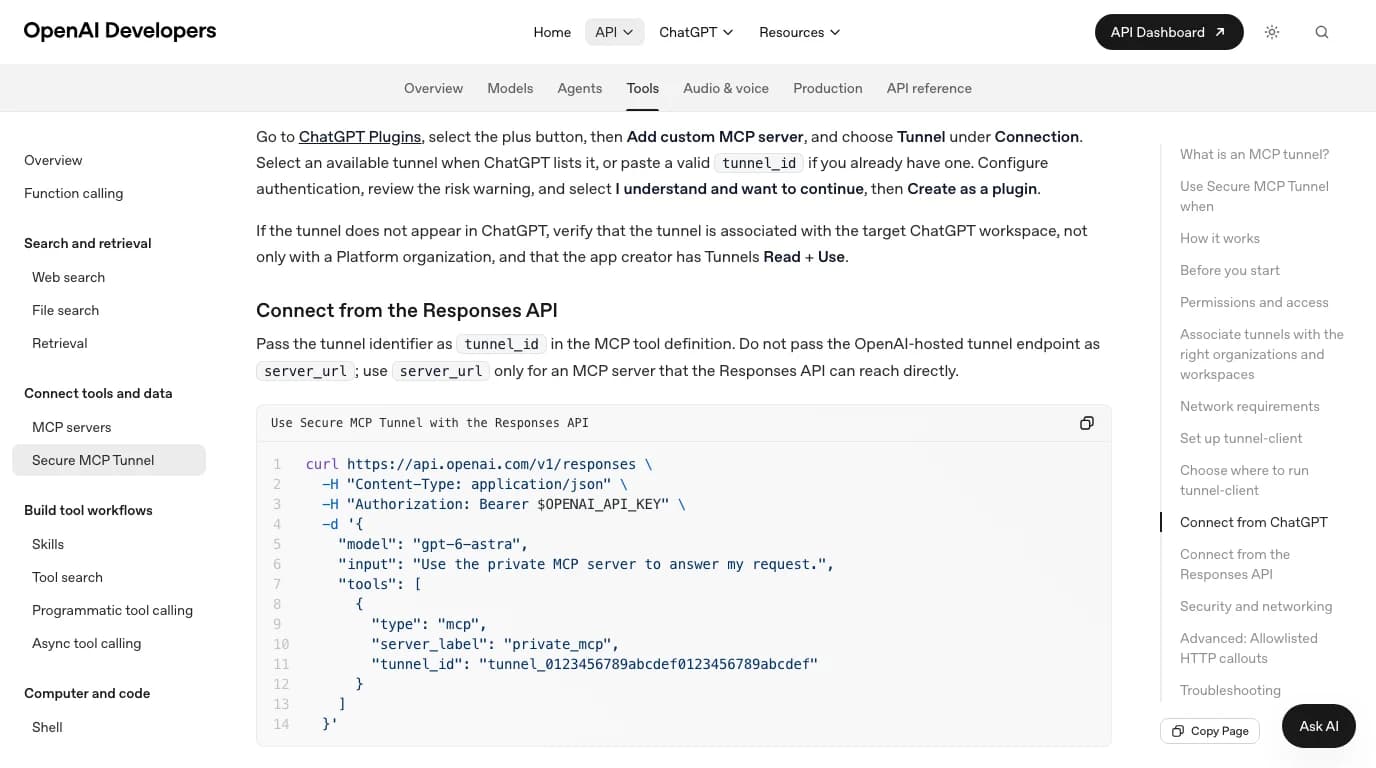
- Under Connection choose Tunnel, pick the tunnel if ChatGPT lists it or paste the
tunnel_id. - Configure authentication, read the risk warning, confirm, and Create as a plugin. Review the tools it discovered.
- If the tunnel does not appear, OpenAI's troubleshooting is that it must be associated with the ChatGPT workspace, not only with a Platform organization, and the creator needs Tunnels Read and Use.
Which ChatGPT plan you need
This is the question we could not answer from a primary source, so we will not pretend to. OpenAI's page for adding a custom MCP server says only that account and workspace policies apply. Its help centre article on connectors returned an error on every attempt we made to read it. The third-party guides we checked contradict each other: one says custom servers are for Business, Enterprise and Edu workspaces; another says individual Plus and Pro accounts get read-only tools; two more say Plus and Pro get everything. Open your own Plugins page and look for the plus button; that is the real answer for your account.
What is not in doubt: the Codex route needs a Codex sign-in, which comes with ChatGPT plans or an API key; the tunnel route needs a Platform organization whatever chat plan you have; and the Responses API route is billed per token. Free ChatGPT accounts can do the macro route below and nothing else on this page.
The route that needs no connection: macros
Type “chatgpt solidworks” into Google and the suggestions that follow are macro, api and plugin, in that order of age. People have been asking ChatGPT to write SolidWorks VBA since 2023, long before MCP existed, and it still covers most of what a working engineer wants from “AI in SolidWorks”: rename every file in a folder, export every drawing to PDF with the revision in the name, write custom properties, build a bolt from a table.
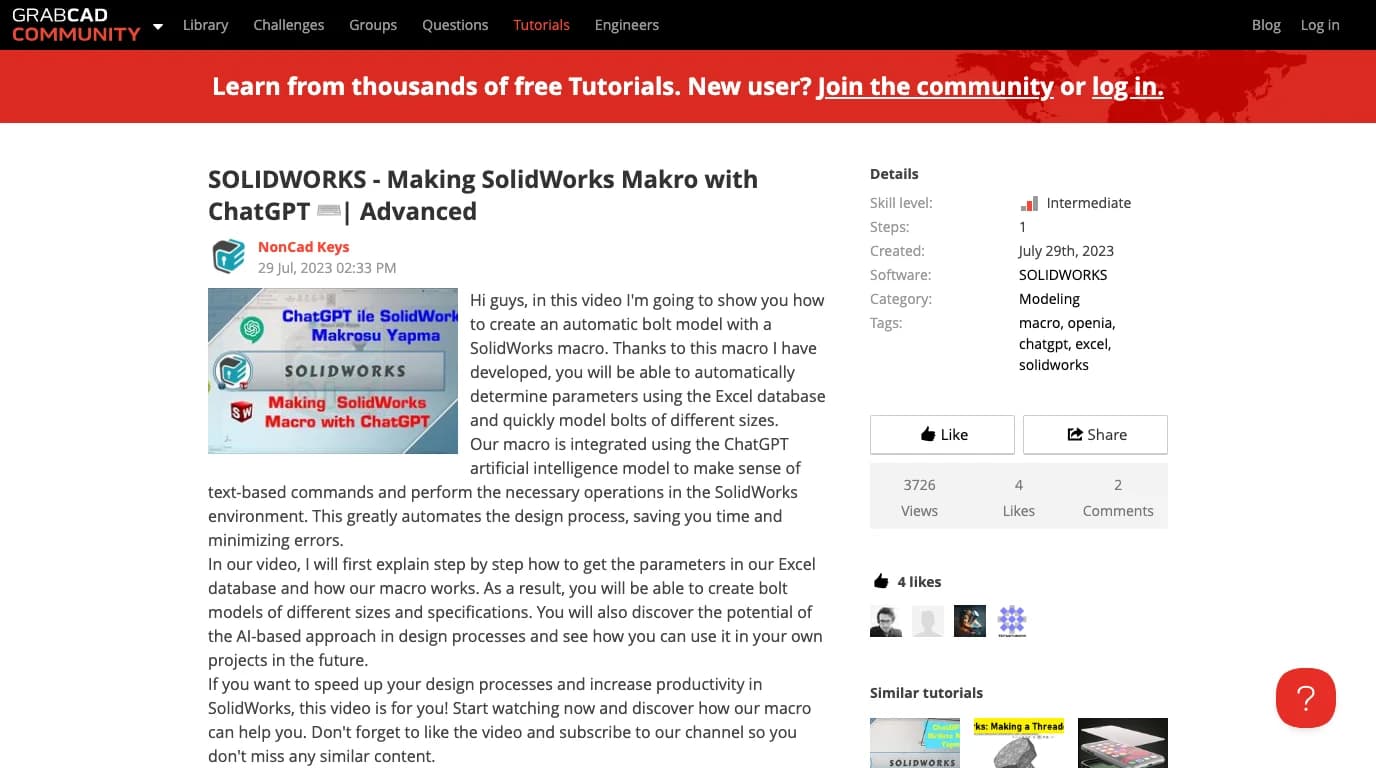
The method is the same in every tutorial. Describe the task, ask for a SolidWorks VBA macro, open SolidWorks, Tools, Macro, New, paste, run. The thing that goes wrong is also the same every time: the SolidWorks API is enormous, and a model writing from memory invents method names, swaps argument order and mixes up versions. Three fixes, cheapest first: record the action once with the macro recorder and ask ChatGPT to generalise that code rather than write from nothing; paste the relevant API help page into the chat; or, if you are in Codex anyway, register SWAPI Pilot so the model looks up the real signature before it writes.
Be honest about what this route is and is not. It is ChatGPT writing code that you run; the model never sees SolidWorks and never learns whether the macro did what you meant. It is also the only route that involves no third-party server, no plan beyond the chat window and no trust in anyone's GitHub, which is why it is still the one we would hand to a colleague first.
What we tested, and what we could not
Exactly what this article is based on, 10 October 2026
What to read before you trust any of it
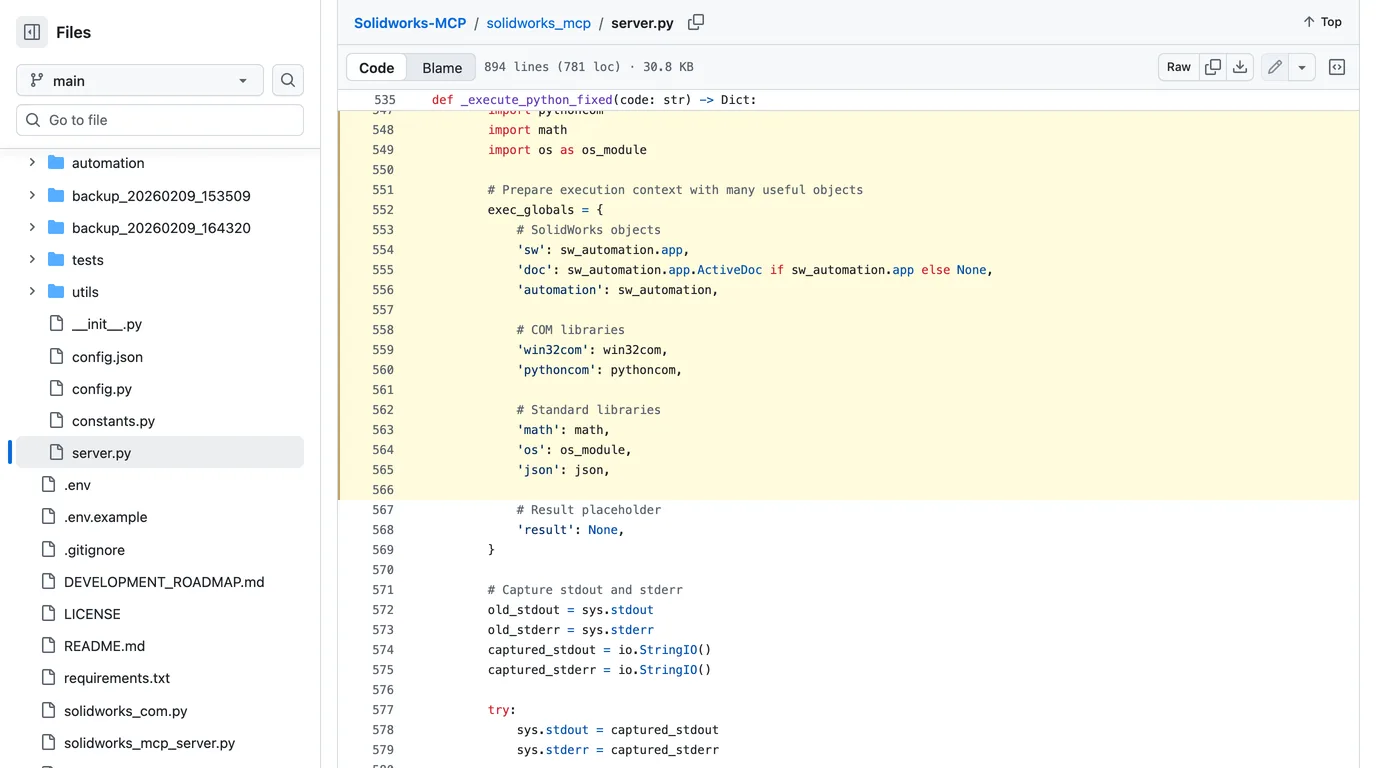
Everything in the Claude guide's security section applies unchanged, because the servers are the same. The two findings worth repeating: alisamsam's server ships an execute_python tool that puts Python's os module in the model's hands, and haunchen's binds to 0.0.0.0 on port 8080 with no authentication unless you set a host. Both are documented by their authors; both are defaults you have to change.
The OpenAI side adds its own layer. ChatGPT shows a risk warning before it will add a custom server, and OpenAI's API documentation says the MCP tool defaults to requiring approval of each tool call, which you can relax per tool once you trust the server. The tunnel guide tells you to create the daemon's key as Restricted with only Tunnels Read and Use, never All, and never to hand the daemon an admin key. Add to that the usual rules: run against copies of your models, keep it away from PDM vaults and shared drives, and read the tool list before you install. Running a one-line installer with the execution policy bypassed is exactly the moment to have read the script first.
What it can and cannot do once connected
- Good at: describable, repetitive modelling. Plates with hole patterns, brackets, families of a part with new dimensions, and the drawing and export chores around them. HarrierPigeon's server adds something the others lack: tools that query faces, mass properties and interference and take labelled screenshots, so the model can check its own work.
- Good at: macros and API questions, especially with a documentation server in the loop.
- Not good at: judgement about a physical object. The server is a command channel. The model only knows the part is 60 mm wide because you said so; the README of the ChatGPT-aware server lists “taste” and interpreting complex or degraded drawings as what it cannot do, and we agree.
- Not good at: surviving edits. Even SolidPilot, the most ambitious server, says its references break when an upstream dimension changes.
If you came here from the AutoCAD side, the same client logic with different servers is in how to connect GPT-6 Astra to AutoCAD, and the cheaper models in how to connect GPT-6 Sol to AutoCAD. For Claude users the SolidWorks servers, with our file-reading test, are in how to connect Claude to SolidWorks.
Where this fits in a real workflow
None of these routes starts from a physical part. A server gives the model a way to make geometry; it does not give it a way to know what the geometry should be. That first step, from a photo of a part to a dimensioned drawing, is what TechDraw AI does: photograph the part, give one measurement, get a drawing you can export as DXF or DWG. SolidWorks imports a DXF straight into a sketch, and SolidPilot has a reader built to rebuild a part from exactly that kind of file. We have not tested that hand-off end to end; treat it as a route to try.
Upload a photo of a part and get a dimensioned drawing with a DXF you can open in SolidWorks. No account needed to try it.
Turn a photo into a drawingFAQ
Frequently asked questions
Can ChatGPT connect to SolidWorks?
Yes, through a community MCP server running on the Windows PC that has SolidWorks, but the client matters more than the model. Codex CLI, the Codex IDE extension and the ChatGPT desktop app read one shared config file and can launch a local server directly. The chatgpt.com website cannot see your PC on its own; since OpenAI released Secure MCP Tunnel it can reach a local server through tunnel-client, which needs a Platform organization, a tunnel id and an API key. There is no official SolidWorks connector from either Dassault or OpenAI.
Is there an official ChatGPT plugin for SolidWorks?
No. Dassault Systèmes ships its own assistants, AURA and LEO, inside SOLIDWORKS Design, and OpenAI's plugin directory has nothing from Dassault. Everything that lets ChatGPT drive SolidWorks today is community code: an MCP server wrapping the SolidWorks COM API, or a macro ChatGPT wrote for you.
Can I use the chatgpt.com website, or do I need Codex?
For a server on your own PC, Codex or the ChatGPT desktop app is the direct route: codex mcp add solidworks -- python server.py and you are done. The website only reaches servers that are public over HTTPS or connected through OpenAI's Secure MCP Tunnel. The tunnel works, but it is a Platform feature: you create a tunnel in platform.openai.com, run tunnel-client on the SolidWorks PC with a restricted API key, then add the tunnel as a custom MCP server in ChatGPT Plugins. We ran the local half of that on this machine; it stops exactly where you would expect without a key.
Which ChatGPT plan do I need?
OpenAI's developer documentation for custom MCP servers names no plan; it says account and workspace policies apply. Third-party guides disagree with each other about whether individual Plus and Pro accounts can add custom servers or only Business, Enterprise and Edu workspaces, so check your own Plugins page rather than any of them, ours included. Codex CLI needs a ChatGPT sign-in or an API key, and Secure MCP Tunnel needs a Platform organization regardless of your chat plan.
Does this work on a Mac?
Only the client side. SolidWorks runs on Windows 10 and 11, and every server we found talks to it through Windows COM, so the server must run on the Windows PC. Codex on a Mac can reach a SolidWorks server across your LAN if the server speaks Streamable HTTP, as haunchen's does, or through a tunnel. What a Mac user can always do is give ChatGPT the STEP, DXF or PDF that SolidWorks exports.
Which SolidWorks MCP server works with ChatGPT?
Any of them in principle, because MCP is the same protocol whichever model calls it. Two name OpenAI clients explicitly: HarrierPigeon's Solidworks-MCP-Server lists Claude Desktop, Codex or the ChatGPT desktop app as requirements and its installer registers the server with Codex for you, and haunchen's solidworks-mcp documents a Codex CLI config block. SolidPilot says OpenAI-based agents are targeted but has shipped only a Claude adapter so far. alisamsam's server, the one most videos show, does not mention OpenAI at all; it should still work, we just have no evidence either way.
Can ChatGPT write SolidWorks macros?
Yes, and that is what most people searching for this actually do. ChatGPT writes VBA against the SolidWorks API, you paste it into Tools > Macro > New and run it. It needs no server, no plan beyond the chat window and no trust in third-party code. The failure mode is wrong method names and argument orders, because the API is huge and the model works from memory; pasting the relevant API help page into the chat, or using a documentation MCP server such as SWAPI Pilot in Codex, fixes most of that.
Is it safe to let ChatGPT control SolidWorks?
Treat the server as code from the internet, because it is. One popular server has a tool that runs arbitrary Python with the os module in scope; another listens on every network interface with no password by default. ChatGPT shows a risk warning before it adds a custom server and OpenAI's API requires approval of each tool call by default. Run it on copies of your models, keep it off PDM vaults and shared drives, and if you use the tunnel give its daemon a restricted key with only Tunnels Read and Use.
Sources
- OpenAI: Model Context Protocol in Codex (shared config, codex mcp add, /mcp)
- OpenAI: Secure MCP Tunnel (API docs)
- openai/tunnel-client on GitHub (Apache-2.0)
- openai/tunnel-client: end-user guide
- OpenAI: Connect and test your plugin (adding a custom MCP server to ChatGPT)
- OpenAI: MCP servers in the Responses API (server_url, tunnel_id, approvals)
- HarrierPigeon/Solidworks-MCP-Server (MIT)
- HarrierPigeon/Solidworks-MCP-Server: scripts/install.ps1
- eyfel/mcp-server-solidworks (SolidPilot, AGPL-3.0)
- alisamsam/Solidworks-MCP (MIT)
- haunchen/solidworks-mcp (MIT, Streamable HTTP)
- ashuein/solidworks-agent (MIT, in-process add-in with OpenAI and Anthropic providers)
- arthurle3210/swapi-pilot-solidworks-mcp (SWAPI Pilot)
- SOLIDWORKS: AI Built into SOLIDWORKS Design (AURA and LEO)
- SOLIDWORKS API Getting Started Overview (2026)
- GrabCAD: Making a SolidWorks macro with ChatGPT, Advanced (NonCad Keys, July 2023)
- Model Context Protocol: official specification and docs