
“Free CAD” usually means one of three things: genuinely free and open source, free until you earn money with it, or free until you try to export the file. All three are useful, but you want to know which one you are installing before you spend a weekend learning it. This is the list I would hand a friend in 2026, with the licence terms checked on each vendor's own page, the catch stated plainly, and a pick for the common jobs: 2D drafting, 3D printing, woodwork, sheet metal.
Our articles are still written by humans!
Get human written articles in your Google feed.
The short answer
Three picks cover most people. For 2D drafting (plans, layouts, laser and CNC cut files), install LibreCAD or QCAD Community Edition: both are free for any use, run on Windows, Mac and Linux, and speak DXF natively. For 3D parts and 3D printing as a hobbyist, Fusion for personal use or Onshape Free are the most capable modellers you can get for nothing, each with one big string attached (a document limit and export cuts in Fusion, public documents in Onshape). If you want open source 3D with no strings, including commercial work, FreeCAD is the answer, and it is a much better answer since the 1.0 and 1.1 releases than it was two years ago. Everything else on this page is a variation on those three, or a warning.
Free CAD programs compared
Free CAD programs in 2026, what the licence actually allows, and the catch
Free 2D drafting programs
Most people who search for free CAD actually want 2D: a floor layout, a bracket to send to a laser shop, a fence panel, a shop drawing. A 3D package is overkill for that, and slower. Two tools cover it.
LibreCAD
Fully free and open source, GPL licensed, no personal-use clause, so you can draw for a customer with it. Native format is DXF, which is what laser cutters, plasma tables and CNC routers want anyway. The stable release is the 2.2.1 series (2.2.1.5 at the time of writing, with a 2.2.2 alpha in the master branch adding better hatches and solid fills). It reads DWG but import only, R13 through the 2018 format, and the developers describe that DWG reader as rudimentary, so a plain 2D drawing comes in cleanly and an annotation-heavy one loses things. If DWG is your daily format, look elsewhere; if DXF is, this is enough.
QCAD Community Edition
Also open source under the GPL and also 2D, with a slightly more finished interface than LibreCAD (LibreCAD was originally forked from an older QCAD). The free Community Edition is the whole 2D drafting program; the paid Professional edition adds proprietary plugins for DWG read and write, better DXF version support, better splines and polylines, and there is a QCAD/CAM edition that generates G-code. The catch is that DWG line: Community does not open DWG at all. Convert to DXF first (free DWG to DXF routes are in what is a DWG file) and it is a very good free drafting program.
OpenSCAD, for 2D too
Usually filed under 3D, but OpenSCAD exports 2D DXF and SVG from code, which makes it a surprisingly good free tool for parametric cut files: change one number, regenerate the outline. Free, open source, any use. You do have to like typing.
Free 3D CAD programs
FreeCAD
The only fully open source parametric 3D CAD that is credible for real parts, and the recommendation here has changed. Version 1.0 in November 2024 finally solved the topological naming problem that had broken models on edit for a decade, and version 1.1 in March 2026 added transparent Part Design previews, interactive draggers on fillets and chamfers, assembly and FEM improvements and a new CAM tool library. It does parts, assemblies, sheet metal, 2D drawings through TechDraw, FEM and CAM, on Windows, Mac and Linux, LGPL, and you may use it commercially. DWG import works through the free ODA File Converter or LibreDWG. The honest catch: it is the hardest program on this page to learn, workbench switching still confuses newcomers, and the interface is less polished than the commercial tools. Worth it if you value owning your tools; there is a walk-through of the hand-off in the FreeCAD workflow page.
Fusion for personal use
Autodesk's Fusion, free for non-commercial home projects if you earn under $1,000 a year from work done in it. It is the same modeller the paid seat gets, with parametric solids, sketches, sheet metal, CAM for home CNC and a proper drawing environment. The limits, checked against Autodesk's pages: 10 active editable documents at a time (the rest are archived and can be swapped back), export limited to F3D, STL, STEP, OBJ, FBX, IPT, IAM, SKP, SMT and SPD, so no DXF, DWG, PDF, SAT or IGES export, drawings limited to a single sheet that can only be printed or plotted, no simulation, generative design or extensions, and rendering local only. Autodesk did reverse its 2020 plan to remove STEP export after the maker community objected, which is why STEP is still there. The DXF cut is the one that bites: if you draw a laser part in Fusion personal you cannot export the DXF directly. Fine for 3D printing, awkward for 2D cutting. Hand-off details in the Fusion 360 workflow page.
Onshape Free
Full parametric CAD in a browser tab, from the people who built SolidWorks. Parts, assemblies, drawings, version control, on any machine including a Chromebook. The catch is a single sentence on the plan page: every document you make is public. Anyone with an Onshape account can find it, copy it and fork it. Great for learning and for open hardware, unusable for anything you would rather keep to yourself, and non-commercial only. If that is fine, it is the friendliest serious CAD to learn. See the Onshape workflow page for how a drawing gets into it.
Solid Edge Community Edition
Siemens gives away a personal-use edition of Solid Edge with the full part, assembly and sheet metal toolset, plus drafting, rendering and simulation. Windows only. The two limits that matter: files saved in the Community Edition cannot be opened in a commercial Solid Edge licence (so it is a dead end if you ever move to the paid product at work), and 2D drawings carry a watermark. 3D models export and print freely. If sheet metal is your thing and Fusion's document limit annoys you, this is the one to try.
Blender and OpenSCAD
Both free and open source with no restrictions, both often listed as CAD, neither quite is. Blender is a mesh modeller: superb for organic shapes, renders and anything you will only ever 3D print, poor for parts that need exact dimensions and later edits (there is a workflow for the overlap in the Blender workflow page). OpenSCAD is CAD by code: parametric, precise, exports STL and DXF, and only pleasant if you think in code.
Free browser CAD
Nothing to install, works on a school laptop or a Mac, and it is where most first models get made.
- Tinkercad. Autodesk's free beginner tool: drag shapes, group, export STL, OBJ or SVG. You will outgrow it, but you can be printing something an hour after you start. The Tinkercad workflow page covers taking a drawing into it.
- Onshape Free. Covered above, and the only free browser tool that is genuinely professional CAD.
- SketchUp Free. Web only, personal non-commercial use, 10 GB of cloud storage. It imports SKP, JPG and PNG and exports SKP, PNG and STL, and that is the whole export list. Lovely for furniture and room layouts, not for a DXF to send to a shop.
Not free any more, or never was
- DraftSight. The free version many people remember ended on 31 December 2019. It is now a paid AutoCAD-style 2D and 3D program; DraftSight Professional lists at $295 a year. Good software, not free.
- BricsCAD Shape. The free conceptual modeller has been retired with BricsCAD V26; Bricsys points users at BricsCAD Lite or Pro, which are paid.
- AutoCAD Web. Not free. It is a paid subscription (Autodesk lists $9.99 a month or $99.99 a year) and it comes bundled with every AutoCAD and AutoCAD LT subscription. AutoCAD itself has a 30-day trial and a free education licence for students and teachers, nothing free for the rest of us.
- nanoCAD Free. Technically still free for non-commercial use after registration, but it is nanoCAD 5, a build from 2013 that Nanosoft says it cannot guarantee on Windows 10 or 11 and that reads DWG only up to the 2013 format. Nanosoft has said it plans an update in 2026. Until that ships, treat it as a legacy option.
- Shapr3D free plan. Real and genuinely pleasant on an iPad, but capped at 2 active designs with low-resolution STL and 3MF export only, so it is a demo rather than a working tool.
Cheap, if free will not do
Two paid options are close enough to free that they belong here. SOLIDWORKS for Makers is the real SolidWorks for hobbyists earning under $2,000 a year, listed at $48 a year or $15 a month, with the maker-edition file restrictions that come with it. And QCAD Professional turns the free 2D program into one that reads and writes DWG for a modest one-time licence fee, which is the cheapest honest route to DWG editing on a Mac or Linux box.
How to pick by what you make
- 2D drawings, plans, cut files: LibreCAD or QCAD Community. Export DXF, and read how to prepare a DXF for laser cutting before you send it.
- 3D printing: Tinkercad for day one, then Fusion for personal use or Onshape Free. All export STL directly.
- Woodworking and furniture: SketchUp Free for the look and layout, LibreCAD or QCAD for the cut list drawings.
- Sheet metal: Solid Edge Community Edition (Windows) or Fusion for personal use, remembering the DXF export gap in Fusion when you need a flat pattern for the shop.
- Anything you will sell: FreeCAD, LibreCAD, QCAD Community, OpenSCAD or Blender, because the hobby licences above all say non-commercial. Read the clause before you invoice.
If you also want a view of the paid landscape, the wider roundup is in top technical drawing tools, and if you are new enough that the words themselves are the barrier, what is CAD is the place to start.
Mac and Linux notes
Mac users have more free choice than they used to: FreeCAD, LibreCAD, QCAD, OpenSCAD and Blender are native, Fusion for personal use has a Mac build, and Onshape, Tinkercad and SketchUp Free need only a browser. Missing on Mac: DWG TrueView and nanoCAD Free (Windows only), Solid Edge Community Edition (Windows only). Linux gets the open source set in full plus the browser tools, and nothing from Autodesk or Siemens.
When you do not need CAD at all
Here is the observation that comes from watching people arrive at this list. A large share of them do not want to learn CAD. They have a part on the bench, or a photo of one, and they need a dimensioned drawing to send to a machine shop, a laser cutter or a supplier. For that job, installing FreeCAD and spending three evenings on it is the long way round.
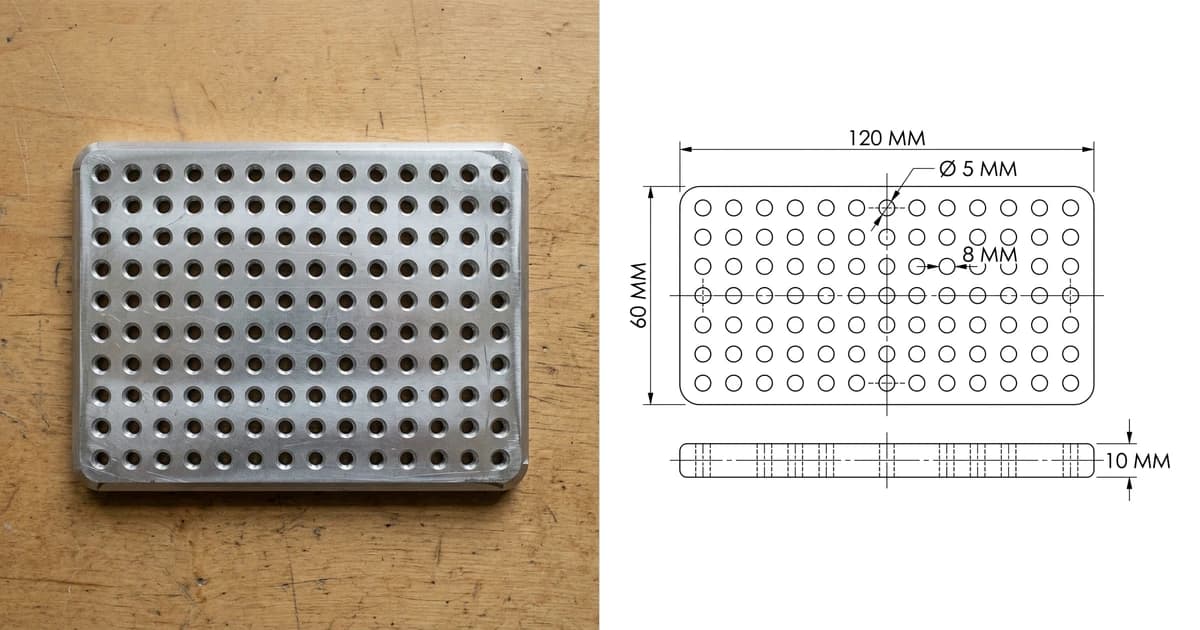
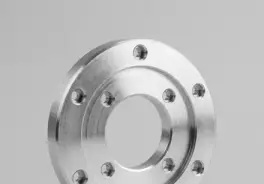
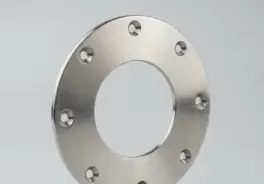
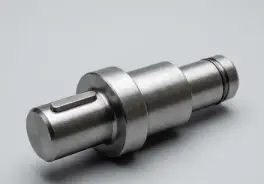
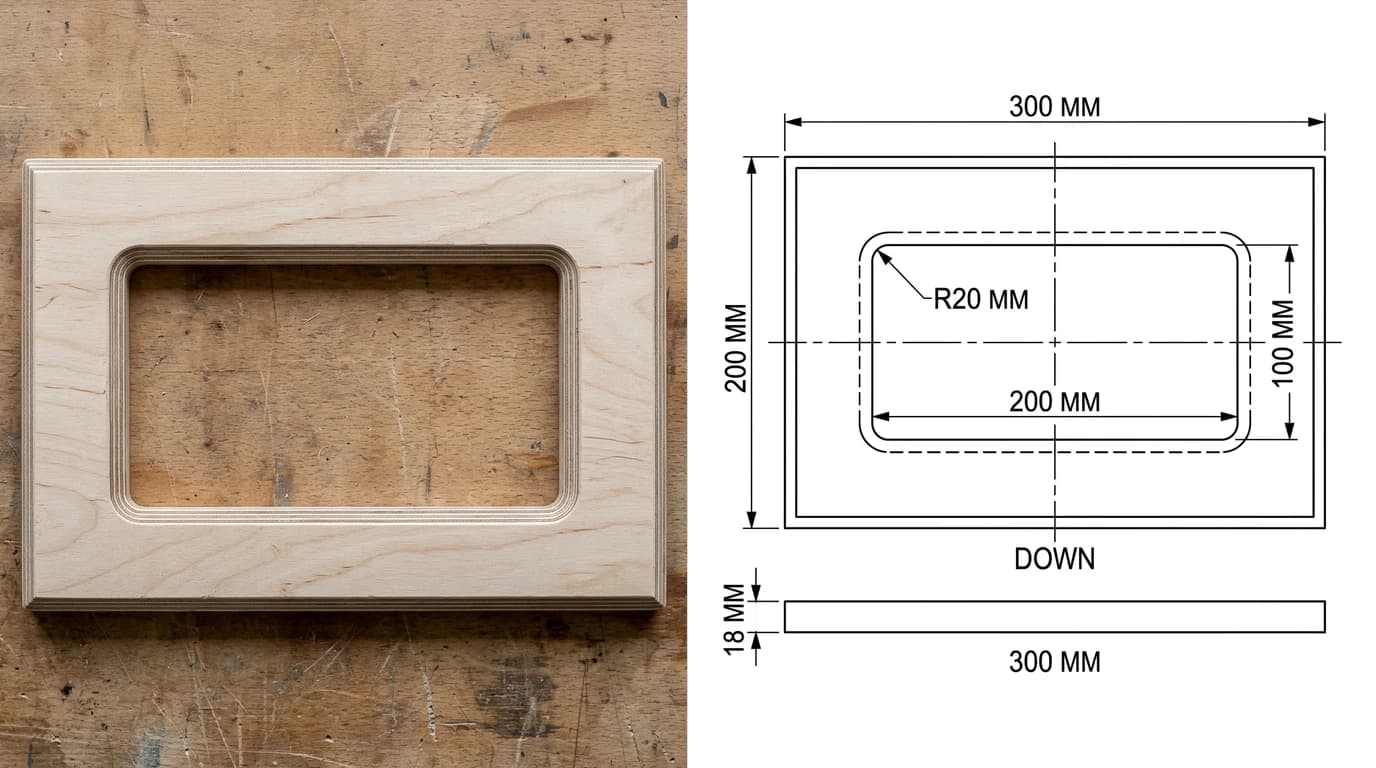
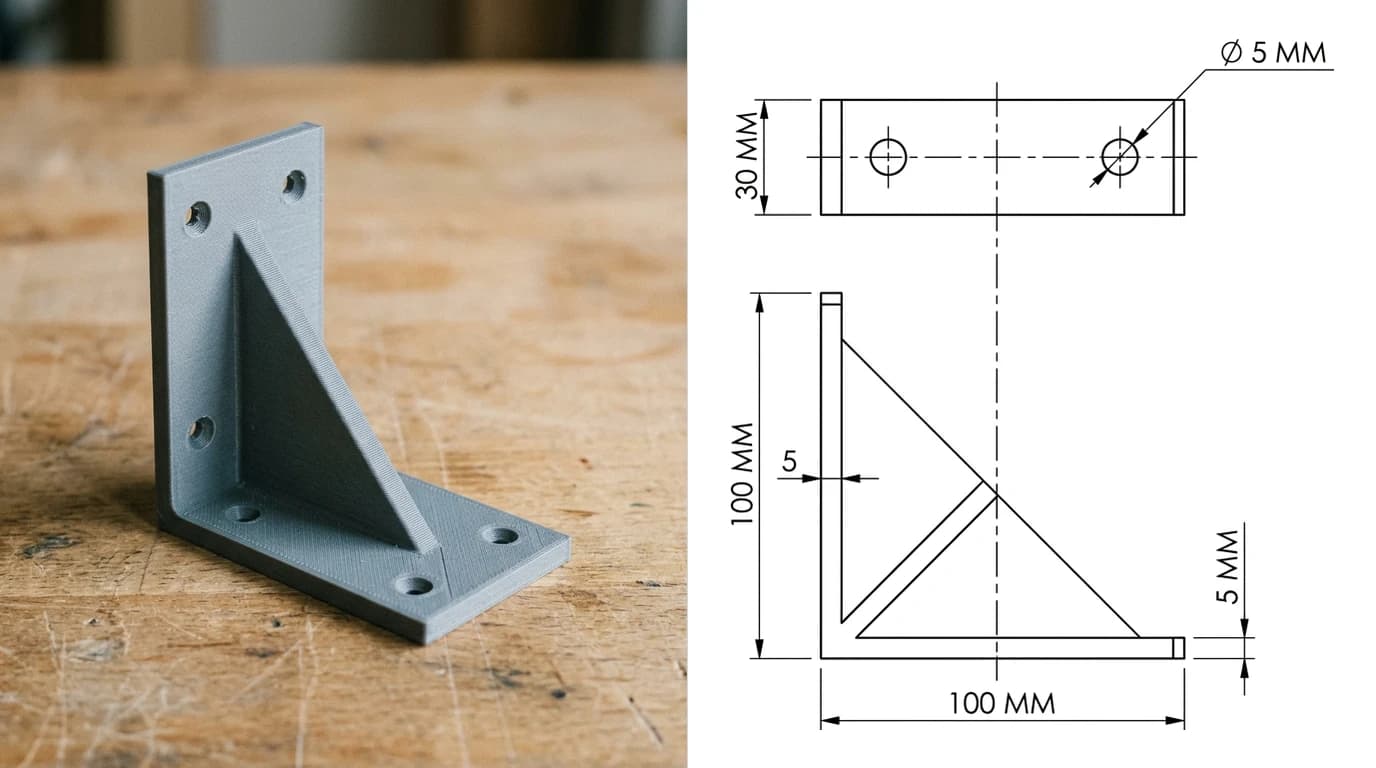
TechDraw AI takes a photo or image of the part and produces a dimensioned 2D technical drawing that exports as DXF, DWG, SVG or PDF, and it opens in every program on this page if you want to refine it. The cheese plate in the cover image, the router template and the printed bracket above were all produced that way from a photograph. What it will not do is design something that does not exist yet; for that you still want one of the tools above. The routes are in image to CAD and photo to CAD.
Upload a photo of a part and get a dimensioned drawing you can open in any free CAD program.
Try image to CADFrequently asked questions
Is there a completely free CAD program?
Yes, several, with no trial clock and no revenue cap: FreeCAD, LibreCAD, QCAD Community Edition, OpenSCAD and Blender are open source and free for any use including commercial work. Fusion for personal use, Onshape Free, Tinkercad, SketchUp Free and Solid Edge Community Edition are also free but licensed for personal, non-commercial use only, and each has a specific limit such as public documents or restricted exports.
What is the best free CAD software for beginners?
For a first 3D model, Tinkercad in the browser: nothing to install and you are building in minutes. For a beginner who wants to grow into real parametric CAD, Fusion for personal use or Onshape Free are the friendliest, with huge tutorial libraries. For simple 2D drawings, LibreCAD or QCAD are easier to learn than any 3D tool. FreeCAD is fully capable but has the steepest learning curve of the free options.
Is FreeCAD good enough to replace paid CAD?
For many people, yes, especially since the 1.0 release in November 2024 fixed the long-standing topological naming problem and the 1.1 release in March 2026 added transparent Part Design previews, interactive draggers and a new CAM tool library. It does parts, assemblies, sheet metal, FEM, CAM and 2D drawings, and it is free for commercial use. The honest catch is the learning curve and a user interface that still feels less polished than Fusion or Onshape.
Is Fusion 360 still free for hobbyists in 2026?
Yes. Autodesk Fusion for personal use is free for non-commercial, home-based projects, provided you earn less than $1,000 a year from work done with it. The limits are real: 10 active editable documents at a time, no DXF, DWG, PDF, SAT or IGES export (STL, STEP, OBJ and F3D still export), single-sheet drawings that can only be printed, no simulation or generative design, and local rendering only. Autodesk reversed its 2020 plan to remove STEP export after community pushback.
What is the best free 2D CAD program?
LibreCAD if you want fully open source 2D drafting on Windows, Mac and Linux with DXF as its native format. QCAD Community Edition is the other strong choice with a slightly more polished feel; its paid Professional edition adds DWG support and better splines. Both are lighter and easier than any 3D package if all you need are plans, layouts and cut files.
Is there free CAD software for Mac?
Yes. FreeCAD, LibreCAD, QCAD Community, OpenSCAD and Blender all run natively on macOS, Fusion for personal use has a Mac build, and Onshape, Tinkercad and SketchUp Free run in any browser. What you do not get on a Mac is DWG TrueView (Windows only) or nanoCAD Free (Windows only).
Is AutoCAD free?
No. AutoCAD and AutoCAD LT are subscriptions with a 30-day trial. The lightweight AutoCAD Web app is a separate paid subscription (Autodesk lists it at $9.99 a month or $99.99 a year) and it is included in every AutoCAD and AutoCAD LT subscription. Students and educators can get AutoCAD free through Autodesk's education plan, and Autodesk's free offerings for everyone else are Fusion for personal use and Tinkercad.
Which free CAD programs open DWG files?
Free tools that read DWG are Fusion for personal use (import), FreeCAD (via the free ODA File Converter or LibreDWG), LibreCAD (import only, R13 to 2018 format, and its own developers call the DWG reader rudimentary) and nanoCAD Free 5 (DWG up to the 2013 format). QCAD Community does not open DWG; the paid Professional edition does. For a look at a DWG without editing, Autodesk Viewer in a browser and DWG TrueView on Windows are free.
Sources
- Autodesk: eligibility to qualify for free use of Fusion
- Autodesk Fusion blog: the 10 document limit for personal use explained
- Onshape: Free plan
- FreeCAD News: FreeCAD version 1.1 released (March 2026)
- LibreCAD releases (2.2.1.5 stable)
- QCAD: licence and Community Edition
- Siemens: download Solid Edge Community Edition
- Nanosoft: nanoCAD Free FAQ, licensing and DWG support
- Dassault Systèmes: SOLIDWORKS for Makers
- Shapr3D: subscription plans (free plan limits)
- Bricsys: BricsCAD Shape (retired in V26)