DXF File Checker
Find the open contours, doubled lines and missing units before the machine does.
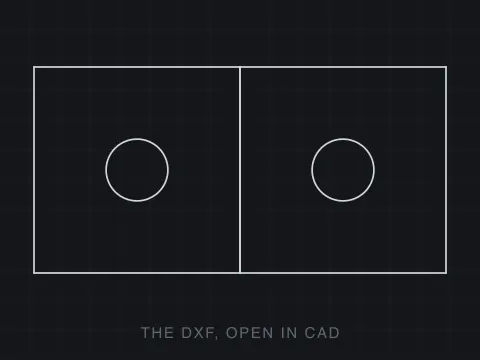
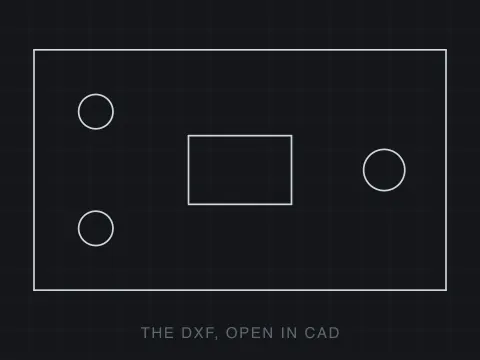
Drop a file here. It never leaves your browser.
No sign-up · no upload · no file size limit · every defect marked on the drawing
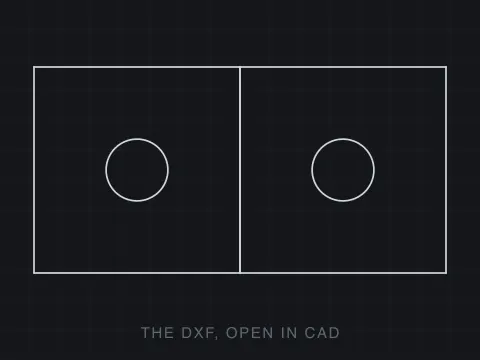
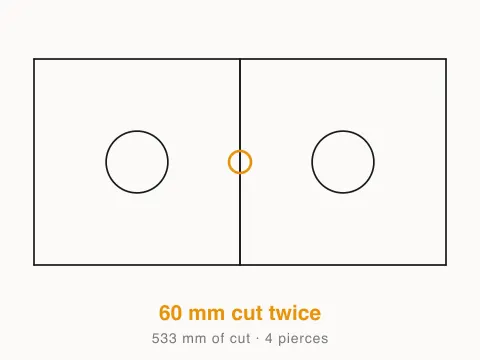
How to check a file before you cut it
Drop your file
A DXF, DWG or SVG. It is read in your browser and never uploaded, so nothing under NDA has to leave your machine.
Switch off what is not cut
Dimensions, hatches and the title block usually live on their own layers. Turning those off takes them out of every number below, not just out of the picture.
Read the findings
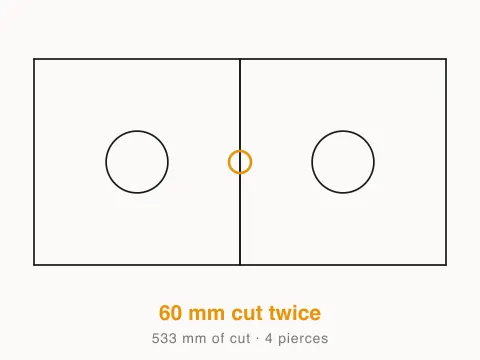
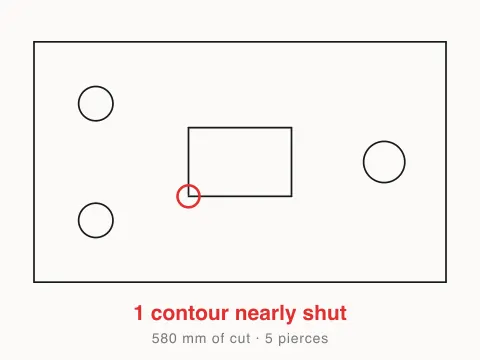
Blockers stop the job, warnings cost you money or edge quality. Hover one and it is circled on the drawing so you can find it in your own CAD.
What it can tell you, and what it cannot
Almost every file that fails on the machine fails for a reason that was visible in the geometry an hour earlier, and the reason it was not caught is that it does not look like anything on screen. A contour missing its last 0.2 mm draws as a closed rectangle. A line pasted on top of another line draws as one line. A profile that crosses itself draws as a perfectly ordinary outline. None of those are visible, and all of them are arithmetic.
So the first thing that happens here is the thing a drafter would do by hand: entities whose ends are within a hundredth of a millimetre are welded together and the chains are walked until they close. That is what makes the answer worth reading. Without it, a rectangle drawn as four separate lines — which is how most of them are drawn — reports as four open contours, and a checker that cries wolf on every honest file is worse than no checker.
What it will not do is fix anything. Closing a gap means deciding which of the two ends was in the right place, and that is a judgement about the part rather than about the file. A tool that guesses hands you a drawing that looks repaired and is a millimetre wrong, which is a worse place to be than where you started. Each defect is circled on the drawing instead, so you can go to it in the CAD that owns the file. If the problem turns out to be scale rather than geometry, that is a different fix.
About formats
DXF (Drawing Exchange Format) is a CAD data file format developed by Autodesk, first released in December 1982 with AutoCAD 1.0 to enable interoperability between AutoCAD and other programs. The format exists in two variants: ASCII DXF, a human readable text file organised into sections (HEADER, TABLES, BLOCKS, ENTITIES, OBJECTS), and binary DXF for faster parsing. Each geometric entity, including lines, arcs, circles, polylines, splines, text, dimensions and 3D solids, is described by group codes paired with values that specify coordinates and properties. DXF versions evolve alongside AutoCAD releases, adding support for new features with each edition. One major advantage is universal CAD compatibility, since DXF is supported by virtually every CAD, CAM and engineering application across all platforms, which makes it the most widely accepted exchange format for technical drawings. The ASCII variant is another strength, because drawings can be inspected, debugged and generated programmatically with text tools or scripts. DXF serves as a critical bridge that lets architects, engineers and manufacturers share precise drawings regardless of which software each party uses, and it remains the standard for cross platform CAD data exchange.
- Developer:
- Autodesk
- Initial release:
- December 1982
Frequently asked questions
What does it actually check?
Five things, in the order they cost you money. Contours that never close, so there is no inside to cut. Contours that close to within a millimetre but not exactly, which is the defect that survives a visual check. Outlines that cross themselves, where the kerf offset flips partway round the loop. Lines lying on top of other lines. And the file-level things: no declared units, text that is a font reference rather than geometry, and entity types that are not flat geometry at all.
Why did my file come back with no units?
Because its header carries no $INSUNITS value. A DXF is allowed to say nothing about what one unit means, and when it does, every program that opens it guesses — and they do not all guess the same. That is the single most common reason a part arrives at 25.4 times the size it was meant to be. This tool reads an undeclared file as millimetres and says so rather than quietly picking one.
It found text. Why is that a problem?
A TEXT or MTEXT entity is a string plus a font name, not geometry. A cutter has no font, so it has nothing to follow and drops it without a word. If the lettering is meant to be engraved or cut out, explode it to outlines in your CAD first. If it is a note or a title block that was never meant to be cut, put it on its own layer and switch that layer off above, which also takes it out of the cut length.
Can it fix the problems it finds?
No, and that is deliberate rather than unfinished. Closing a gap means deciding which of the two ends was in the right place, and that is a judgement about the part that only you can make; a tool that guesses produces a file that looks fixed and is a millimetre wrong. What it does instead is mark each defect on the drawing so you can go to it in your own CAD and close it where it belongs.
Is my file uploaded anywhere?
No. The DXF is opened by code running in your browser tab and never sent to a server, so nothing is stored, logged or scanned. You can disconnect from the internet once the page has loaded and it keeps working. That also means a drawing under NDA can go through it without a conversation with anyone's legal team.
Is this checker free?
Yes, and free in the way that matters: no account to see the result, no account to download the report, no watermark and no file size limit. There is no paid tier of this tool to upsell you to.
What can it open?
DXF of any version, DWG back to R14, and SVG. DWG is a closed format read here by a reverse-engineered parser, so a file AutoCAD saved yesterday occasionally reads better if you save it as DXF first. SVG is included because a lot of cut files arrive from Illustrator and Inkscape rather than from CAD.
My rectangle is drawn as four separate lines. Will it say the contour is open?
No, and getting that right is most of what this tool is. Before anything is measured the entities are welded: endpoints within 0.01 mm of each other are treated as the same point, and the chains are walked until they close or run out of neighbours. A rectangle drawn as four lines, drawn in any order, with any of them drawn backwards, comes back as one closed contour. Only after that does an open contour mean something is actually missing.
Why does it separate a 0.2 mm gap from a 30 mm one?
Because you do something different about each. Ends a fraction of a millimetre apart are a drafting slip — a snap that missed — and most CAM will bridge them on import, so you want to know before it does it silently. An end thirty millimetres from its partner means an entity is missing and no amount of bridging is going to invent it. Same defect class, two different afternoons.
What counts as a line cut twice?
Any stretch where two segments lie on the same infinite line and their spans overlap, not just identical entities. That catches the copy-paste, the two parts sharing an edge that both of them drew, and the half-overlap where one line runs past the end of another. The beam follows both: wider kerf, a burnt edge, and machine time on the invoice.
Does it check whether the part is any good?
No, and nothing that reads only a file could. It checks that the geometry is cuttable — closed, unambiguous, not doubled, in known units. Whether the part is the right size, whether a 2 mm web will survive in 6 mm steel, whether the material is right: none of that is in the DXF. It is a check on the file, not an opinion on the design.