
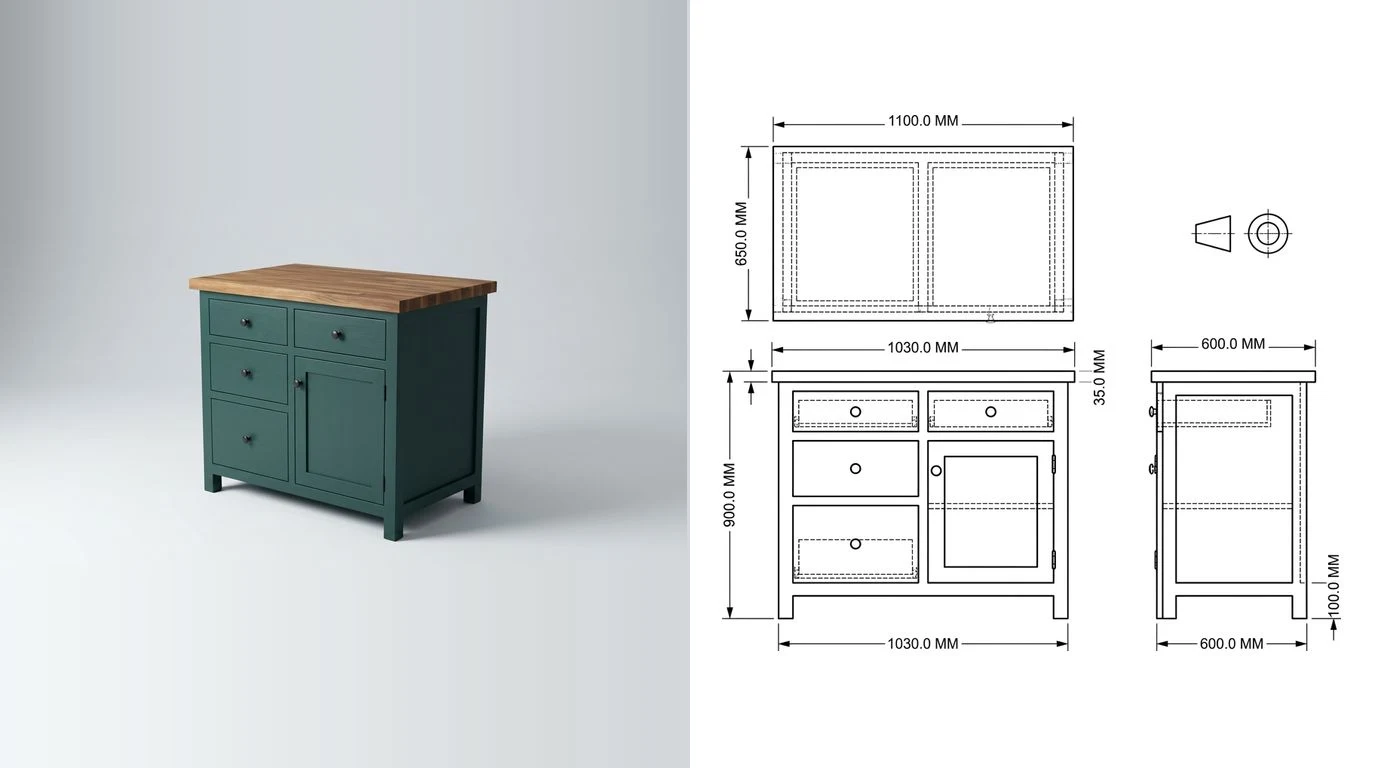
Every cabinet design program will show you a pretty box on the screen. That is the easy part, and it is the part the screenshots on the vendors' sites are about. The part that decides whether the tool earns its keep is what comes out the other end: a cut list that is right, a sheet layout that wastes less plywood than you would, a shop drawing someone else can build from, and, if you own a CNC, a file the machine can run without you redrawing anything. So that is how this list is ordered. Sixteen programs, judged on their output rather than their renderings, free ones first, with the prices we read off the vendors' own pages in September 2026.
The short answer
If you want one recommendation per situation, here it is, and the rest of the page is the reasoning.
One pick per situation, September 2026
How we judged them, and what we did not do
This is the honest bit, so it comes first. We are not a cabinet shop. We build software that turns a photograph or a sketch into a dimensioned technical drawing, and cabinet makers are the people who use it most, which is why we know these programs at all: their output lands on our desk as the thing a shop is trying to get from a customer. So the judgement below leans on what each tool produces, because that is the part we can actually assess, and it leans less on how nice the drawing experience is, because for that you should read a shop owner who has lived in the program for a year.
What we did: read the current pricing, the trial terms and the feature lists of all sixteen on the vendors' own pages on 3 September 2026, and read what shop owners say about them on the woodworking forums, where the same handful of names come up for the same reasons. What we did not do: run any of them in production. We did not build a kitchen in Mozaik or nest a sheet in Cabinet Vision, and a page that implied we had would be worth less than one that admits it. So the judgements below are about what each program provably outputs and what it provably costs, and where a claim rests on a vendor's own description rather than on something we could check, the wording says so. If you run one of these every day and we have got it wrong, tell us and we will fix it.
The four things we scored, in the order a shop feels them:
- The cut list. Does it exist, does it know about edge banding and grain, and does it change when the cabinet changes.
- The sheet layout. A cut list is a list; an optimised sheet is money. Some tools do it, some hand you a list and a shrug.
- The drawing. Elevations and a shop drawing a second person can build from, with sizes, not just a rendering.
- The file. DXF per part at the least, or nesting and a machine post if the tool claims to be for CNC.
Rendering quality, client presentation and quoting are real features and they decide sales for kitchen showrooms, so they get their own section. They just do not decide whether the box comes out square, which is what a cabinet program is for. If the thing you are actually shopping for is general CAD, our best free CAD programs list is the right page and this one will frustrate you.
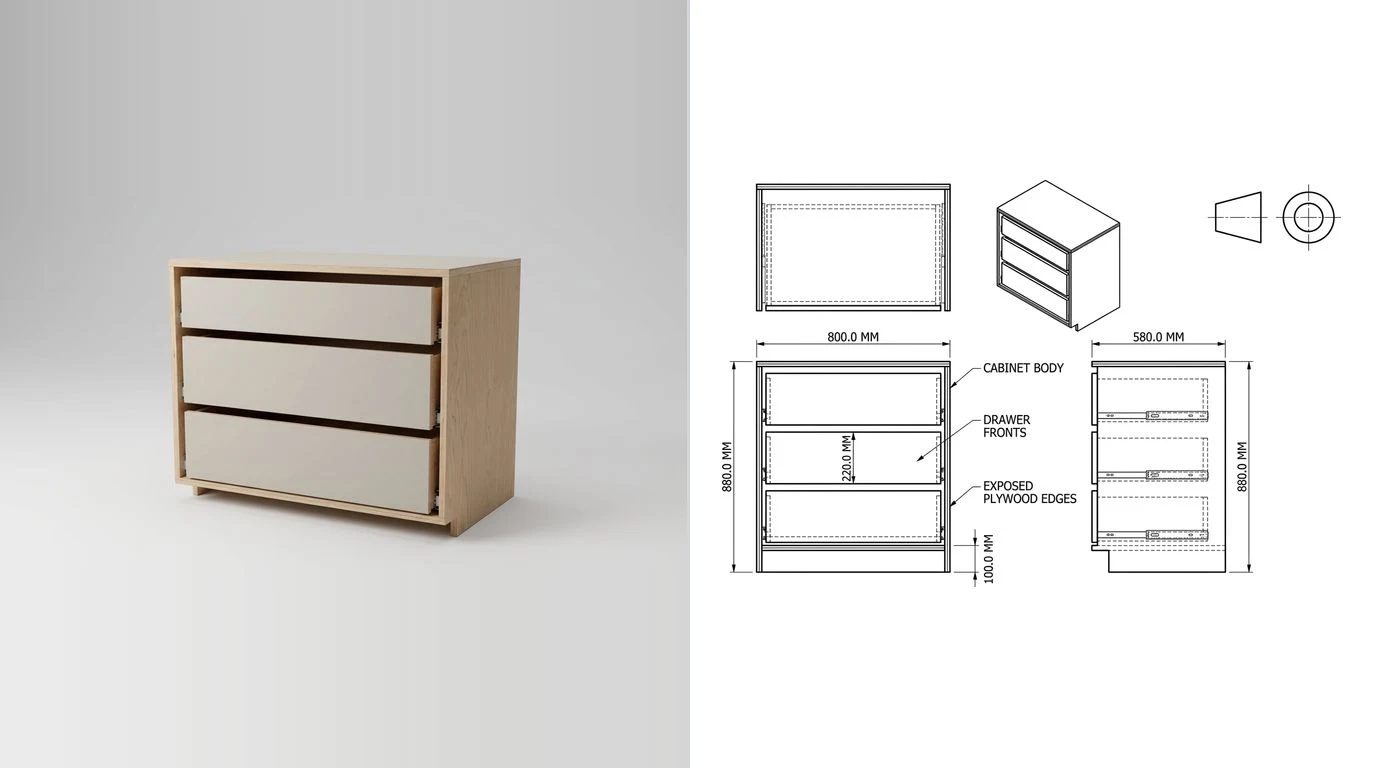
Best free cabinet design software
Free means two different things here. Some tools are free to design in and charge for the output, which is fair enough and is the model of the best of them. Two are free outright. And two general CAD programs are free for hobbyists in a way that works for cabinets if you are willing to do the cabinet logic yourself.
CabinetPlans.io: the browser tool that ranks for a reason
CabinetPlans.io is the one we would hand to someone who has never used cabinet software. It runs entirely in the browser, on a Mac, an iPad or a phone, which no other program on this page can say. You give it the cabinet dimensions and the construction details, it gives you the parts list with the hardware counted in, printable cut sheets for the plywood and the hardwood, and scaled 2D layouts of a whole wall that export as images. Designing is free; the exports sit behind plans that start at $9 a month, with a $24 plan the site itself recommends for small professional shops. What it is not: a 3D modeller. You will not walk a client through a kitchen in it. For a shop that needs parts and sheets more than it needs renders, that is the right trade.
eCabinet Systems: the most capable free program, and the hardest
Thermwood, the CNC router maker, has run eCabinet Systems for two decades as a free program for professional cabinet makers. Membership costs nothing, and what you get is a full desktop application with cabinet libraries, elevations, auto-dimensioned wall views in the current build, cut lists and shop drawings, plus a simpler Cabinet Creator for face frame work. The catch is the one you would guess: it is Windows only, the interface is from another era, and the learning curve is the steepest of anything free here. The other catch is the reason it is free at all. The CNC output is built around Thermwood machines. If you do not own one, you are using it for the design side and exporting, which still makes it the deepest free cabinet program available.
Polyboard free plus CabinetFile
Polyboard is a proper parametric cabinet program from the same family as OptiCut and the rest of the Wood Designer tools, and its free version has every design feature. What it withholds is the manufacturing output: the cutting list, the plans and the CNC files. Wood Designer's answer is the CabinetFile service, which takes a design from the free version and returns the cut list, the plans and the CNC files, also for free. It is a slightly odd arrangement, but for a small shop it means a real parametric cabinet tool with real output for nothing. The full licence is on a quote, which we could not read off a page and so cannot print.
Fusion for personal use, and FreeCAD
Two general CAD programs belong here with a warning each. Autodesk Fusion for personal use is free if you earn under $1,000 a year from your designs and use it for home projects, and it caps you at ten editable documents at a time. It is a superb modeller and it has community add-ins that generate cabinets and cut lists, but the moment you sell a kitchen you are outside the licence and looking at $85 a month. FreeCAD is free with no conditions at all, 1.1 shipped in March 2026 with a much better interface than the 0.x versions people remember, and it will model any cabinet you like. It will not think in cabinets, though. Every carcass is a set of pads and pockets you draw, and the cut list comes from a spreadsheet you fill. We keep both on the list because a hobbyist with one built-in to make is well served by either, and badly served by a subscription.
$399 a year.Best cabinet design software with a cut list
Nearly every tool on this page produces a cut list, which sounds like good news until you compare two of them. A list of part sizes is the floor. The ceiling is a list that knows which edges get banded and which face shows grain, that sizes drawer boxes from the runner you picked, that bores for the hinge you picked, and that lays the parts out on a sheet so the offcut is one useful piece rather than nine useless ones. The tools below are ordered by how close they get to the ceiling for the money.
Cabinet Planner: 69.95 dollars, once
Cabinet Planner is the program forum threads keep recommending to people who asked about something ten times the price, and its feature list explains why. It is parametric around the cabinet, so a width change updates every part, it prints cut lists and shop drawings, it does kitchens, vanities, bookcases, entertainment units and desks, and it writes DXF for a CNC. The trial gives you ten uses with printing disabled, and the licence is $69.95 one time, no subscription. What you give up is polish: the interface is plain, the rendering is basic by its own screenshots and it is Windows only. For a one-person shop with a table saw it is the best value on this page by a distance.
SketchUp Pro with OpenCutList, or with CabinetSense or CabWriter
If you already think in SketchUp, the cheapest cut list is OpenCutList, a free open source extension that reads a model built from components and produces cut lists, cutting diagrams, labels and a cost report. You still have to draw every cabinet yourself. The two paid extensions remove that step. CabinetSense generates cabinets and closets parametrically inside SketchUp and exports DXF and cut lists on a licence from $25 a month, with a three month professional trial at $100. CabWriter does the same job on a one-time licence, $95 for the Home edition up to $650 for Pro, with support renewals at $120 a year after the first. Add the $399 a year for SketchUp Pro to all three, because none of them run on the free web version.
SketchList 3D: built for woodworkers, priced like a subscription
SketchList 3D is the one program here written for furniture and cabinet makers rather than for cabinet shops, and the difference shows in what it does well: freeform furniture, joinery you place by hand, and cut lists and layout diagrams that follow. It runs on a Mac, which matters more than it should on this list. The price is where we hesitate: $79.99 a month, or $49.99 a month on an annual plan billed as $599.99, with a 14 day trial. Older one-time licences are still honoured but not sold. For a furniture maker who wants a Mac program and hates cabinet software rigidity, it is the pick; for a cabinet shop, Cabinet Planner does the cabinet part for a tenth of the first year.
Cabinet Solutions: 600 dollars a year with the CNC step included
Cabinet Solutions sits between the hobby tools and the CNC suites. It is $110 for 30 days or $600 for a year, with $50per extra computer, and both memberships include its CNC Workshop, which cuts qualified tenons so a cabinet can only go together one way and pushes parts out as DXF to a nesting program such as EnRoute. Panel optimising is aimed at the table saw, which tells you who it was written for. We judged this one from its documentation and from shop owners' accounts, like everything else on this page.
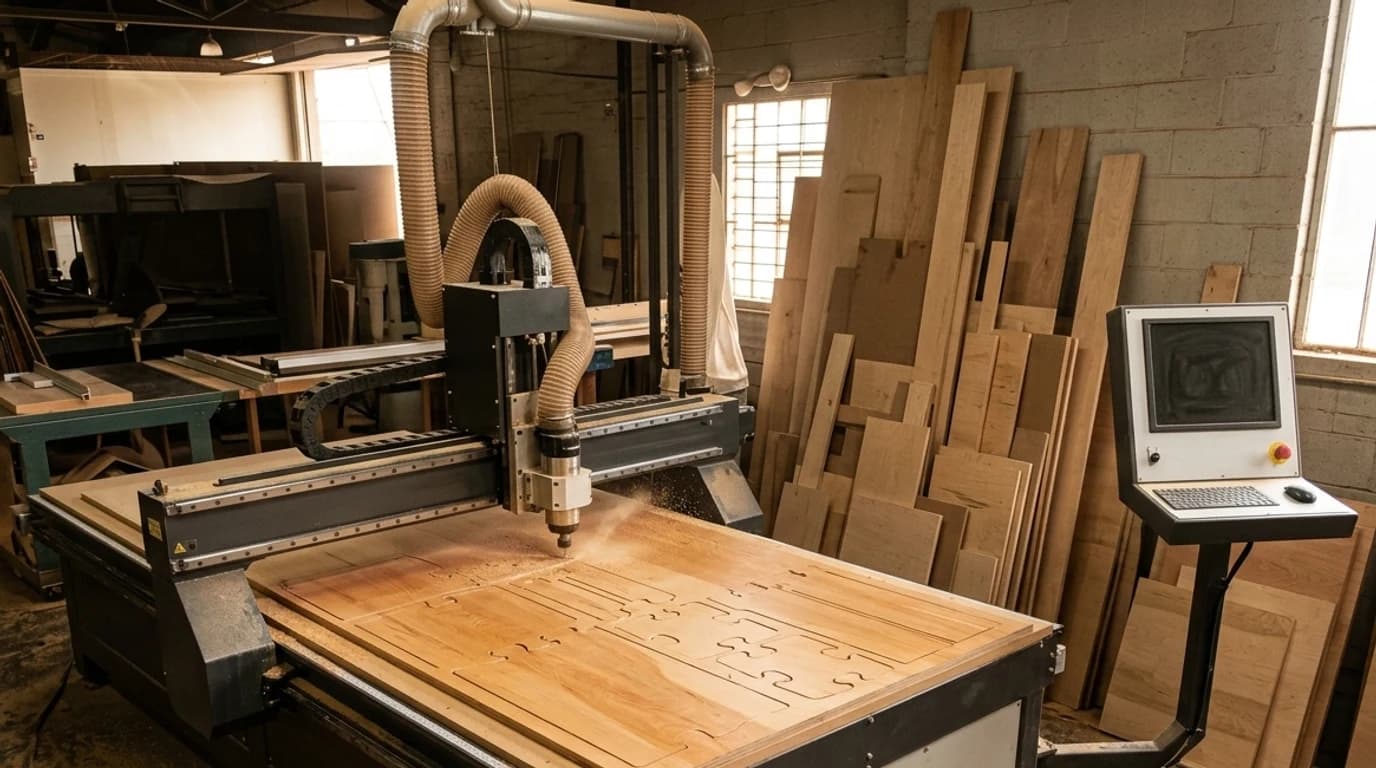
Best cabinet design software for CNC
There are two ways to get cabinet parts onto a router. The two-program route, where the design tool exports a DXF per part and a nesting or CAM program lays them out and posts the toolpaths, is what Cabinet Planner, Cabinet Solutions and the SketchUp extensions do, and it works. The one-program route keeps the nesting, the joinery machining and the post-processor inside the cabinet software, so the dado, the shelf pin holes and the hinge bores are cut from the same data that drew them. Three programs do that seriously, and this is the tier where the price jumps, because you are paying for the machine link.
Mozaik: the one the CNC shops name first
Mozaik is licensed by machine rather than by user, at $125 a month for the first seat of the Standard plan and $60 a month per extra seat, or $325a month for Enterprise, with a three month paid trial before either and ten percent off for annual billing. What you get for it is design, quoting, cut lists, nesting and posts for most common routers in one program, plus closet and door modules. It is Windows only and it is a commitment. It is also the program that comes up first whenever a shop with a router asks the question on a forum, and the case studies on Mozaik's own site are the small and mid-size shops this page is written for.
Cabinet Vision: the industry default, now on subscription
Cabinet Vision, now part of Hexagon, is the program large custom shops have run for twenty years, and the reason its name is a shorthand for the category. It is modular: design, cabinets, doors, closets, the Screen-to-Machine CNC link, each priced separately and built into a package by a reseller. The one public number we could find is the Canadian reseller's subscription, from CA$195 a month for the Design/Cabinets plan with updates and support included; perpetual licences still exist and are quoted. If you are buying it, you are buying it through a reseller with a consultant, which is not a criticism, it is the product.
KCD Software: rented by the month, from design to CNC
KCD is the program the closet trade in particular seems to settle on, with cabinets, closets, Murphy beds and built-ins in one package, and it is priced as a rental with no contract and live phone support included. The levels stack: Designer at $99 a month for 2D and 3D design, elevations, floor plans and dimensioned drawings; Professional at $128 a month adds integrated pricing; Workshop at $168 or $195 a month adds parts lists for the shop after a three month start-up; and CNC Commander at $295 a month, after a $1,995three month start-up, is the one-button design-to-machine level. Several of the search engines' summaries say KCD is quote-only. It is not; the prices are on its site, which is a point in its favour.
Microvellum: for the AutoCAD office
Microvellum is the odd one out, because its main product, Toolbox, is not a standalone program: it runs inside AutoCAD, which you also need to licence, and it is built for architectural millwork and casework at volume rather than for a kitchen shop. The newer CAD Toolbox subscription changed that a little, at $2,484 a year or $207 a month, running on AutoCAD technology without a separate AutoCAD licence, but the manufacturing and CNC toolboxes are still sold through a consultation. If your drafting office already lives in AutoCAD and you produce commercial casework, it is the obvious candidate. If you do not, it is the wrong shape of tool.
Whatever you cut with, the file that reaches the machine is the whole point, and two of our own pages are about exactly that: a DXF viewer for checking a part file before it goes to the router, and the CNC router projects list if you want something to cut this weekend rather than a kitchen.
Best for kitchens, closets and selling the job
Kitchen shops sell from pictures. A client who cannot read an elevation can read a rendering, and the programs that win kitchen showrooms are the ones that produce a convincing one from the same model that later produces the cut list, so the kitchen the client approved is the kitchen the shop builds.
Pro100: one-time, with a real renderer
Pro100 v7 is $3,144.99, one time, on a USB dongle you can move between computers, and it covers design, cut lists, cabinet lists, job costing, floor plans, elevations, shop drawings, a panel optimiser and both framed and frameless construction. The Kray rendering engine is $625.25 on its own or $3,444.95 bundled, and it is the reason a kitchen dealer would pick Pro100 over the tools above: photoreal renders and 360 degree walkthroughs from the model that also prints the parts. CNC packages are priced separately on request. For a shop that hates subscriptions and sells kitchens, it is the strongest one-time buy here.
Closets: KCD, Mozaik and CabinetSense
Closet systems are cabinets with more shelves and fewer doors, and the same three programs keep coming up: KCD for its closet-specific libraries, Mozaik for its closet module, and CabinetSense for a shop that wants closets inside SketchUp. CabinetPlans.io handles a reach-in closet as a row of open boxes, which for a DIY build is enough.
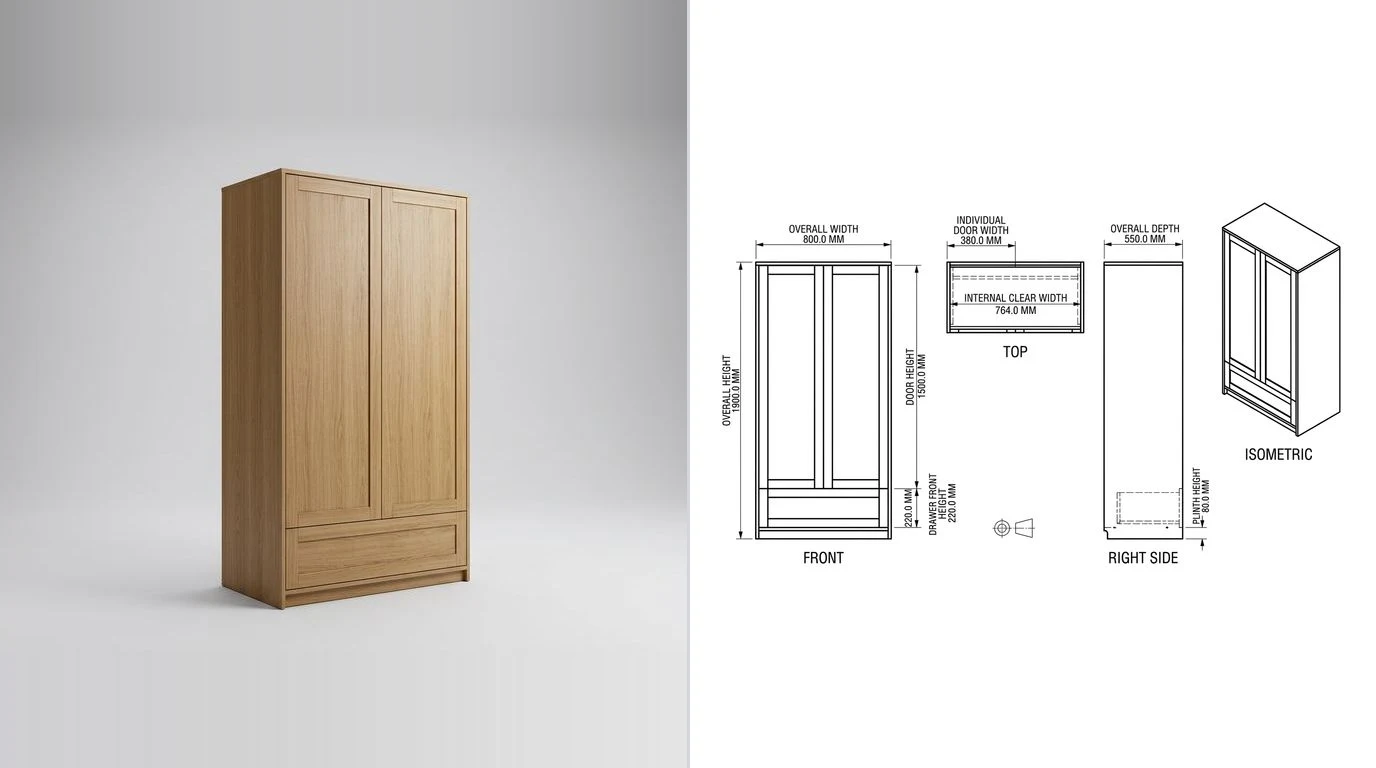
All sixteen, side by side
Prices are what we read on 3 September 2026 and are in US dollars unless marked. Quote means the vendor does not publish a price. Every row is judged from the vendor's documentation and shop owners' accounts, not from a production licence, as the section above explains.
Cabinet design software compared, September 2026
Two things the table cannot show. First, the learning curve runs roughly bottom to top: CabinetPlans.io and Cabinet Planner are an afternoon, Mozaik and Cabinet Vision are a training course, Microvellum assumes you already know AutoCAD. Second, the price tracks the machine: everything above $1,000 a year is there because it drives a CNC, and if you do not own one you are paying for a link you cannot use.
How to choose in five questions
- Do you own a CNC router, or will you within a year? No: stop at Cabinet Planner, CabinetPlans.io or a SketchUp extension and spend the difference on plywood. Yes: Mozaik, Cabinet Vision or KCD, and get a demo on your actual machine before you sign.
- Mac or Windows? Most of this list is Windows only. On a Mac your realistic choices are CabinetPlans.io, SketchUp with an extension, SketchList 3D, Fusion and FreeCAD.
- Do you sell from renders? A kitchen dealer needs Pro100 with Kray, Cabinet Vision or Mozaik. A shop building for a contractor who reads elevations does not, and should not pay for it.
- How many boxes a week? One unusual piece: general CAD wins, because cabinet software fights you on anything that is not a box. Twenty similar boxes: cabinet software wins by hours a day.
- Who reads the output? If it is you, a cut list is enough. If it is a second person on the bench, or a client, you need the shop drawing, and that is the section below.
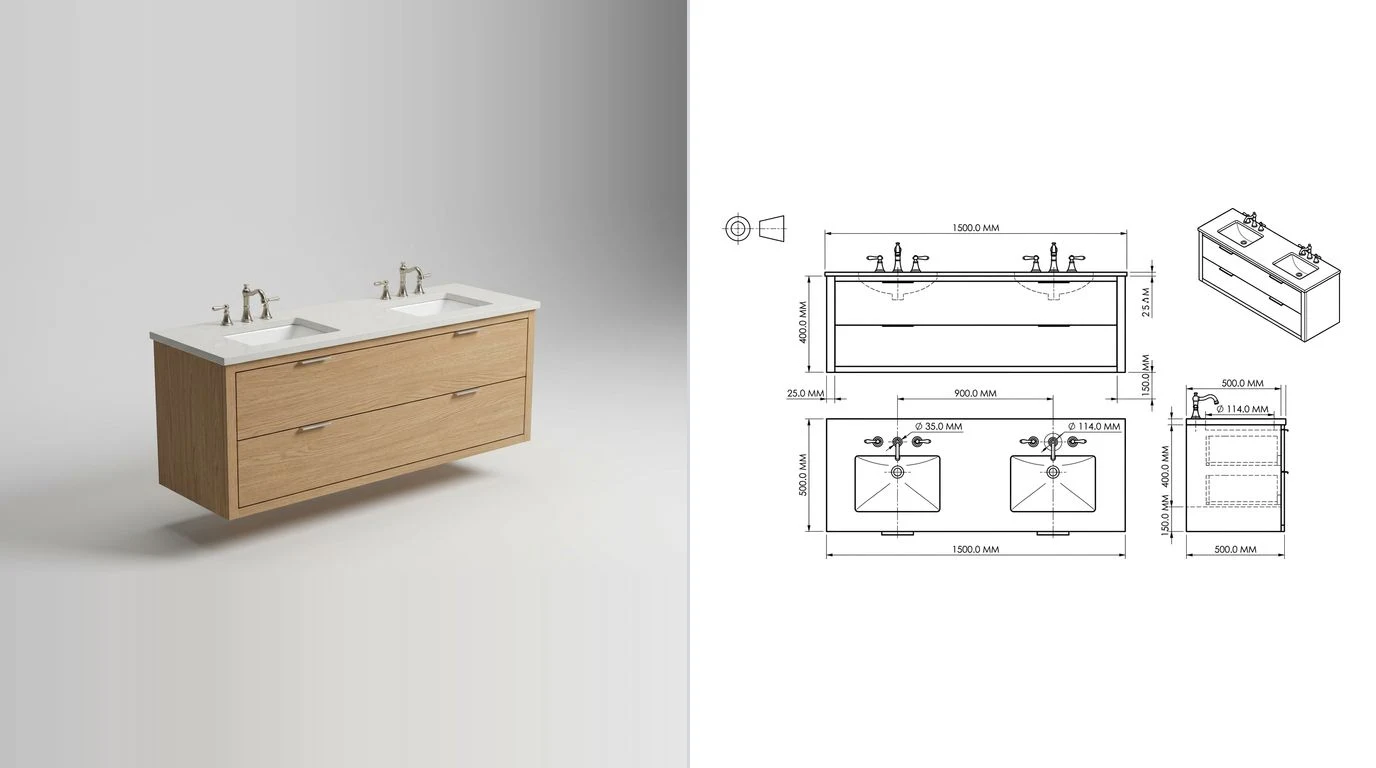
Where the shop drawing comes from
Every program above will print a drawing of the cabinet it drew. The gap none of them fills is the cabinet that was never drawn: the client who brings a photo of a vanity from a magazine and wants that one, the existing built-in you are asked to match, the piece a previous shop made that now needs a second unit. In all three cases the shop needs a dimensioned drawing before any cabinet software can start, and the honest way to get one used to be a tape measure and an afternoon.
That is the job our own tool does, and it is why we know this category at all. You photograph the piece, give it one real measurement for scale, and it produces a dimensioned orthographic drawing you can export as DWG, DXF or PDF and open in any of the programs above. We wrote up what that looks like on furniture specifically in furniture shop drawings from a photo, and we tested the limits candidly in can AI make furniture shop drawings, which is not a page that says yes to everything. The short version: it is very good at the carcass and the overall sizes, and it does not know your hinge bore pattern. The furniture drawing tool is where to try it, and for a piece you already have as a 3D model, the orthographic projection generator makes the front, top and side views from an STL or STEP in the browser for nothing.
Whichever way the sheet is made, what has to be on it is the same, and our furniture shop drawings guide is the checklist: overall sizes, material and thickness, every part dimension the bench cannot infer, hardware called out, and the finished face marked so the bench does not band the wrong edge.
Six ways people buy the wrong one
- Paying for a CNC link with no CNC. The most common one. The nesting and posting in the top tier is most of the price, and a shop cutting on a table saw is paying for a feature it opens once.
- Assuming SketchUp Free will do. It will not run the extension. Budget the Pro licence before you compare it with Cabinet Planner, and the comparison changes.
- Buying the renderer before the cut list. A showroom needs the pictures; a shop needs the parts. If the pictures are the reason, buy Pro100 with Kray on purpose, not by accident.
- Not trialling on your own hardware. Every list on this page assumes the hinge and runner libraries fit what you buy. Put your actual Blum or Salice part numbers into the trial before you pay.
- Ignoring the export. If the program cannot get a DXF or at least a PDF out, your drawings are hostage to the subscription. Every tool in the table above exports something; check it is the something your next program can read.
- Forgetting the cabinet that was never drawn. Most shops will meet one this month, and no cabinet program starts from a photograph. Have a route for that, whether it is a tape measure or the tool in the section above.
If you would rather ask a model than read a manual, the ChatGPT prompts for cabinet makers post is the same audience, and it is honest about which questions it answers well and which it makes up.
FAQ
Frequently asked questions
What is the best free cabinet design software?
For a one-off kitchen or a run of shop cabinets, CabinetPlans.io: it runs in the browser on a Mac, an iPad or a phone, and the free tier lets you design a cabinet and see the parts before a paid plan at 9 or 24 dollars a month unlocks the exports. For a professional shop that wants a real desktop program at no cost, Thermwood's eCabinet Systems is free to join and is the most capable free option on the list, at the price of a steep learning curve and a Windows-only install. Polyboard's free version has every design feature and simply does not print the cut list; the CabinetFile service fills that gap for free. SketchUp Free plus a cut list is not on the free list, because the cut list extensions only run on the paid desktop version.
Which cabinet design software makes a cut list automatically?
Almost every one on this page, which is exactly why the list is judged on the quality of the cut list rather than on whether one exists. CabinetPlans.io, Cabinet Planner, CabWriter, CabinetSense, SketchList 3D, Cabinet Solutions, Pro100, Mozaik, KCD, Cabinet Vision and Microvellum all produce one. The differences that matter are whether the list knows about edge banding, grain direction and hardware, whether it optimises a sheet layout, and whether it can push that layout to a saw or a CNC.
What is the difference between cabinet design software and general CAD?
Cabinet software is parametric around a box. You tell it the cabinet is 600 wide with two drawers and a door, and it already knows the carcass, the back, the drawer boxes, the fronts, the hardware and the reveals, so changing the width changes forty parts at once. General CAD such as SketchUp, Fusion or FreeCAD models whatever you draw, which is more flexible and far slower for cabinets, and it only produces a cut list through an extension. Shops that build one unusual piece a week tend to prefer CAD; shops that build twenty similar boxes a week tend to prefer cabinet software.
Can I get a cut list from SketchUp?
Yes, with the OpenCutList extension, which is free and open source and produces cut lists, cutting diagrams, labels and cost reports from a model built as components. The catch is that extensions run only in the desktop application, so you need SketchUp Pro at 399 dollars a year rather than the free web version. CabinetSense and CabWriter are paid SketchUp extensions that go further and generate the cabinets themselves.
What do cabinet shops actually use?
Small shops are split between Cabinet Planner, Cabinet Solutions, Pro100 and a SketchUp extension. Shops with a CNC router mostly run Mozaik, Cabinet Vision or KCD, because those three carry the nesting and the machine post-processors inside the same program. Large commercial millwork firms run Microvellum, which lives inside AutoCAD. Those are the names that come up on the woodworking forums and in the software vendors' own case studies; we have not surveyed shops ourselves.
Is there cabinet design software for Mac?
Less than you would hope. Most of the dedicated programs are Windows-only: Cabinet Planner, Cabinet Solutions, Pro100, eCabinet Systems, Mozaik, KCD and Cabinet Vision. The routes that work on a Mac are the browser tools (CabinetPlans.io), SketchUp with an extension, Fusion, FreeCAD, and SketchList 3D, which ships a Mac version. Polyboard is Windows, though it runs under a virtual machine.
How much does cabinet design software cost?
From nothing to several thousand dollars, and the price tracks how close the tool sits to the machine. Free: eCabinet Systems, Polyboard's design-only version, the CabinetPlans.io free tier, Fusion for personal use, FreeCAD. Under 100 dollars: Cabinet Planner at 69.95 one time, CabWriter Home from 95. Subscriptions: CabinetPlans.io from 9 a month, CabinetSense from 25 a month, SketchList 3D at 49.99 a month on an annual plan, Cabinet Solutions at 600 a year, Mozaik from 125 a month, Cabinet Vision from 195 Canadian dollars a month, KCD from 99 a month for design up to 295 a month for its CNC level, Microvellum's CAD Toolbox at 2,484 a year. One-time professional: Pro100 at 3,144.99. Polyboard's full licence and Microvellum's manufacturing toolboxes are quoted. All of these were read from the vendors' own pages in September 2026 and every one of them can change.
Do I need cabinet software to run a CNC router?
No, but it removes the most error-prone step. Any program that exports a DXF of each part gives you something a nesting or CAM program can cut, and that is how Cabinet Planner, Cabinet Solutions and the SketchUp extensions work: design in one program, nest and post in another. Mozaik, Cabinet Vision and KCD nest the sheet and post the toolpaths themselves, so the dado, the shelf pin holes and the hinge bores arrive on the machine without anyone redrawing them. If you cut one job a week the two-program route is fine; if you cut every day the integrated route pays for itself in the first mistake it prevents.
Can AI design cabinets?
It can draw a cabinet, and it can turn a photograph of a cabinet into a dimensioned drawing, which is what our own tool does. What it cannot do yet is hold the construction logic that cabinet software holds: reveals, back thickness, drawer box clearances and the hardware bore pattern for a particular hinge. We tested exactly this question on furniture drawings and the honest answer is that AI is good at the drawing and weak at the joinery, so it belongs beside cabinet software rather than in place of it.
Sources
- CabinetPlans.io, the free cabinet design tool and its plans from 9 dollars a month
- Cabinet Planner download page: the ten-use free trial and the 69.95 dollar price
- SketchList 3D pricing: 79.99 a month, or 49.99 a month billed annually at 599.99
- Wood Designer: PolyBoard download and the free version's limits
- Wood Designer: the CabinetFile service that produces cut lists and CNC files from the free PolyBoard
- eCabinet Systems by Thermwood: free membership for professional cabinet makers
- Cabinet Solutions software price: 110 dollars for 30 days, 600 a year, CNC Workshop included
- Pro100 USA pricing table: v7 at 3,144.99, the Kray render bundle, the USB key
- Mozaik Software products page: Standard and Enterprise subscriptions
- Planit Canada: CABINET VISION subscription pricing, from 195 dollars a month in Canadian dollars
- KCD Software pricing: Designer, Professional, Workshop and CNC Commander rentals
- Microvellum: the CAD Toolbox subscription at 2,484 dollars a year, and the AutoCAD-based Toolbox
- Microvellum: AutoCAD-based software for cabinet manufacturing
- CabinetSense for SketchUp: extension warehouse listing and trial
- CabWriter store: Home and Pro perpetual licences
- OpenCutList, the free open source cut list extension for SketchUp, on GitHub
- SketchUp plans and pricing: Free, Go, Pro and Studio
- Autodesk: eligibility for free use of Fusion, the personal use licence
- FreeCAD 1.1 released, 24 March 2026