
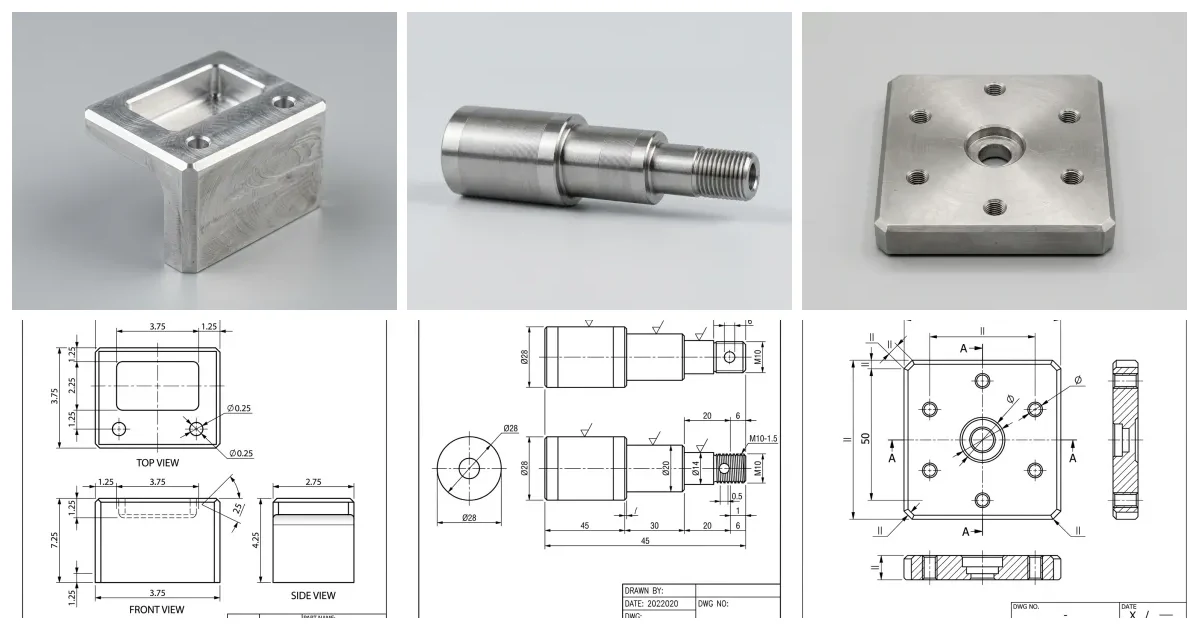
ChatGPT will not run your machine, and any prompt that hands you a full program to push cycle-start on is going to scrap a part or worse. What it is genuinely good at is the work around the spindle: reading a print, roughing out a quote, sanity-checking feeds and speeds, thinking through work-holding, decoding a G-code block or an alarm, and explaining why a finish came out wrong. Used that way it is a tireless apprentice that has read every tooling catalogue. Below are 20 prompts written for the person at the machine, grouped by the job they do, each ready to copy, paste and fill in.
Our articles are still written by humans!
Get human written articles in your Google feed.

How to use these prompts
A prompt is only as good as the setup you give it. Four habits make every prompt below work far harder:
- Give it a role and a machine.“Act as an experienced CNC machinist on a Haas VF-2” sets the register and the assumptions far better than a cold question.
- Be specific with real numbers. Replace every
[MATERIAL]and[TOOL]with the actual stock, tool, diameter and operation. Vague in, vague out. - Ask one thing at a time. Operation plan first, then tooling, then feeds and speeds. Bundling the whole job into one prompt gets you a shallow answer to each part.
- Verify before you cut. Cross-check every speed, feed and offset against tooling data and your own judgement. The chatbot carries none of the risk; you do.
If your job is to produce the drawing rather than machine from one, the sister guide to this post — 20 ChatGPT prompts for technical drawing — covers views, dimensioning, tolerances and title blocks. This one starts where a finished print lands on the shop floor.
Read & decode the print
Before any tool touches the stock, the print has to be understood completely. ChatGPT is fast at turning a dense drawing into a plain checklist and at decoding the symbols that don't come up every day. Pair these with our guide to reading a technical drawing and the engineering symbols and GD&T reference.
1. Turn a print into a machining checklist
Converts a wall of dimensions into an ordered list of what to hold.
Act as an experienced CNC machinist. I'll attach (or describe) a part drawing: [DESCRIBE PART / PASTE DIMENSIONS, MATERIAL, NOTES]. Turn it into a machining checklist: list every feature to produce, the critical (tightest-tolerance) features I must not miss, the datums the part is dimensioned from, and any note (finish, deburr, coating) that affects how I machine it. Flag anything ambiguous I should query before starting.
2. Decode an unfamiliar callout or symbol
Clears up the shorthand without leaving the machine.
Explain these symbols and abbreviations from a drawing in plain machinist terms, and tell me exactly what each one means for how I cut the part: [LIST, e.g. ⌀, CBORE, CSK, THRU, TYP, 4X, ±0.05, Ra 1.6, the GD&T frame position 0.2 (M) | A | B | C]. Note any that mean something different under ISO vs ASME.
3. Find the missing information before you start
Surfaces the questions a good machinist asks first.
Review this part for anything a machine shop would have to clarify before cutting: missing dimensions, untoleranced critical features, no material or finish spec, no projection symbol, contradictory or ambiguous notes. List each gap as a specific question I'd send back to the customer or engineer. Details: [PASTE notes/dimensions or attach the drawing].
4. Establish the machining datums and setup order
Gets the part referenced the way the drawing intends.
For this part [DESCRIBE / LIST FEATURES AND DATUMS], recommend which faces to machine first to create good locating and clamping references, how to carry the drawing's datums into my setups, and the logical order of operations across setups so that critical features are cut from the same reference where possible. Explain the reasoning in one or two sentences per step.
Quote, estimate & plan the job
Estimating is mostly structured reasoning, and that is squarely in a language model's wheelhouse — as long as you treat the output as a first pass to sanity-check, not a price to send. These are some of the highest-leverage prompts here, because a quote takes real time and a consistent template saves it. (Quoting outside jobs? Our guide to selling CAD work covers the business side.)
5. Build a repeatable quoting framework
Gives you a consistent estimate template instead of guessing each time.
Act as a CNC estimator. Build me a reusable quoting framework for milled/turned parts that walks through: material cost and stock size, setup time, cycle time per operation, tooling and consumables, inspection time, finishing/outsourced processes, and margin. For each line, tell me what information I need to fill it in and the usual mistakes that make a quote too low.
6. Estimate cycle time for an operation
Roughs out machine time before you open CAM.
Estimate a rough cycle time for this operation and show your working: [OPERATION, e.g. face and rough a 100 x 60 x 25 mm 6061 aluminium block, then drill 4x ⌀6.8 holes]. Use these cutting parameters [SPEED, FEED, DOC, STEPOVER or ask me for them], add reasonable rapid and tool-change time, and give me a low/likely/high range. State every assumption so I can correct it.
7. Spot the expensive features (DFM for the shop)
Finds what will eat machine time before you commit to a price.
Act as a design-for-manufacturing reviewer for [PROCESS, e.g. 3-axis milling]. From these features [LIST, e.g. internal corners R1, a deep narrow pocket, a tapped hole near an edge, a 0.01 mm tolerance on a 200 mm length], flag what's slow, costly or risky to machine, explain why, and suggest a cheaper approach or a question to ask the customer about loosening a tolerance.
8. Plan the operation sequence across setups
Orders the job to minimise setups and protect accuracy.
Plan the operation sequence for this part on a [MACHINE, e.g. 3-axis VMC]: [DESCRIBE PART AND FEATURES]. Group the work into the fewest sensible setups, decide what to do in each, keep critical related features in one setup where possible, and tell me where re-fixturing risks stacking tolerance error. Output it as an ordered op list with a one-line reason for each.
 Photo
Photo Drawing
Feeds, speeds & tooling
This is the section to use with the most care. ChatGPT can rough out cutting data and explain the trade-offs well, but it does not know your machine's rigidity or your tool's real condition. Treat every number as a conservative starting point and confirm it against the tooling manufacturer's data.
9. Get a starting feed and speed
A sensible first number to dial in from, not a final one.
Give me a conservative starting cutting speed (m/min and RPM) and feed (mm/tooth and mm/min) for this cut: [TOOL, e.g. 10 mm 4-flute carbide end mill] in [MATERIAL, e.g. 6061-T6 aluminium], doing [OPERATION, e.g. a slot 5 mm deep] on a [MACHINE / rigidity note]. Show the formula and the surface speed/chip-load values you used, suggest a safe depth and stepover, and tell me what to listen and look for to nudge it up or back off.
10. Choose the right tool for the job
Narrows the crib down to a sensible pick.
Recommend a tool for this operation: [OPERATION, MATERIAL, FEATURE SIZE, TOLERANCE, FINISH]. Suggest tool type, material/coating, flute count and diameter, and explain the trade-offs (e.g. more flutes vs chip clearance, coated vs uncoated for this material). If a roughing-then-finishing pair makes sense, say so and why.
11. Diagnose a tooling or finish problem
Turns a bad surface or a broken tool into a cause list.
I'm seeing [PROBLEM, e.g. chatter marks / a poor surface finish / rapid tool wear / a chipped edge] when [OPERATION] in [MATERIAL] with [TOOL and current SPEED/FEED/DOC]. List the most likely causes in order of probability, the one change you'd try first for each, and how I'd confirm which one it actually is. Keep it practical for the machine, not theoretical.
12. Calculate tapping and drilling values
Handles the arithmetic that causes scrap when rushed.
For tapping [THREAD, e.g. M6 x 1.0] in [MATERIAL], tell me the correct tap drill size, a conservative spindle speed for [rigid / floating / form] tapping, the feed it implies for the pitch, and the recommended hole depth if it's a blind hole. Then double-check the tap-drill size against the standard for that thread. Show the numbers.
Work-holding & setup
How a part is held decides whether it comes out in tolerance or moves mid-cut. ChatGPT is a good sounding board for fixturing ideas and a useful second set of eyes on a setup sheet — it cannot see your vise, so describe it well.
13. Plan the work-holding
Thinks through how to hold the part without distorting it.
Suggest work-holding for this part: [DESCRIBE SHAPE, SIZE, MATERIAL, and which faces need machining and to what tolerance]. Cover options (vise, soft jaws, fixture plate, vacuum, tabs) with the trade-offs for accessing the features I need, the risk of clamping distortion on a thin or delicate area, and how to hold it for the second-op once the first faces are done.
14. Write a setup sheet
Produces a clear, repeatable sheet the next shift can follow.
Draft a setup sheet for this job: [PART, MACHINE, MATERIAL, OP LIST]. Include work-holding and part zero (datum) location, the tool list with tool numbers and offsets, the order of operations, key dimensions to check and at which step, and any safety or first-article note. Format it so another machinist could run the job without me there.
15. Locate part zero and work offsets correctly
Maps the drawing's datum to the control's work offset.
This drawing is dimensioned from [DATUM, e.g. the bottom-left corner / the centre of the bore]. Tell me where to set part zero (G54 work offset) so the program coordinates match the print, how to probe or edge-find that origin reliably, and the common mistakes that put the whole program out by a known offset. Note how this changes for a second setup.
CAM & G-code sanity check
ChatGPT is not a CAM system and cannot generate a safe full program — but it is genuinely useful for understanding and checking code, and for decoding the errors that stall a job. Read, simulate and single-block anything before it runs.
16. Explain a block of G-code line by line
Demystifies a program you inherited.
Explain this G-code line by line in plain English, and flag anything that looks unsafe or unusual (a missing tool change, a rapid through stock, an unexpected work offset, a feed that seems wrong): [PASTE G-CODE]. Tell me which control/dialect you're assuming, since codes differ between Fanuc, Haas and others.
17. Decode an alarm or post-processor error
Gets you from a cryptic code to a likely fix.
I got this alarm/error on my [MACHINE + CONTROL, e.g. Haas Next Gen control]: [PASTE EXACT ALARM TEXT/NUMBER]. Explain what it usually means, the most common causes in order, and a safe step-by-step way to diagnose and clear it. Note anything I should NOT do until the cause is understood.
18. Write or check a short, generic snippet
Useful for a simple, well-understood move you then verify.
Write a short, generic G-code snippet for [SIMPLE TASK, e.g. a bolt-circle drilling pattern of 6 holes on a 50 mm PCD / a safe tool-change and home sequence]. Keep it control-neutral, comment every line, and list explicitly what I must set or verify (work offset, tool/length offsets, clearance plane, feeds) before running it. Remind me to simulate and single-block it first.
Inspection, QC & troubleshooting
Once chips are made, the question is whether the part passes. ChatGPT helps you plan the inspection, read the GD&T that drives it, and reason about why a feature is out — it does not replace the measurement itself.
 Photo
Photo Drawing
19. Build a first-article inspection plan
Turns the print into a measurement checklist with methods.
Create a first-article inspection plan from this drawing: [PASTE DIMENSIONS, TOLERANCES, GD&T, FINISH]. For every dimension list the nominal, the tolerance, and the practical way to measure it (caliper, micrometer, bore gauge, height gauge, CMM, surface comparator). Flag the few critical features that must be checked first, and any GD&T callout that needs a datum setup to measure properly.
20. Troubleshoot an out-of-tolerance feature
Reasons backwards from a bad reading to a cause.
A feature is out of tolerance: [FEATURE, NOMINAL ± TOL, ACTUAL MEASUREMENT, OPERATION AND TOOL USED]. Work backwards through the likely causes — tool deflection, tool wear, thermal growth, work-holding movement, wrong offset, measurement error — and rank them for this specific case. For each, tell me the quick check to confirm or rule it out before I touch the program.
Where ChatGPT stops on the shop floor
Every prompt here works because it plays to what a language model is good at: reading, structuring, explaining, estimating and reasoning in words and numbers. What it cannot do is anything that needs your machine, your fixture and your eyes. It cannot feel a vibration, hear a bad cut, see a worn edge, know your machine's real rigidity, or carry any of the risk when a number is wrong. That is not a prompt you can write your way around — it is the boundary of the tool.
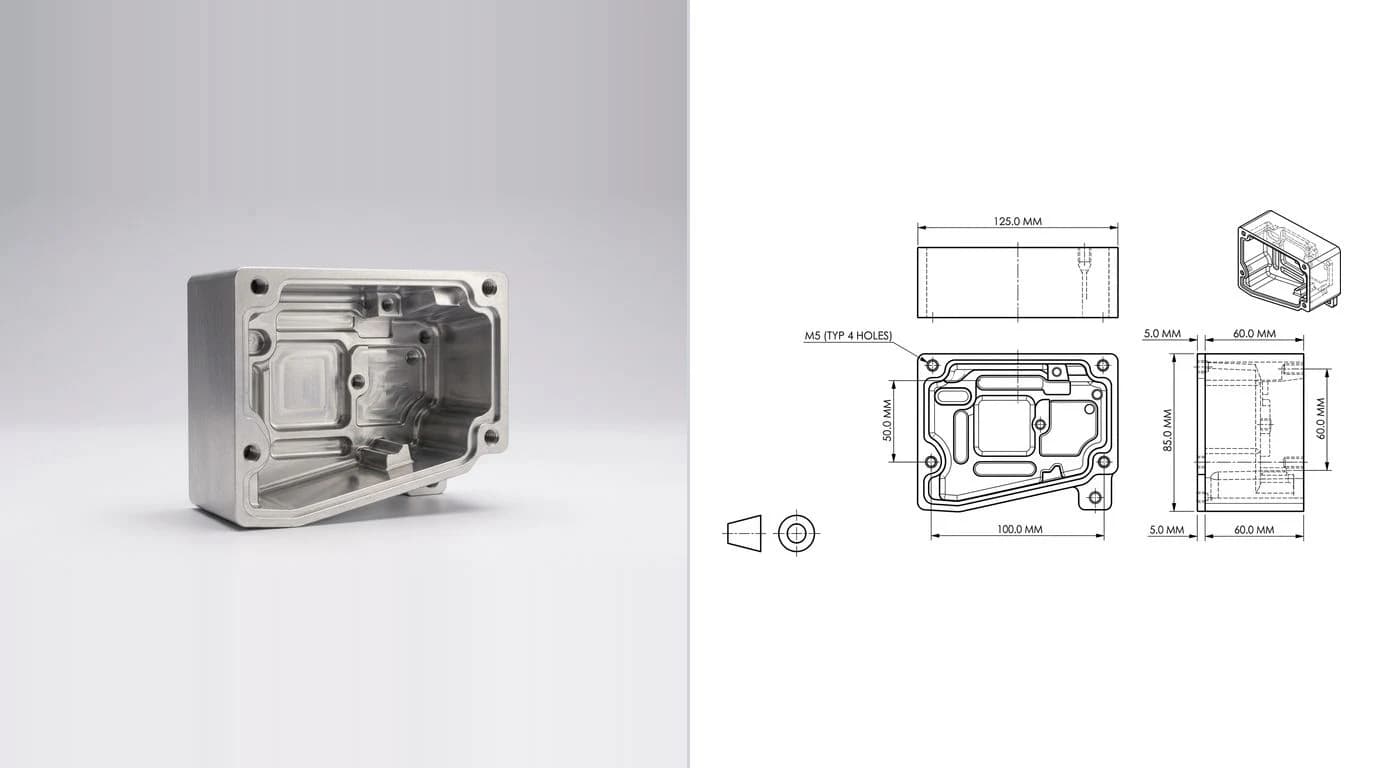
So the workflow that actually makes good parts is a division of labour. Use ChatGPT for the thinking around the spindle. Use CAM for toolpaths, the tooling manufacturer's data for the final numbers, and your own judgement for the cut. And when a job shows up with no usable drawing at all — just a photo or a sample part — don't reverse-engineer it by eye. Drop the image into our free image to DXF converter to get editable geometry to scale, or follow the reverse-engineering workflow to turn a physical part into a real drawing first.
 Photo
Photo Drawing
Why bother starting from a proper drawing at all? Because the print is still the contract the shop machines and inspects against — the case for that is in why machine shops still want 2D drawings. Get the division of labour right and ChatGPT stops being a novelty that spits out unsafe code and becomes what it should be: the fastest apprentice you have ever had, standing next to an AI technical drawing generator that does the part it cannot. For the shop side of that, see AI technical drawings for machine parts.
Frequently asked questions
Can ChatGPT write G-code for a CNC machine?
It can write short, generic G-code snippets and explain what existing blocks do, which is genuinely useful for learning and for spotting a mistake. It cannot safely generate a full program for your specific machine, control, tooling and fixture. It has no model of your setup, no collision check and no idea of your work offsets, so anything it produces must be treated as a draft to read, simulate and single-block — never as code to run. For real toolpaths, use CAM.
Is it safe to use ChatGPT for feeds and speeds?
Use it as a starting point, not a final number. ChatGPT can rough out a sensible cutting speed and feed from the material, tool and operation, and explain the trade-offs, but it does not know your machine's rigidity, the tool's actual condition, your work-holding or your coolant. Always cross-check against the tooling manufacturer's data, start conservative, and trust your ears and the chips over any number a chatbot gives you.
Can ChatGPT read a CNC drawing or blueprint?
With image input it can read a drawing and summarise the views, dimensions, tolerances, GD&T and notes, which is a fast way to understand a print or catch something you missed. It can misread small or stacked dimensions, faint symbols and revision-specific notes, so verify anything that drives a cut or a quote against the original drawing.
What is the best ChatGPT prompt for machinists?
There is no single best prompt. The best results come from giving ChatGPT a role (an experienced CNC machinist or estimator), the exact part, material, machine and operation, and asking one question at a time. The 20 prompts in this guide are written that way, with placeholders you fill in. The quoting, feeds-and-speeds and print-review prompts tend to pay off most day to day.
Can ChatGPT do CAM programming?
No. CAM programming needs the 3D model or 2D geometry, the machine kinematics, the tool library and collision avoidance — none of which a language model has. ChatGPT helps around CAM: choosing a strategy, picking tools, decoding a post-processor error, or explaining why a toolpath gouges. The toolpaths themselves come from CAM software.