
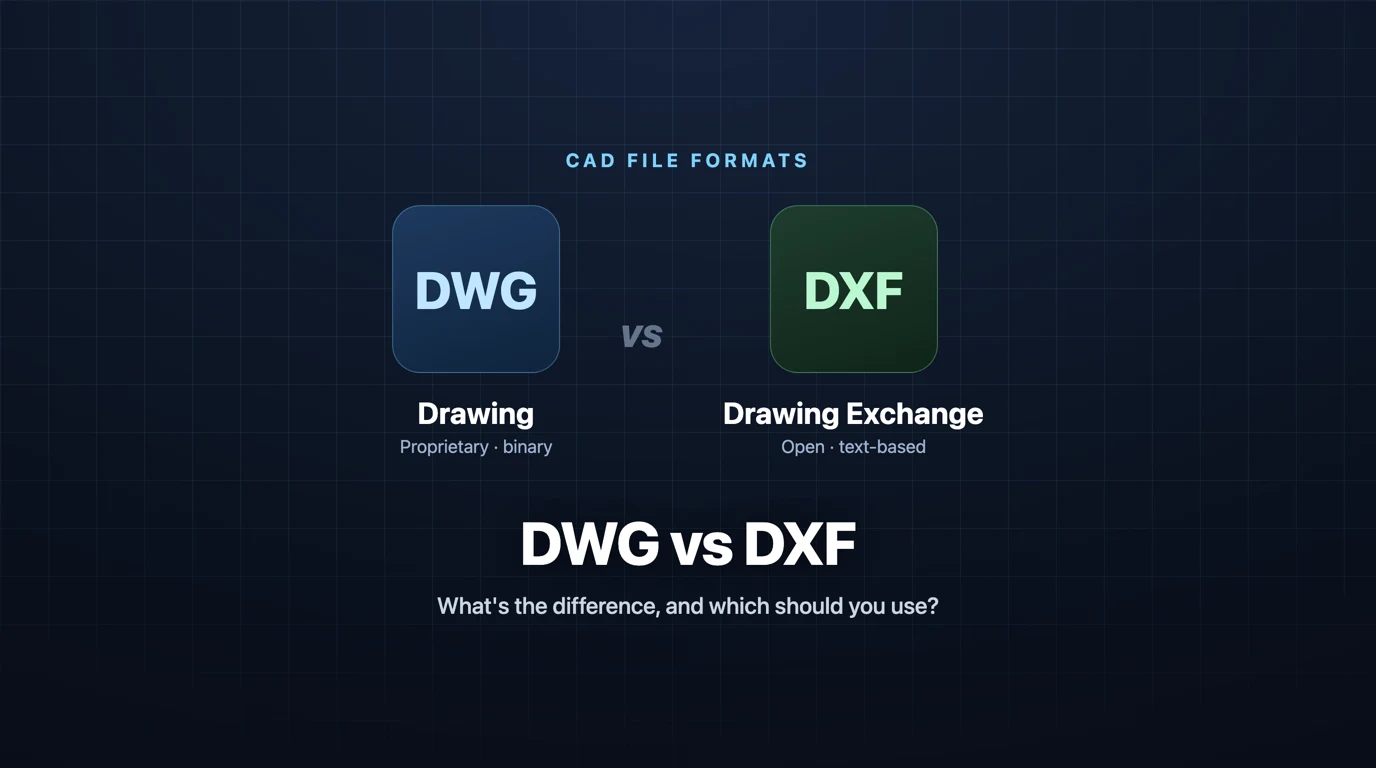
DWG and DXF look interchangeable right up until a file opens with the wrong scale, a block explodes into garbage, or a laser cutter flatly refuses to load it. They are close cousins, both born at Autodesk, both able to hold the same drawing. The difference is not what they can store, it is what they are for. Get that straight and you stop guessing which one to send.
Our articles are still written by humans!
Get human written articles in your Google feed.
Need the other format right now? The free DWG to DXF and DXF to DWG converters run in your browser and keep layers, blocks, arcs and text. Nothing is uploaded.
Convert DWG to DXFThe short answer
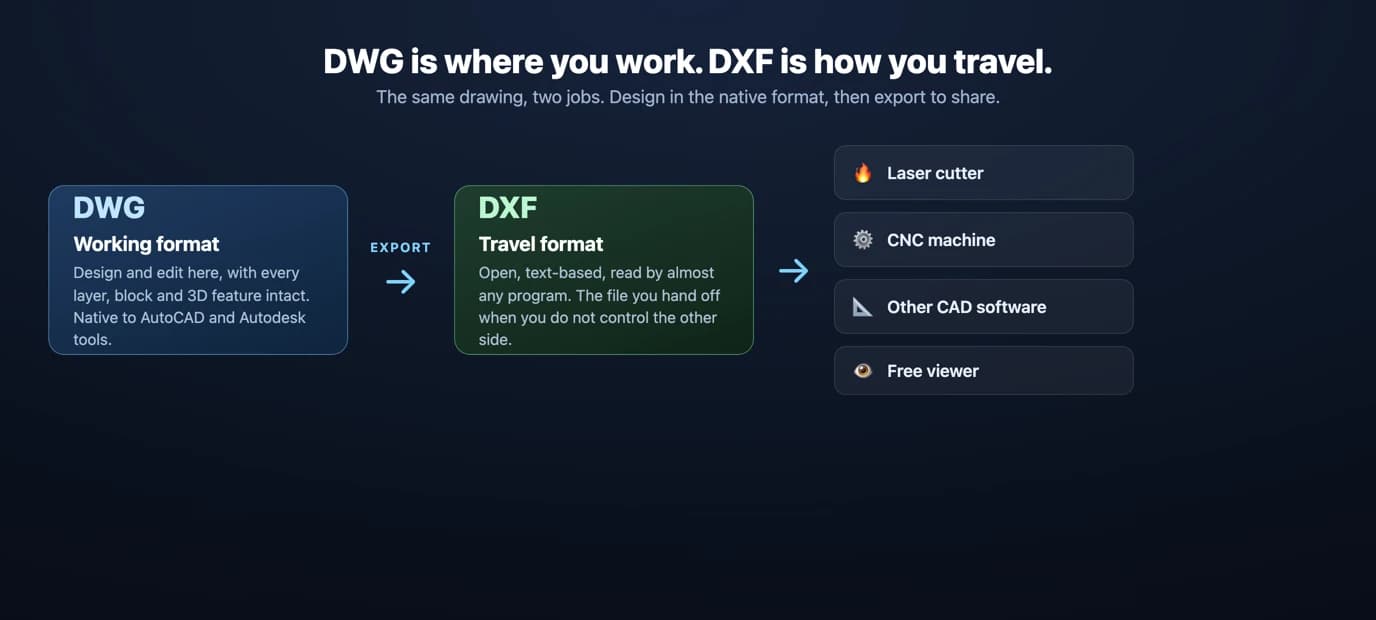
If you are staying inside AutoCAD or another Autodesk tool and want to keep every layer, block and 3D object intact, use DWG. If you are sending a drawing to a different program, a manufacturer, or a laser or CNC machine, use DXF. DWG is the working format. DXF is the travel format. Everything below is the detail behind that one rule.
What is DWG?
DWG, short for “drawing,” is the native file format of AutoCAD. Autodesk introduced it in 1982, and it has been the most common CAD format ever since. It is a binary format, meaning the data is stored as compact machine code rather than readable text, and it holds the full picture of a drawing: 2D and 3D geometry, layers, line styles, text, dimensions, blocks, dynamic blocks, attributes, external references and embedded images.
Because it is binary and compressed, a DWG is usually the smaller file for the same drawing, and it preserves advanced AutoCAD features that nothing else can fully replicate. The catch is that DWG is proprietary. Autodesk controls the specification, so other programs read and write it through reverse engineered libraries, most notably the Open Design Alliance's technology. That works well in practice, but DWG remains tied to Autodesk's ecosystem and its yearly version changes.
What is DXF?
DXF stands for Drawing Exchange Format. Autodesk created it, also in the early 1980s, for the opposite purpose: to move drawingsbetweenCAD programs that otherwise could not read each other's files. The key difference is that DXF is an open, published format. Autodesk documents its structure, so any developer can write code that reads or creates a valid DXF without a license or reverse engineering.
Most DXF files are stored as ASCII text, which you can literally open in a text editor and read: each entity, coordinate and property is written out in plain numbered groups. That openness is why DXF is the common currency of CAD exchange and the format laser cutters, CNC routers and plotting tools almost always expect. It can hold 3D data too, but it is used overwhelmingly for 2D, and it is less compact than DWG precisely because it favors readability over size.
The real differences
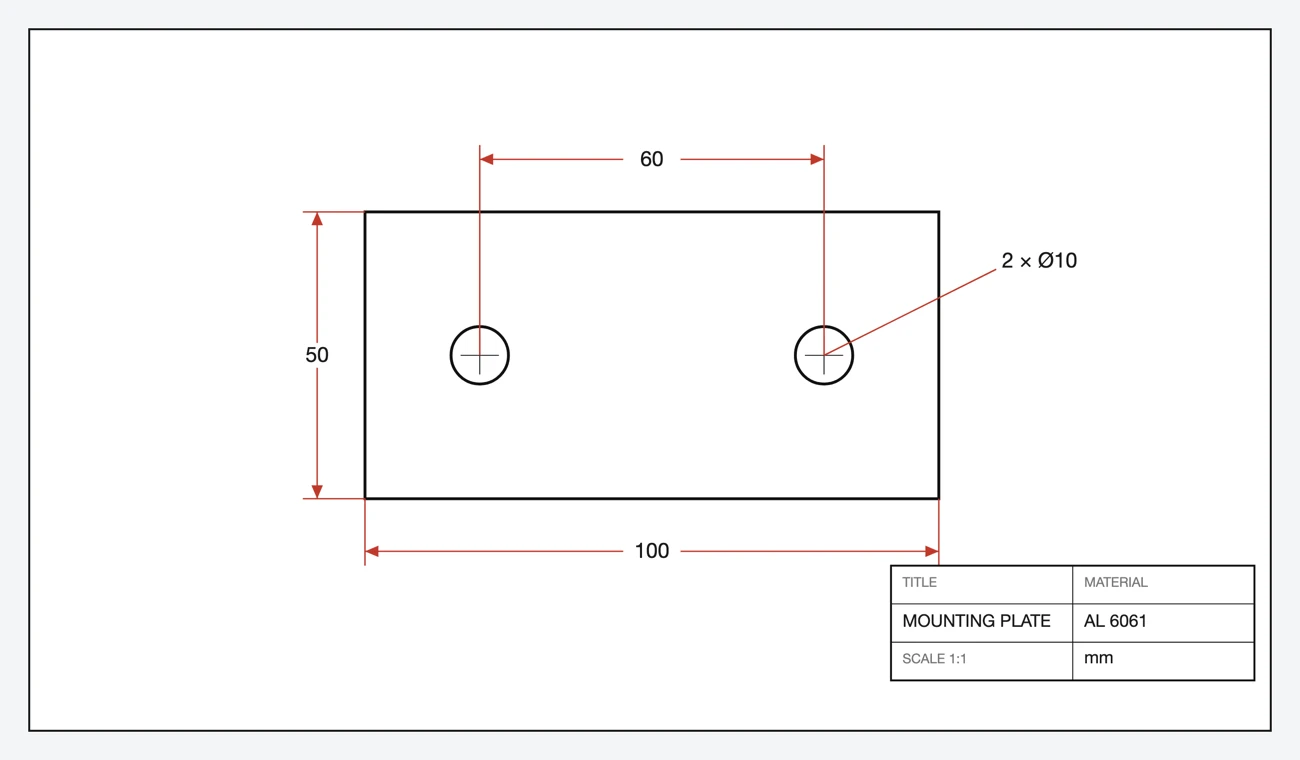
Here is what those two files actually look like inside. On the left, the plate saved as DXF: open it in any text editor and you can read it, a CIRCLE with a centre and a radius spelled out in plain numbers. On the right, the same drawing saved as DWG: a compact stream of binary that only software can decode. The DXF is also the bigger file, 35 KB of text against 20 KB of bytes.

Openness and ownership
This is the difference everything else flows from. DWG is proprietary to Autodesk. DXF is an open standard anyone can implement. If you care about long-term access and software-independence, DXF is the safer bet. If you live in AutoCAD, DWG's native status is an advantage.
File structure and size
DWG is binary and compressed. DXF is text and barely compressed, so the same drawing is typically larger as a DXF. The upside of text is that a DXF is transparent and easy for any program to parse, which is exactly why it travels well.
Fidelity and features
DWG retains the full set of AutoCAD features, including dynamic blocks, custom objects and rich 3D. DXF reliably carries the core geometry, text, layers and dimensions, but advanced or proprietary objects can simplify or drop on the way out. For a flat profile that is irrelevant. For a complex parametric model it matters.
Compatibility
Almost every CAD program reads DXF. DWG is also widely supported, but through that third-party technology rather than as a true native format, and version mismatches bite more often. When you do not control the recipient's software, DXF wins. For the wider format picture, see our guide to CAD file formats for manufacturing, and if the real choice is between an editable DWG and a viewable PDF, PDF vs DWG covers which to send and which to archive.
DWG vs DXF at a glance
DWG vs DXF, side by side
Which should you use?
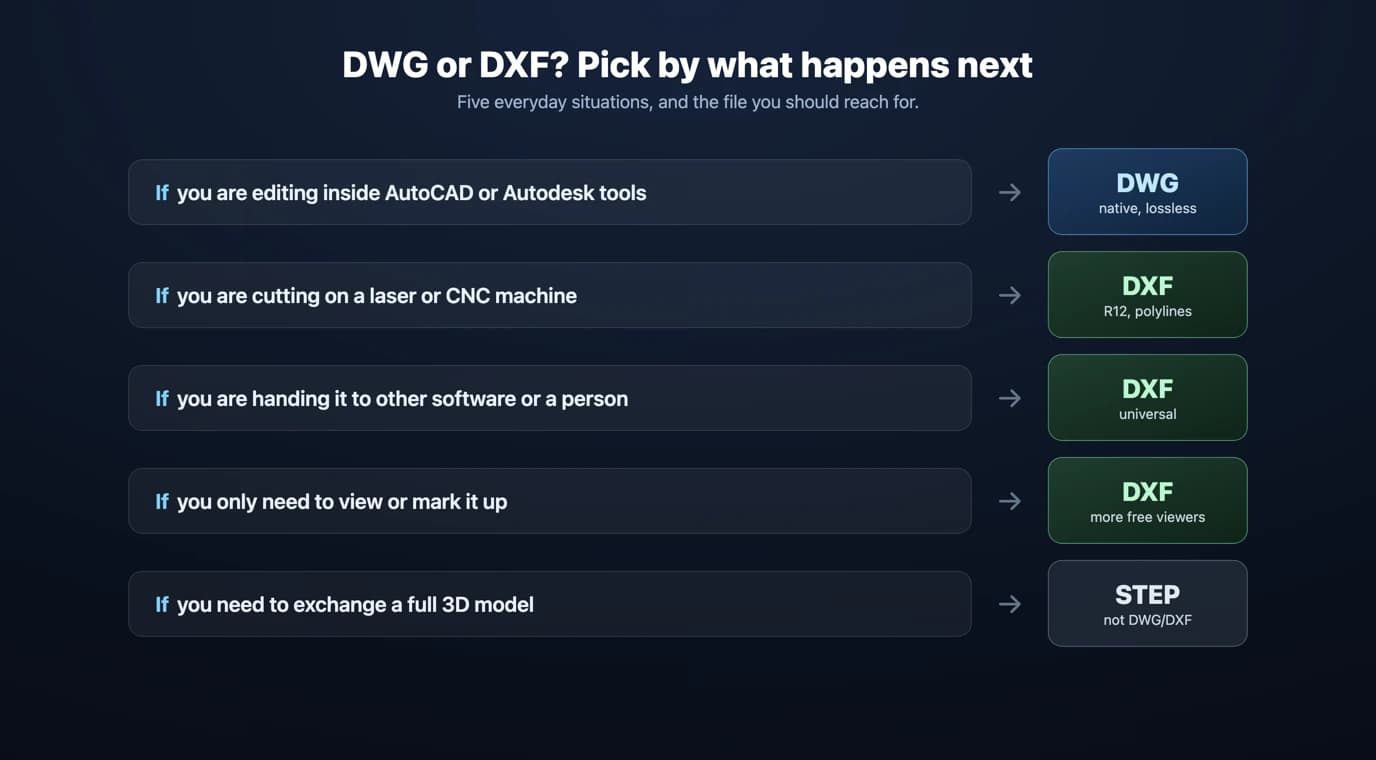
- You work in AutoCAD and share with Autodesk users: use DWG. It is native, smaller and lossless for advanced features.
- You are handing a file to an unknown program or person: use DXF. It is the closest thing CAD has to a universal language.
- You are sending a 2D part to be cut or machined: use DXF, and read the CNC section below before you export.
- You only need to view or markup a drawing: either works, but a DXF opens in more free viewers.
- You need a full 3D model exchanged: neither is ideal. Keep the native file or export
STEP.
DWG vs DXF for CNC and laser cutting
This is where the choice stops being academic. Laser cutters, plasma tables, waterjets and CNC routers almost all expect a 2D DXF, and many shop-floor programs are happiest with an older flavor such as AutoCAD R12 DXF, which strips the file down to the simplest, most universally understood entities. A pristine modern DWG can be the file a machine refuses while a plain R12 DXF loads first try.
To give a cutter a file it will accept without complaint:
- Export DXF, and pick R12 if the option exists.
- Make cut profiles closed polylines, not loose segments, so the toolpath knows what is inside and outside.
- Convert splines to arcs and lines where you can, since some controllers handle splines poorly.
- Set the drawing to real-world unitsat 1:1 scale, so a 100 mm part is 100 mm in the file.
The full checklist lives in our guide to preparing DXF for laser cutting.
How to convert between DWG and DXF
Every serious CAD program converts both directions. The pattern is always the same: open the file, then File then Save As or Export, and choose the other format and a version. This works in AutoCAD, Fusion 360, SolidWorks, BricsCAD and the free options like FreeCAD, LibreCAD and QCAD. For the tools behind those names, see our rundown of the top technical drawing tools.
If you do not have CAD installed, online converters handle a one-off DWG to DXF in seconds. And if your starting point is not a CAD file at all but a photo, scan or image of a part, you do not convert, you trace or generate: turn it into clean vector geometry with our image to DXF converter, or generate a fully dimensioned drawing from a photo with TechDraw AI. The image-first route to DWG has its own guide, image to DWG, with a photo-specific walkthrough in JPG to DWG and the AutoCAD version of the same job in image to AutoCAD. DXF has a converter that runs in the browser, image to DXF. From there, our CAD workflow guides show how to import that DXF into Fusion 360, SolidWorks or FreeCAD and build a 3D model from it.
Five conversion pitfalls that waste an afternoon
- Version mismatch.Saving a newer DWG or DXF than the recipient's software can read. Export an older version to be safe.
- Wrong units or scale. A file that opens at the wrong size usually has a units mismatch, inches versus millimeters. Confirm units on both ends.
- Open contours. Profiles made of disconnected lines instead of closed polylines confuse CAM software. Join them first.
- Exploded or missing text. Custom SHX fonts and dynamic blocks can drop or turn to gibberish in DXF. Convert text to simple geometry if it must survive.
- Splines the machine hates. Some controllers choke on splines. Convert curves to polyline arcs before exporting for CNC.
Frequently asked questions
What is the difference between DWG and DXF?
DWG is Autodesk's proprietary, binary native format for AutoCAD. It is compact and stores the full range of CAD data, including 3D, dynamic blocks and custom objects. DXF is an open, text-based format Autodesk publishes so any program can read it. It carries the same core geometry but is built for exchange between different CAD tools rather than for advanced editing in one.
Should I use DWG or DXF?
Use DWG when you work inside AutoCAD or the Autodesk ecosystem and want to preserve every feature, layer and 3D object. Use DXF when you need to move a drawing to a different program, send 2D geometry to a laser cutter or CNC machine, or hand a file to someone whose software you do not control. For manufacturing, DXF is usually the safer choice.
Is DWG or DXF better for laser cutting and CNC?
DXF, in almost every case. Most laser and CNC software expects a 2D DXF, and an older version such as AutoCAD R12 DXF is the most widely accepted. Export the cut profiles as closed polylines, in real-world units, with arcs and lines rather than splines where possible. DWG can work if the machine's software reads it, but DXF removes the guesswork.
Can AutoCAD open a DXF file?
Yes. AutoCAD opens and saves both DWG and DXF natively. So do most other CAD programs, including Fusion 360, SolidWorks, FreeCAD, LibreCAD and BricsCAD. If you only need to view a DXF rather than edit it, a free DXF viewer is faster than opening full CAD software.
Why is a DXF file larger than a DWG file?
DXF stores everything as human-readable ASCII text, with every coordinate and property written out in full, and it uses little compression. DWG is binary and compressed, so the same drawing is usually smaller as a DWG. The trade is readability and portability for size, which is exactly what an exchange format is supposed to prioritize.
Does DXF support 3D?
Yes, contrary to a common myth. The DXF specification can represent 3D entities. In practice, though, DXF is used overwhelmingly for 2D exchange, and 3D data survives a DWG round-trip more reliably. If 3D fidelity matters, keep the native format or use a dedicated 3D exchange format like STEP.