
“Image to DXF” sounds like a file conversion, the way a JPG becomes a PNG. It is not. A DXF stores real lines and arcs as math; an image stores coloured pixels. Nothing inside a photo is a line yet, so the job is really to redraw your picture as geometry and then make that geometry the right size. Do those two things and the DXF a laser, plasma table or CNC router opens will match the part you had in your head. Skip them and you get a pretty outline at the wrong scale.
The short answer
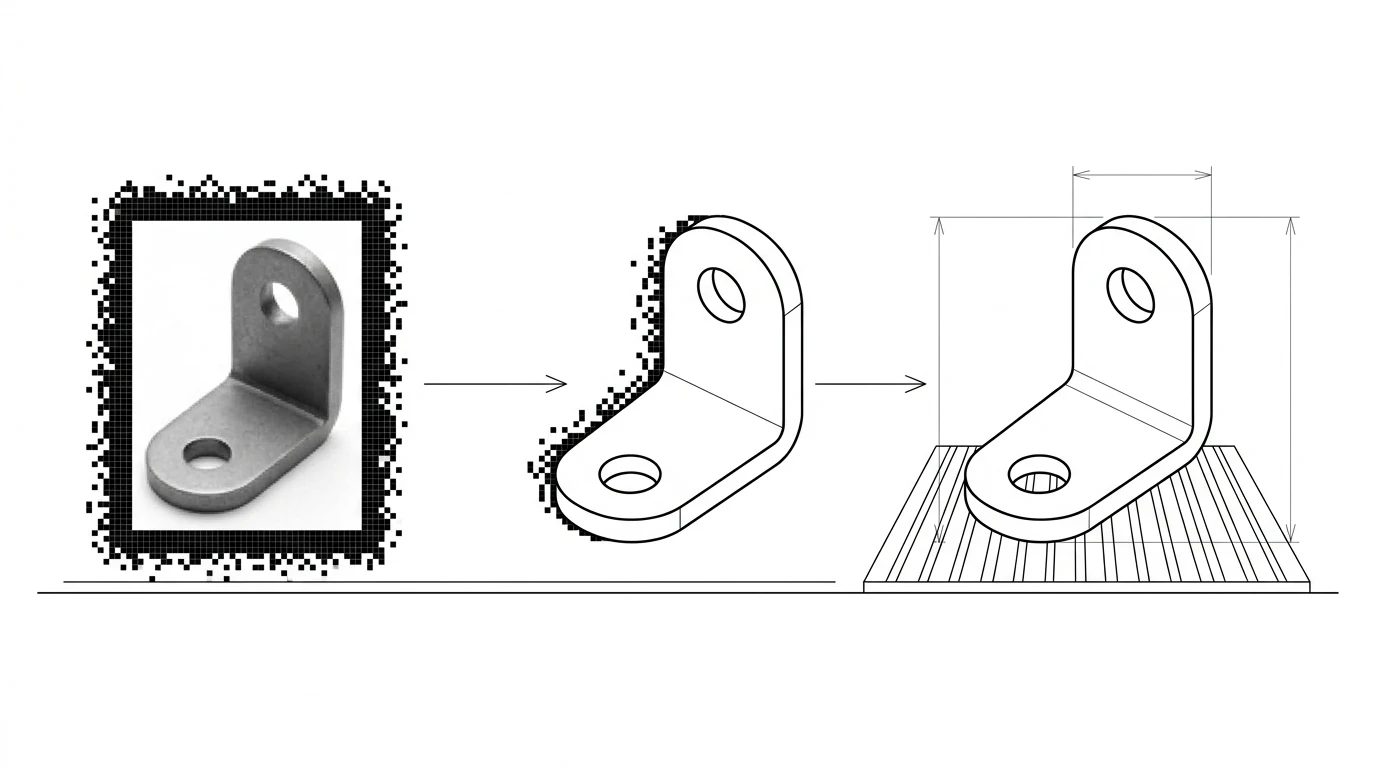
There are two honest paths from an image to a DXF, and which one you need depends entirely on what the image is. If the image is a clean drawing or a flat graphic — a logo, a scanned line drawing, a screenshot from a design tool — a vectorizer traces the visible edges into lines and arcs and you export DXF. That is close to one click. If the image is a photo of a real object, tracing gives you only the silhouette, at whatever size and angle the photo happened to be taken. To get a DXF you can actually build from, you have to rebuild it as a dimensioned drawing and scale it to a real measurement. Either way, the pixels themselves never become geometry on their own — something, a tracer or you, has to draw the lines.
Why you want a DXF, not just CAD
People search “image to DXF” instead of “image to CAD” for a reason: they already know what machine the file is headed for. DXF, the Drawing Exchange Format Autodesk published back in 1982, is the neutral 2D format that laser cutters, plasma tables, CNC routers, waterjets and vinyl cutters read. It carries flat geometry — the cut path — and almost nothing else, which is exactly what a 2D-cutting machine wants.
That focus is why DXF, not DWG or STEP, is the right target here. If you are weighing the formats against each other, or a supplier asked for DWG instead, DWG vs DXF and CAD file formats for manufacturing lay out which one to hand a shop. For the broader question of turning a picture into an editable CAD model of any format, the pillar guide is image to CAD: turn a JPG into a DXF you can manufacture. This page stays narrow: a raster image in, a cut-ready DXF out.
Which image are you converting?
This is the decision that determines everything downstream, and most bad conversions come from skipping it. Three very different things get called “an image”:
Three kinds of image, three different jobs
| What the image is | What tracing gives you | What you still need |
|---|---|---|
| A line drawing or logo | Clean vector outline, faithful to the artwork | Set the real size; close any open paths |
| A flat, straight-on photo of a part | Accurate silhouette of the outer profile | Dimensions, inner features, a reference measurement |
| An angled or lifestyle photo | A distorted outline you can't cut from | A re-shoot or a rebuilt drawing, not a trace |
A logo or a line drawing is the friendly case — the artwork already is the geometry, so the trace is faithful and the only real work is scale. Logo to vector for laser engraving covers that path end to end. A photo of a real part is the hard case, and it is worth being blunt about why: a camera flattens a three-dimensional object onto a grid of pixels, so any tilt, lens distortion or perspective bends the outline, and there is no depth, no hidden edge and no dimension anywhere in the file.
Tracing vs redrawing
Tracing (also called vectorizing or raster-to-vector) walks the visible edges in the image and lays vectors along them. It is fast and, on clean input, remarkably accurate to the shape it can see. Its ceiling is equally clear: it copies what is there, and only what is there. It cannot invent an edge the camera missed, straighten a line the photo bent, or know that two nearly-touching pixels were meant to be a single crisp corner.
Redrawing means using the image as a background reference and drawing clean geometry over it — in CAD, or with an AI tool that reconstructs the drawing for you. It is more work but it is the only route to a file with real dimensions, proper corners and closed contours. The practical rule: trace when the image is already a drawing; redraw when the image is a photograph of a thing. If your trace comes out rough — doubled lines, jagged arcs, broken corners — that is usually an input-quality problem, and why a traced image looks jagged and how to fix it walks through the cleanup.
The scale trap
This is where more image-to-DXF conversions fail than anywhere else, and it is baked into the formats. A raster image is measured in pixels. A DXF is measured in real units, millimetres or inches. Nothing in a JPG or PNG says how many millimetres a pixel is worth, so the converter has to guess, and its guess is almost never your part's true size. The DXF opens looking correct and cuts out at the wrong dimensions.
The fix is always the same, and it is not optional: find one dimension you know for certain — printed on the drawing, or measured on the real part with a ruler or calipers — and scale the entire DXF so that feature matches the known number. Get one length right and every other length follows, because the proportions were already correct. This exact failure, and how to catch it before it becomes scrap metal, is covered in fixing a DXF that imports at the wrong size, and the reference-measurement idea in depth lives in how to get dimensions from a photo.
What a cutter needs from a DXF
A DXF that traces perfectly on screen can still jam a laser or plasma controller. Cutting software is picky in specific, predictable ways, so run the file past these before you send it:
- Closed contours.Every profile the machine cuts has to be a closed polyline. A trace often leaves tiny gaps at corners where two segments almost, but don't quite, meet — and an open loop confuses CAM into cutting the wrong path or nothing at all.
- No duplicate or stray lines. Vectorizers love to lay two vectors along one thick edge. Doubled lines mean the beam fires twice; stray specks from image noise become tiny unwanted cuts.
- Sensible layers. If some paths cut and others only score or engrave, separate them onto layers so the machine operator can assign power and speed per layer instead of guessing.
- A safe DXF version. Export
R12(ASCII DXF) when you don't control the receiving software. It is the most universally readable dialect, at the cost of some newer entity types you rarely need for a flat cut.
The full pre-cut routine — kerf, closed paths, units and version — lives in how to prepare a DXF for laser cutting, and making plasma-cutting DXF files covers what a plasma table needs on top of that, since thicker metal and a wider kerf are less forgiving than a laser.
JPG, PNG, HEIC and screenshots
The source format changes the quality of the trace before you ever open a converter. The shape you are converting is the same; how cleanly the edges survive is not.
Image format vs trace quality
| Source | How it traces | Do this first |
|---|---|---|
| PNG | Best raster case — sharp, lossless edges | Nothing; it's already ideal input |
| JPG | Compression halos become fake geometry | Use the highest-quality version you have |
| HEIC (iPhone photo) | A photo — expect a silhouette, not a drawing | Shoot flat; keep a reference object in frame |
| Screenshot / export | Excellent — crisp synthetic edges | Export at the largest size the tool allows |
The pattern: the closer your image is to a clean, high-resolution, synthetic graphic, the better the DXF. A screenshot exported from a design tool traces almost perfectly. A compressed JPG pulled from a chat app is the worst input, and no converter fully recovers detail the compression already threw away. When you can only choose the file, choose PNG over JPG.
Tools that convert an image to DXF
Image to DXF, by tool
| Tool | Best for | Adds real dimensions | Cost |
|---|---|---|---|
| Inkscape (Trace Bitmap) | Logos and clean line art | No — outline only | Free |
| Illustrator (Image Trace) | Graphics you'll refine by hand | No — outline only | Paid |
| Scan2CAD | Batches of scanned drawings | Only what OCR reads off the page | Paid |
| TechDraw AI (image to DXF) | A photo of a real part → a drawing | Yes, from your reference measurement | Free tier |
For a logo or a clean drawing, the free tracers are genuinely enough — there is no accuracy to be bought by paying, only convenience. A side-by-side of the dedicated converters is in the best JPG to DXF converters. Where those tools stop is the photo-of-a-real-part case, because none of them can supply the one thing a picture lacks: a real-world scale.
That gap is what TechDraw AI is built for. You upload the image, enter one real measurement, and it reconstructs a dimensioned technical drawing — orthographic views, closed profiles, every length anchored to your reference rather than to pixels — then exports a clean DXF, DWG, SVG or PDF. It stays honest about the ceiling: a measurable 2D drawing you can cut or quote, not a 3D STEP solid conjured from a single photo. Starting from a rough sketch instead of an image? The sketch to CNC-ready DXF workflow covers that, and PDF to DXF covers the case where your image arrived wrapped in a PDF.
Pre-flight checklist before you cut
- Did you pick trace or redraw on purpose? A drawing gets traced; a photo of a real part gets redrawn. Guessing wrong here wastes every step after it.
- Did you start from the cleanest image available? PNG or a native export over a compressed JPG, at the highest resolution you can get.
- Did you scale the DXF to one known dimension? Not assumed — verified against a print or a measured feature. This is the single most common way an image-to-DXF job turns into scrap.
- Is every cut profile a closed polyline with no duplicate or stray lines?
- Did you export a version the shop can open — R12 if you are unsure what their software reads?
Clear that list and the DXF is ready for the machine. If the part is headed for a quote rather than your own laser, the wider question of what a shop needs beyond the outline is answered in CAD file formats for manufacturing.
Frequently asked questions
Can I convert an image to DXF for free?
Yes. Inkscape traces a JPG or PNG into vectors and exports DXF at no cost, and free online image-to-DXF converters handle a one-off file. Free gets you an accurate outline of what the pixels show. What it does not get you is the real-world scale or any dimensions, because a picture never contained those numbers — you add them afterwards from a known measurement.
Why is my DXF the wrong size after converting an image?
Because a raster image has no units. A JPG is a grid of pixels, so a tracer can only output the shape, not how big it is in millimetres or inches. The DXF lands at whatever pixel-based scale the converter guessed. Fix it by setting one known dimension on the result, or measuring a feature on the real part and rescaling the whole drawing to match, before you cut anything.
What's the best image format to convert to DXF, JPG or PNG?
PNG, when you have the choice. JPG compression adds soft halos and blocky artifacts around edges, and a tracer follows those artifacts as if they were real geometry. A crisp PNG, or better a high-resolution screenshot exported straight from a design tool, gives the vectorizer clean edges to follow and a noticeably cleaner DXF.
Can I convert a photo of a real part to DXF?
Yes, but it is a different job from tracing a drawing. A flat, straight-on photo of a part traces into an accurate silhouette, but a bare outline is not a manufacturing drawing — it has no dimensions and any perspective tilt distorts the shape. For a part you actually need to make, generate a dimensioned drawing from the photo with a reference measurement, then export that to DXF.
Is a DXF traced from an image good enough for laser or CNC cutting?
For a simple 2D profile on a laser or plasma table, usually yes, once you have closed every contour and confirmed the scale, because those machines only need an accurate outline. For a CNC-machined part that carries tolerances, dimensions and features a picture never recorded, a raw trace is a starting point, not a finished drawing.
What DXF version should I export?
If you control the software the file lands in, a recent version like DXF 2018 is fine. If you are sending it to a laser, plasma or CNC shop and you are not sure what their software reads, export the older AutoCAD R12 (also called ASCII DXF) version. R12 is the most widely supported dialect and almost every CAM and cutter program opens it cleanly.