
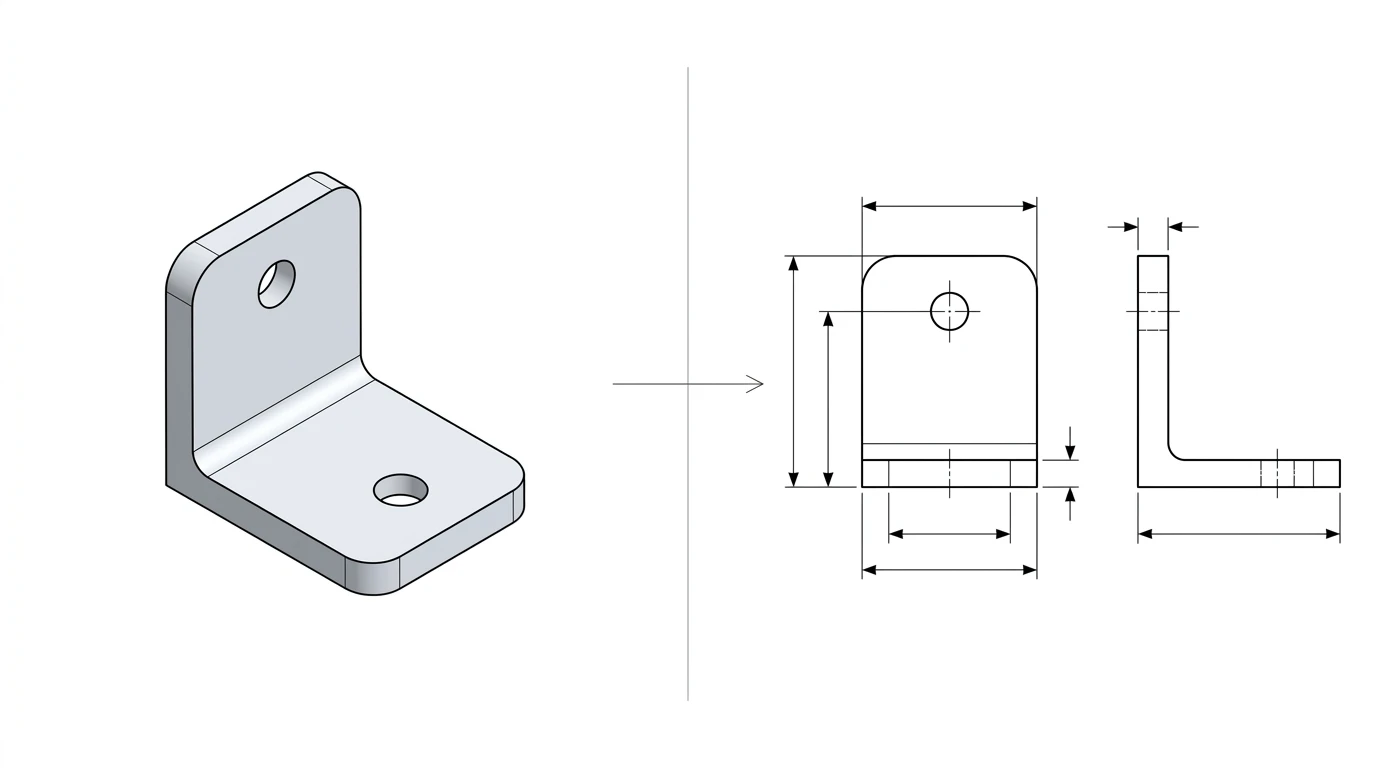
People line STEP up against DXF as if they were rivals, but they are not even playing the same game. A STEP file is a full 3D model. A DXF file is a flat 2D drawing. Once you see the choice that way, it stops being a coin toss. You are just answering one question: am I handing over a three-dimensional part, or a flat shape that someone is about to cut? Everything else falls out of that.
Our articles are still written by humans!
Get human written articles in your Google feed.

The short answer
Send STEP when you need to hand over a 3D model. That covers machining a solid part, importing into another CAD program, building an assembly, or 3D printing from exact geometry. Send DXF when you need a 2D profile: laser cutting, plasma, waterjet, CNC routing, a sheet-metal flat pattern, or a plain 2D drawing. Think of STEP as the format for the shape of a solid, and DXF as the format for the outline you cut. If you are ever stuck, just ask what happens to the file next. Does it get built in three dimensions, or does it get cut flat?
What is STEP?
STEP is short for the Standard for the Exchange of Product model data, and it is published as ISO 10303. It exists for one reason: to let a 3D model travel between CAD systems that otherwise cannot read each other’s native files. A STEP file is vendor-neutral and open, so SolidWorks, Fusion 360, Inventor, CATIA, NX, Creo, Onshape and FreeCAD all read and write it. The two extensions you will see, .step and .stp, are the same file.
What really makes STEP matter on the shop floor is what it stores. It holds precise boundary-representation (B-rep) geometry, which means the exact planes, cylinders and curved surfaces of the part, not a rough triangle mesh like an STL. A shop can machine straight from a STEP model, and an engineer can keep editing it. The newer AP242 version goes a step further and can bake PMI (product and manufacturing information) into the model, so tolerances and GD&T ride along inside the file instead of living only on a separate drawing.
What is DXF?
DXF stands for Drawing Exchange Format. Autodesk built it in 1982 alongside AutoCAD, and like STEP it is an open, published format that any program can implement. Most DXF files are plain ASCII text you could open in a text editor and actually read. Each entity, a LINE, an ARC, a CIRCLE, a LWPOLYLINE, is spelled out in numbered groups.
The thing to hold onto is that DXF is a 2D drawing format. The spec can technically carry 3D entities, but in the real world nobody uses it that way. DXF carries flat geometry: profiles, outlines, drawing views and sheet-metal flat patterns. That is precisely why it became the common currency of the cutting world, because laser cutters, plasma tables, waterjets and CNC routers nearly all expect a 2D DXF. For how DXF sits next to AutoCAD’s native format, read DWG vs DXF, and for the wider picture there is CAD file formats for manufacturing.
The core difference: 3D model vs 2D drawing
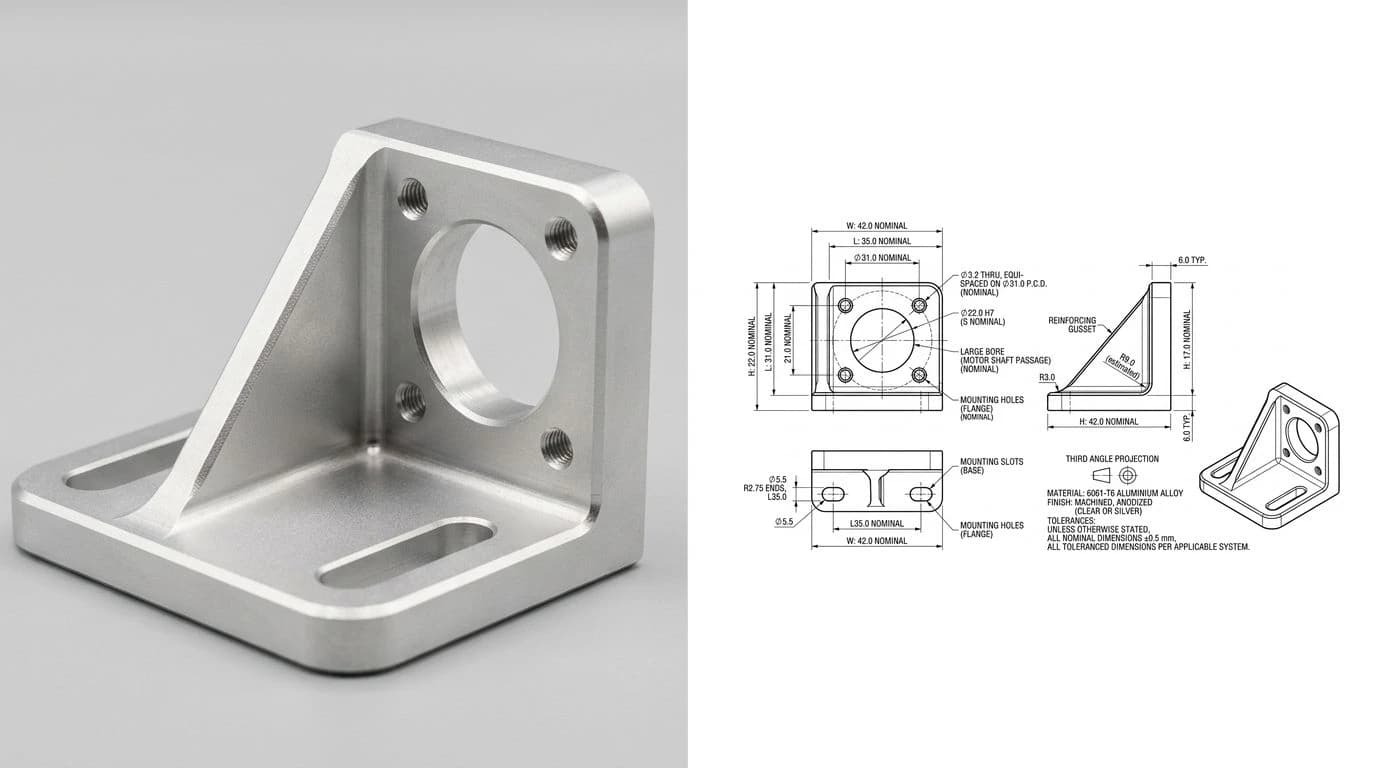
This is the whole article in one idea. STEP describes a part in three dimensions, every face, every fillet, the solid volume. DXF describes it in two, the flat shapes you would draw or cut. Take the flanged hub below. As a STEP file it is a rounded solid you can spin, section and machine. As a DXF it is a circle with a bolt pattern and a side view, the geometry projected flat so a machine can trace it.
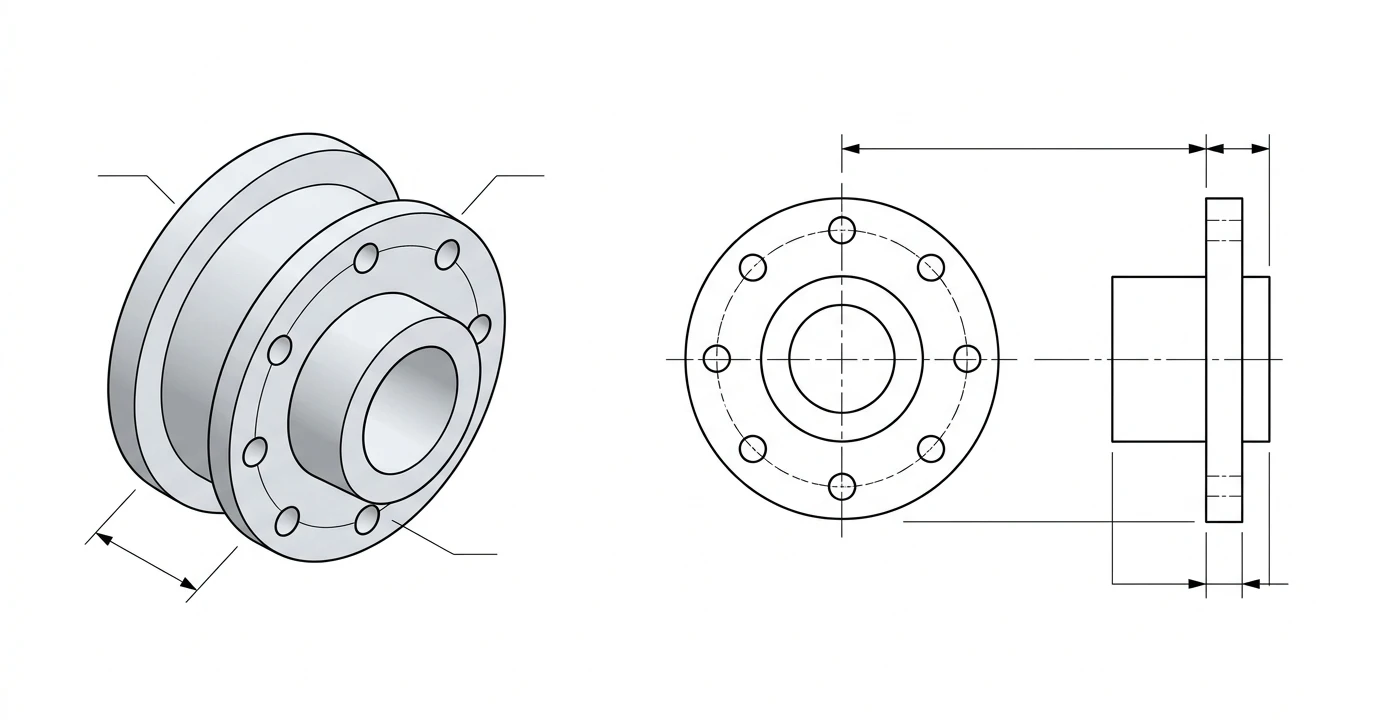
Because they hold different things, you lose information going one way and have to add it going the other. Flatten a STEP model into a DXF and the third dimension is gone by design. Take a DXF profile and try to turn it into a STEP, and now you are the one supplying the depth: how thick, how tall, what it revolves around. That lopsidedness is exactly why converting between them is a real modelling step rather than a save-as, which we get into further down.
If you would rather hear it walked through out loud, this short video from Black Lab Design covers the same “when and why” from a working designer’s point of view.
STEP vs DXF at a glance
STEP vs DXF, side by side
Which should you use?
- Getting a part laser, plasma or waterjet cut: use DXF. The machine follows a flat profile.
- Getting a solid part machined on a 3-axis or 5-axis mill: use STEP. The shop needs the full 3D geometry.
- Moving a model between CAD programs: use STEP. It is the universal 3D handoff.
- Cutting a sheet-metal part: model it in 3D, then export a flat-pattern DXF for the cutter. You end up using both.
- 3D printing: STEP if the slicer takes it, otherwise export STL or 3MF from the STEP model.
- Handing over a plain 2D drawing: use DXF, or a PDF if it should not be editable.
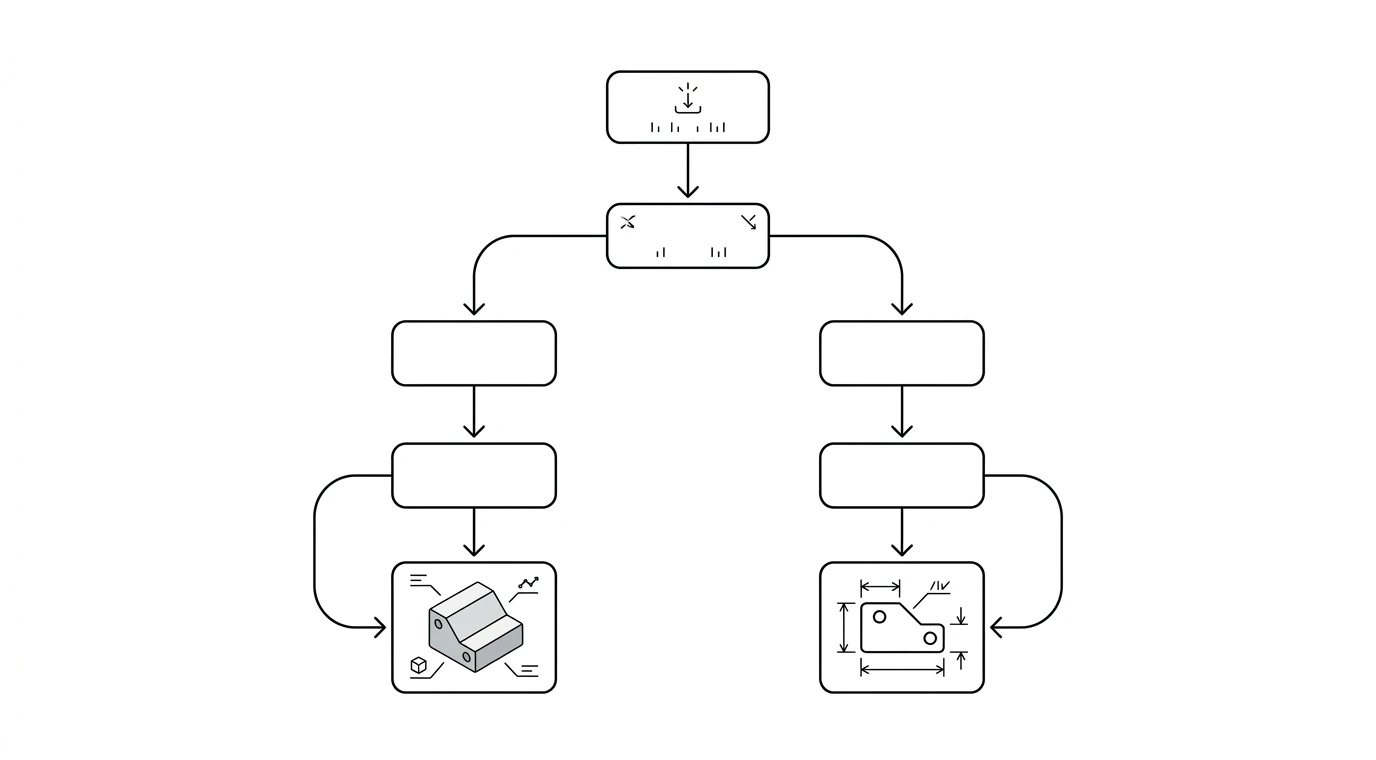
STEP vs DXF for manufacturing
On the shop floor the split is clean, and it lines up neatly with the two kinds of machine. Anything that removes or adds material in three dimensions wants a STEP model. Anything that cuts a flat blank wants a DXF profile.
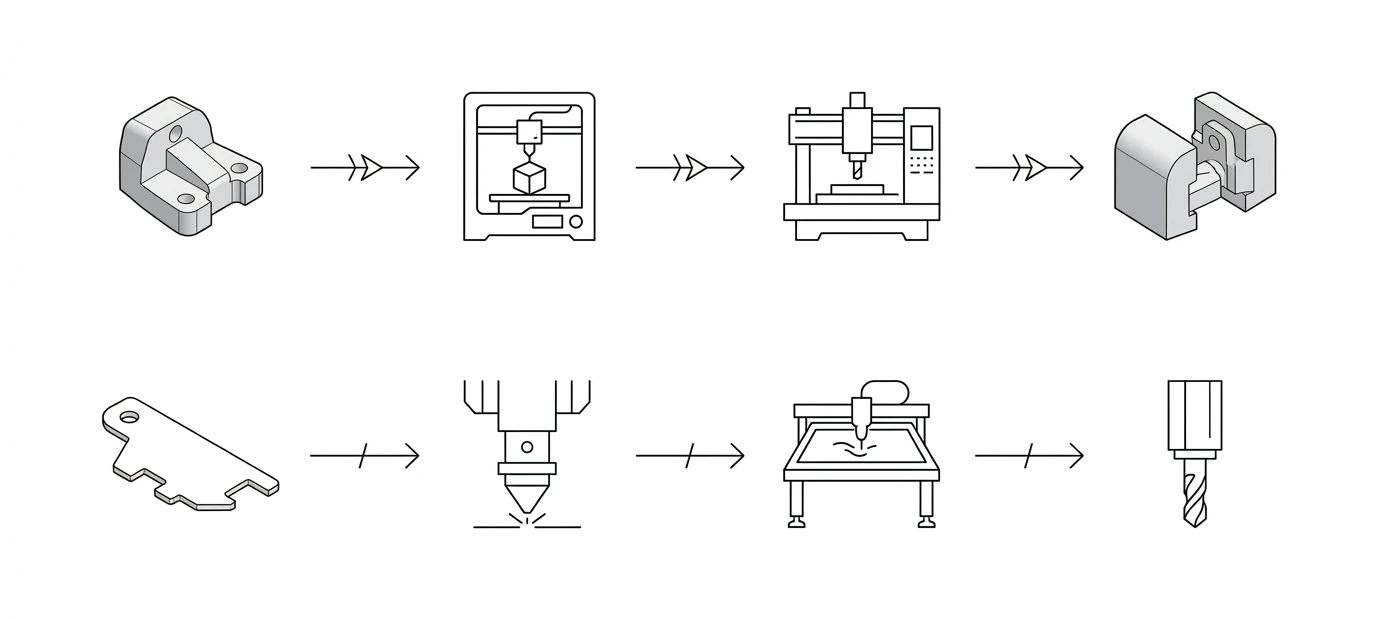
Send STEP for
- 3D CNC machining. Milling, turning and 5-axis work all run off the solid model.
- Assemblies and downstream CAD. Anywhere the recipient rebuilds or references the 3D part.
- Inspection and PMI. An AP242 STEP can carry tolerances and GD&T inside the model itself.
Send DXF for
- Laser and plasma cutting. The default format. There is more in DXF for plasma cutting.
- Waterjet and CNC routing. Same flat-profile logic.
- Sheet-metal flat patterns. The unfolded part, ready to nest and cut.
How to convert between STEP and DXF
Since one is 3D and the other is 2D, there is no honest “Save As” that turns a solid into a flat drawing without a decision from you. Here is what each direction actually asks of you.
STEP to DXF (flatten a model)
Open the STEP model in CAD, then either create a 2D drawing view of the face you need, or, for sheet metal, unfold it to a flat pattern. Export that 2D geometry as DXF. You are dropping the third dimension on purpose, so pick the view or flat pattern that carries the profile the cutter actually needs. Fusion 360, SolidWorks, Inventor and FreeCAD all do this out of the box, and our CAD workflow guides walk through it for Fusion 360, SolidWorks and FreeCAD.
DXF to STEP (give a profile depth)
Import the DXF as a sketch, then extrude or revolve it into a solid and export STEP. A flat DXF has no thickness, so you are the one putting the missing 3D information back in. There is no automatic shortcut here, because a 2D outline simply does not contain a solid.
When you don’t have a CAD file at all
A lot of the time the starting point is not a model but a photo, sketch or scan of a real part. In that case you are not converting anything, you are generating the drawing. TechDraw AI turns a photograph of a part into a fully dimensioned 2D technical drawing you can export as DXF, which is exactly the flat, cut-ready geometry the DXF side of this article is about.
If your input is already a clean image or a logo rather than a photographed object, our image to DXF converter traces it straight to vector DXF, and the JPG-to-DXF converter roundup weighs up the options. And if what you really want is a 3D model of a physical part, see how to reverse-engineer a part.
DWG vs STEP: the same call, one step over
A lot of people land here actually weighing DWG against STEP, and it is the same decision wearing a different file extension. DWG is AutoCAD’s native format and, like DXF, it is used overwhelmingly for 2D drawings. So DWG vs STEP collapses into the question this whole article answers: flat drawing or solid model. Send STEP when the recipient needs the 3D part, send DWG (or DXF) when they need the flat drawing or cut profile.
The one wrinkle worth knowing: DWG is proprietary, so a shop running non-Autodesk software may read it imperfectly, while STEP is an ISO standard everything 3D understands. If you are exporting a 2D drawing for someone whose software you don’t know, DXF is the safer flavour of the same geometry, which is the whole subject of DWG vs DXF. And if the model has to make a round trip, keep the master in your CAD tool’s native format and export STEP for 3D handoffs and DWG or DXF for the drawing set, rather than converting back and forth.
STP, DWG, STL: quick disambiguation
These formats get tangled together in searches, so here is each one in a line:
- STP vs STEP. The same file.
.stpis just a shorter extension for a STEP file. Nothing changes inside. - DXF vs DWG. Both are 2D. DWG is AutoCAD’s proprietary native format, DXF is its open exchange twin. Full comparison in DWG vs DXF.
- STEP vs STL. Both can be 3D, but STEP is exact solid geometry while STL is a triangle mesh approximation used for 3D printing.
- STEP vs IGES. Both are neutral 3D exchange formats. STEP is the newer, better-supported successor, so prefer it unless someone specifically asks for IGES.
Five pitfalls to avoid
- Sending a STEP to a laser cutter. The classic mistake. Cutters need a flat 2D DXF, so flatten the model first.
- Expecting a DXF to carry thickness. A DXF is a flat outline. Material and thickness travel separately, in a note or a quick message to the shop.
- Renaming the extension. Changing
.stpto.dxf(or the other way) converts nothing. They are different data models, so you have to go through CAD. - Losing units on export. A DXF that opens at the wrong size is almost always a millimetre-versus-inch mix-up. Confirm units on both ends.
- Picking the wrong STEP protocol. If you need colours or PMI to survive, export AP242 (or AP214), not a bare AP203.
Frequently asked questions
What is the difference between STEP and DXF?
STEP is a 3D format and DXF is a 2D format. A STEP file (ISO 10303) holds a complete three-dimensional solid model with exact geometry, and any CAD program can open it. A DXF file (Autodesk's Drawing Exchange Format) holds flat 2D geometry, the lines and arcs of a drawing or a cut profile. They are not interchangeable, and they are not really competitors either. STEP moves a model, DXF moves a drawing.
Is STEP or DXF better for laser cutting?
DXF, in almost every case. Laser cutters, plasma tables, waterjets and CNC routers all cut a flat 2D profile, and that is exactly what a DXF is. A STEP file is a 3D model the machine cannot use directly, so you would flatten it to a 2D DXF first. Export the profiles as closed polylines in real units, and an older flavour like R12 DXF is the most widely accepted.
Is STP the same as STEP?
Yes. A file ending in .stp and one ending in .step are the same thing. STP is just a shortened extension for a STEP file (ISO 10303-21). The data inside is identical. Some older systems only allowed three-letter extensions, which is the whole reason STP exists.
Can you convert a STEP file to DXF?
Yes, but it is a 3D to 2D job, not a rename. Open the STEP model in a CAD program, then create a 2D drawing view of the face you need, or, for sheet metal, unfold the part to a flat pattern. Export that 2D geometry as DXF. You are dropping the third dimension on purpose, so decide which face or flat pattern you actually want before you export.
Is STEP a 2D or 3D file format?
3D. STEP stores precise three-dimensional solid geometry, the exact surfaces and edges of the part rather than a triangle mesh, and the AP242 version can also carry manufacturing information such as GD&T. DXF, by contrast, is used almost entirely for 2D. If you need to send a full 3D model, STEP is the format. If you need a flat drawing or a cut profile, DXF is.
STEP vs STL: which should I use for 3D printing?
They do different jobs. STL is a triangle mesh, an approximation of the surface, and it is still the format most slicers expect for 3D printing. STEP is exact solid geometry you can keep editing and machining from. Plenty of modern slicers now import STEP directly, but if a printing service asks for a mesh, export STL or 3MF from the STEP model.
Should I send a DWG or a STEP file?
Send STEP when the other side needs the 3D model, for machining a solid, importing into their CAD system or building an assembly. Send DWG when they need a 2D drawing and you know they run AutoCAD or something that reads DWG cleanly. If you are not sure what software they use, export the same 2D geometry as DXF instead, because it is the open exchange version of the drawing.
Which is more universal, STEP or DXF?
Both are open exchange formats, so the honest answer is that neither wins, because they do different jobs. STEP is an ISO standard that virtually every 3D CAD program reads, which makes it the universal way to hand over a 3D model. DXF is the near-universal 2D format that CAD tools and cutting machines expect. Choose by dimensionality, not by which one sounds more popular.